Ubiquiti Networks
Ubiquiti Networks UniFi nanoHD 802.11ac Wave 2 2-Pack wireless router
$316.99
0.00403932BTC
In stockWe take cryptocurrency — so the coins you hold can buy real hardware.Pay in crypto, spend it on real hardware. Free insured shipping worldwide over $399. Plain, unbranded boxes, sent from Germany.Free insured shipping over $399. Your rate is locked for 30 minutes once checkout opens.Rate locked 30 minutes. Every item sealed, serial-checked and covered by a 24-month warranty.Sealed, 24-month warranty.


TP-Link
Combines VDSL/ADSL modem with dual-band Wi-Fi at 300 Mbps and 1300 Mbps plus four gigabit LAN ports and two USB 2.0 ports
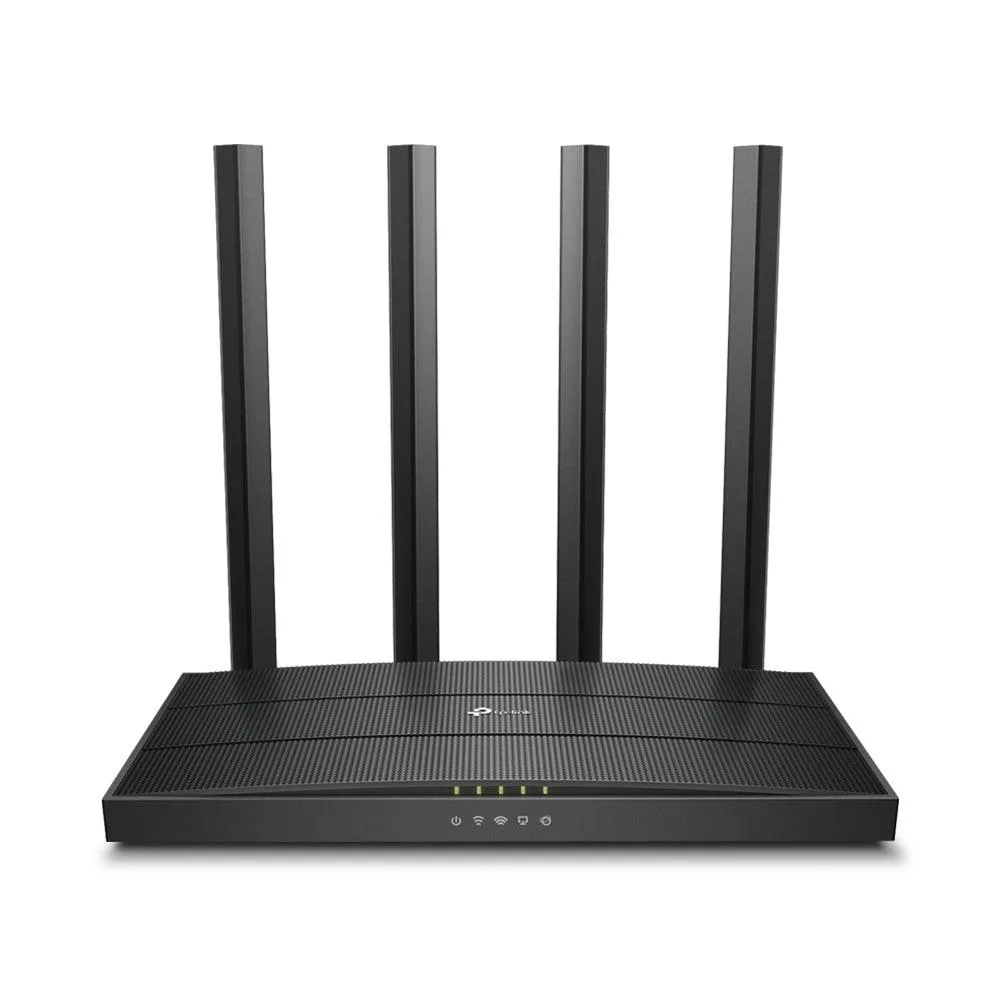
The Archer VR600 combines a VDSL/ADSL modem with dual-band Wi-Fi and four Gigabit LAN ports, delivering wireless rates of 300Mbps on 2.4GHz and 1300Mbps on 5GHz. It suits households that want a single device for broadband connection and local networking without a separate modem.
Three external detachable dual-band antennas let you orient coverage for stable connections across rooms. Two USB 2.0 ports enable file or printer sharing on the LAN, while a dedicated RJ11 port accepts the telephone line and four RJ45 ports serve wired devices.
This unit consolidates a VDSL/ADSL modem and a wireless router, reducing hardware clutter for users upgrading from an ISP-supplied box or separate devices. Buyers needing fibre or cable WAN input, or those requiring USB 3.0 speeds, should consider other solutions.
| Brand | TP-Link |
|---|---|
| Model | ARCHER VR600 |
| Standards | IEEE 802.3, IEEE 802.3u, 802.3ab |
| Network Protocols | Supports IPv4 and IPv6 |
| Security | 64/128-bit WEP, WPA/WPA2, WPA-PSK/WPA-PSK2 |
| WPA | WPA2 |
| LAN Ports | 4 10/100/1000 Mbps RJ45 LAN Ports |
| Buttons | WPS Button, LED Button, Wireless On/Off Buttons(2.4GHz & 5GHz), Power On/Off Button |
| Wireless Data Rates | 1300Mbps at 5GHz, 300Mbps at 2.4GHz |
| Frequency Band | 2.4 GHz / 5 GHz |
| Antenna | 3 External detachable dual band antennas |
| Transmitted Power | 2.4GHz <20dBm(EIRP) 5GHz <23dBm(EIRP)) |
| Interface | 4 10/100/1000Mbps RJ45 LAN Ports 1 RJ11 Port 2 USB 2.0 Ports |
| VPN support | PPTP, L2TP, IPSec |
| System Requirements | Microsoft Windows 98SE, NT, 2000, XP, Vista or Windows 7, 8, 8.1, MAC OS, NetWare, UNIX or Linux Internet Explorer 11, Firefox 12.0, Chrome 20.0, Safari 4.0, or other Java-enabled browser Cable or DSL Modem Subscription with an Internet Service Provider (for Internet access) |
| Dimensions | 1.45" x 9.69" x 6.46" |
| Temperature | Operating: 0°C - 40°C (32°F - 104°F) Storage: -40°C - 70°C |
| Humidity | Operating Humidity: 10%~90% non-condensing Storage Humidity: 5%~90% non-condensing |
| Features | Superfast Wi-Fi - 300Mbps (2.4GHz) and 1300Mbps (5GHz) speeds, are ideal for online gaming, HD streaming, and large file downloads Superior Range - Three detachable antennas provide stable wireless connections and optimal coverage Versatile Connectivity - With DSL, EWAN, and USB ports, the Archer VR600 is fully compatible with DSL connections, fiber/cable access and 3G/4G USB dongles Beamforming Technology - Improves wireless range and performance on 5GHz band Tether App - TP-LINK Tether provides the easiest way to access and manage the router on your iOS and Android devices |
The four RJ45 LAN ports run at 10/100/1000 Mbps, so the wired link tops out at 1000 Mbps per port.
The unit measures 1.45" high x 9.69" wide x 6.46" deep; allow extra width for the three external antennas when positioned upright.
Connect the RJ11 line, power on, then browse to the web interface from a PC with a Java-enabled browser; many forget to set the VDSL/ADSL WAN credentials before testing Wi-Fi.
Also in this aisle
Same shelf, same checkout — eight coins and a 30-minute rate lock.
What you pay in, and what you read prices in.
Sent from your wallet at checkout
Display only — the catalogue is priced in USD
No currency matches that.
Pick the language the site speaks to you in.
New here?
Already have one?
There is no automatic reset: this shop sends no mail, so there is no one-time link to ask for. Leave the address on the account and it gets picked up by hand.
Request noted
Nothing is on its way to your inbox — this shop sends no mail at all. Someone picks these up by hand.
Remembered it?