BFKK
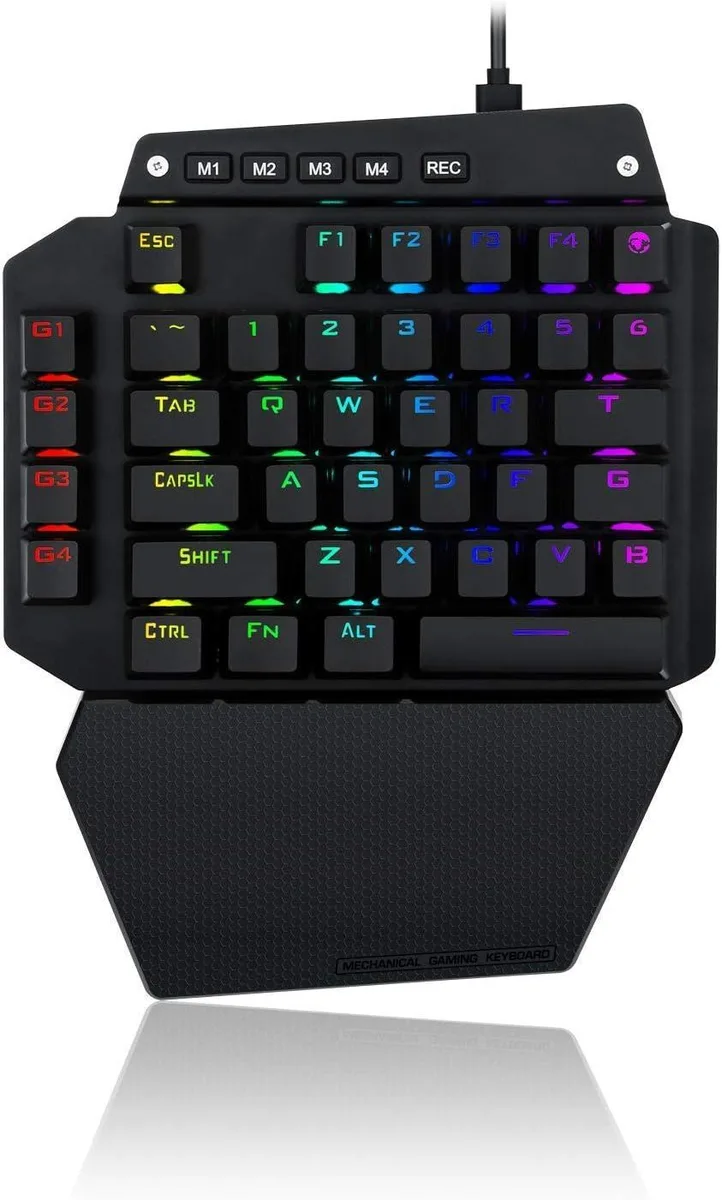
BFKK One-Handed Mechanical Gaming Keyboard, Blue Switch, 6 Macro Keys, Detachable Wrist Rest, USB-C
$58.99
0.00075215BTC
In stockWe take cryptocurrency — so the coins you hold can buy real hardware.Pay in crypto, spend it on real hardware. Free insured shipping worldwide over $399. Plain, unbranded boxes, sent from Germany.Free insured shipping over $399. Your rate is locked for 30 minutes once checkout opens.Rate locked 30 minutes. Every item sealed, serial-checked and covered by a 24-month warranty.Sealed, 24-month warranty.


TUKO
Full-size silent wireless keyboard and mouse combo with 2.4 GHz receiver, 12 multimedia keys and adjustable DPI mouse
This TUKO keyboard and mouse combo delivers a full-size layout with numeric keypad and twelve multimedia shortcut keys. A single 2.4 GHz nano receiver connects both peripherals up to ten metres away with plug-and-play simplicity. The set works across Windows, Mac and Android devices and can be used together or separately.
The scissor-switch keyboard and silent mouse keep noise to a minimum for shared offices or late-night sessions. Adjustable tilt legs and a low-profile design reduce wrist strain during long typing periods. Buyers who need programmable macros, mechanical key feel or wired reliability should consider other options.
One tiny USB dongle handles both keyboard and mouse, leaving remaining ports free for other accessories. The link stays stable up to 10 m (33 ft) without extra software._auto-sleep mode extends battery life when the set is idle.
| Layout | Full-size |
|---|
The combo uses a single 2.4 GHz nano USB receiver that plugs into any standard USB-A port and works up to 10 m (33 ft) away.
Turn the keyboard on, press the Bluetooth pairing key for the desired slot (BT 3.0 or BT 5.0), then select the keyboard in the target device's Bluetooth settings.
Both the keyboard and mouse run on lithium batteries that are not included; replace them when the auto-sleep mode no longer wakes the devices.
Also in this aisle
Same shelf, same checkout — eight coins and a 30-minute rate lock.
What you pay in, and what you read prices in.
Sent from your wallet at checkout
Display only — the catalogue is priced in USD
No currency matches that.
Pick the language the site speaks to you in.
New here?
Already have one?
There is no automatic reset: this shop sends no mail, so there is no one-time link to ask for. Leave the address on the account and it gets picked up by hand.
Request noted
Nothing is on its way to your inbox — this shop sends no mail at all. Someone picks these up by hand.
Remembered it?