

ViewSonic
ViewSonic VA2456A-MHD 24" IPS 1080p 120Hz monitor
A 24-inch IPS panel delivers 1920x1080 resolution at 120Hz with 178-degree viewing angles and 250 cd/m2 brightness for smooth everyday use
- Cabinet ColorBlack
- Screen Size24"
- Glare ScreenAnti-glare
- LED BacklightIPS/WLED
- WidescreenNo
- Maximum Resolution1920x1080
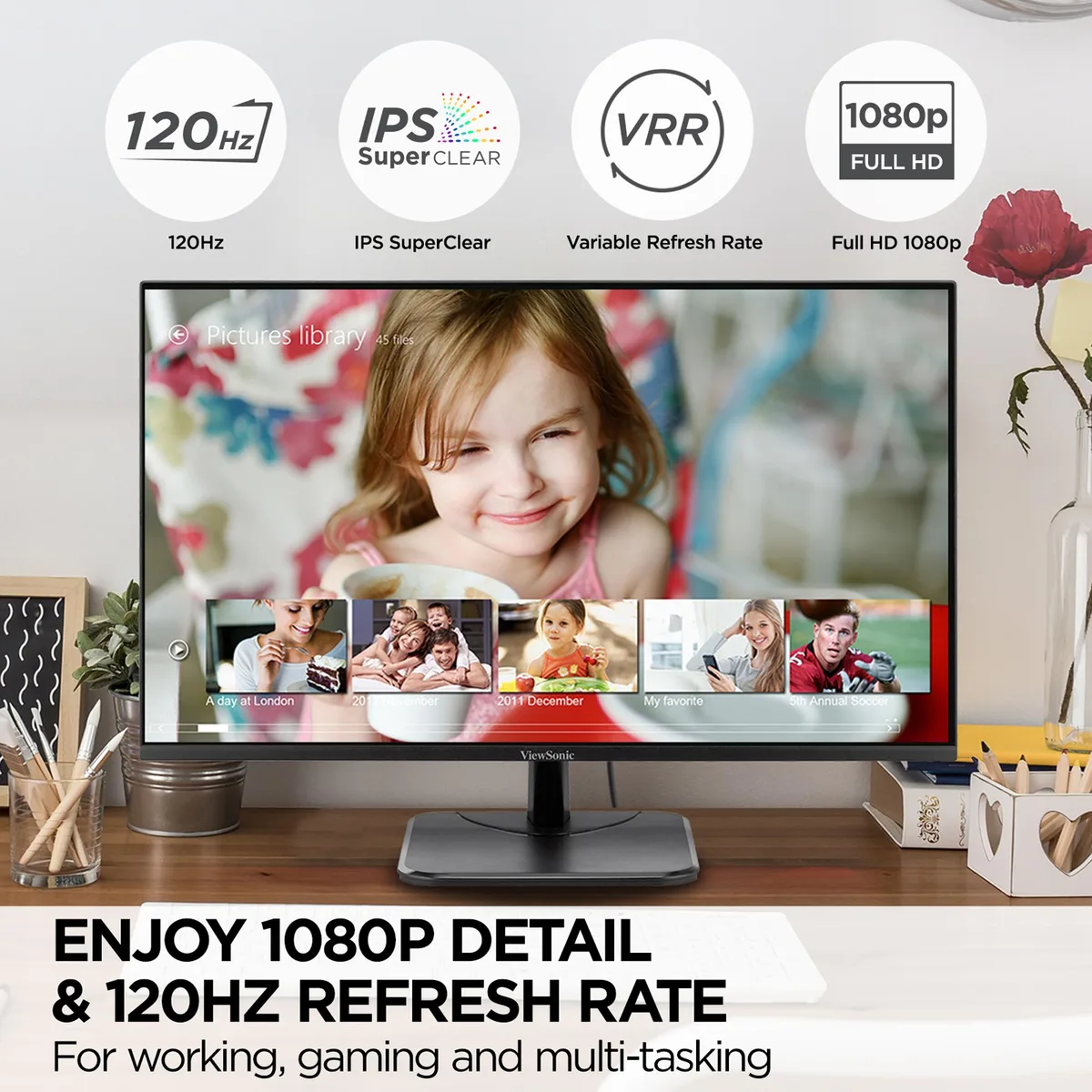
- 24-inch Full HD IPS panel delivers crisp 1920x1080 detail from wide 178° angles
- 120 Hz refresh rate with FreeSync Premium keeps motion smooth during fast action
- Flicker-Free backlight plus Blue Light Filter reduces eye strain during long sessions
- Five preset modes — Game, Movie, Web, Text, Mono — optimise colour and contrast per task
- HDMI, DisplayPort and VGA inputs connect laptops, PCs and Macs without adapters
Versatile 24-inch IPS display
The ViewSonic VA2456A-MHD is a 24-inch Full HD IPS monitor with a 120Hz refresh rate, anti-glare coating and three video inputs. It delivers 16.7 million colours, 250 cd/m² brightness and a 1500:1 static contrast ratio. SuperClear IPS technology provides 178° horizontal and vertical viewing angles. Flicker-Free and Blue Light Filter features reduce eye strain during long sessions.
Suits general use, not colour-critical work
This monitor suits home and office users who need smooth 120Hz motion for everyday tasks, video playback and casual gaming. Wide viewing angles make it practical for shared screens or multi-monitor setups. Buyers who require factory colour calibration, higher brightness for HDR content or a resolution above 1920x1080 should look at something else. The 4ms response time may not satisfy competitive esports players.
120Hz refresh rate with FreeSync Premium
The single specification that decides suitability is the 120Hz refresh rate combined with AMD FreeSync Premium adaptive sync. This pairing reduces screen tearing and stutter when the graphics source supports variable refresh rates. If the buyer's system cannot output 120Hz over HDMI or DisplayPort, or does not support FreeSync, the core benefit of this model is not realised.
Highlights
- 24-inch Full HD IPS panel delivers crisp 1920x1080 detail from wide 178° angles
- 120 Hz refresh rate with FreeSync Premium keeps motion smooth during fast action
- Flicker-Free backlight plus Blue Light Filter reduces eye strain during long sessions
- Five preset modes — Game, Movie, Web, Text, Mono — optimise colour and contrast per task
- HDMI, DisplayPort and VGA inputs connect laptops, PCs and Macs without adapters
Specifications
| Brand | ViewSonic |
|---|---|
| Model | VA2456A-MHD |
| Part Number | VA2456A-MHD |
| Cabinet Color | Black |
| Screen Size | 24" |
| Glare Screen | Anti-glare |
| LED Backlight | IPS/WLED |
| Widescreen | No |
| Maximum Resolution | 1920x1080 |
| Resolution | 1920x1080 |
| Refresh Rate | 120Hz |
| Viewing Angle | 178° (H) / 178° (V) |
| Display Colors | 16.7 Million |
| Brightness | 250 cd/m2 |
| Contrast Ratio | 1500:1 Static Contrast Ratio |
| Aspect Ratio | 16:9 Aspect Ratio |
| Response Time | 4ms |
| Panel | IPS Panel |
| Display Type | Full HD |
| Adaptive Sync Technology | FreeSync Premium (AMD Adaptive Sync) |
| Curved Surface Screen | Matte |
| USB Ports | 0 |
| Connectors | VGA x 1, HDMI 1.4 x 1, DisplayPort in x 1, 3.5mm Audio In x 1, 3.5mm Audio Out x 1 |
| DVI | No |
| HDMI | Yes |
| Thunderbolt 2 | No |
| DisplayPort | 1 |
| USB 3.0 | 0 |
| Power Supply | 100 - 240 VAC, 50/60Hz |
| Built-in Speakers | Yes |
| Built-in Webcam | No |
| VESA Compatibility - Mountable | 100 x 100mm |
| Dimensions | 7.8 in x 21.2 in x 15.4 in |
| Weight | 6.8 lb |
| Package Contents | LCD Display, HDMI Cable, Quick Start Guide |
Questions about this item
What cable and port must my computer already provide to use the 120 Hz refresh rate on this VA2456A-MHD?
Your computer needs a DisplayPort or HDMI output capable of 1920×1080 at 120 Hz; a VGA connection will not support the higher refresh rate.
Will my older graphics card that only has VGA work with the VA2456A-MHD at 1080p?
Yes, the monitor includes a VGA input, but the maximum refresh rate over VGA is lower than 120 Hz; you will still get 1920×1080 resolution.
How can I confirm the VA2456A-MHD is running at 120 Hz and FreeSync Premium is active after setup?
Open the on-screen display information menu to verify 120 Hz, and check your GPU control panel to confirm FreeSync Premium is enabled for the connected DisplayPort or HDMI link.
Also in this aisle
People compared these
Same shelf, same checkout — eight coins and a 30-minute rate lock.