

EVESKY
EVESKY MW4500 Wireless Vertical Ergonomic Mouse 1200 DPI 6 Buttons
157,99 USD
0.00197453BTC
DostępnyAkceptujemy kryptowaluty — posiadane środki można więc wykorzystać na zakup prawdziwego sprzętu.Płatność kryptowalutą — realny sprzęt w zamian. Bezpłatna, ubezpieczona dostawa na całym świecie powyżej 399 $. Neutralne kartony, bez oznaczeń, wysyłane z Niemiec.Bezpłatna, ubezpieczona dostawa powyżej 399 $. Kurs zostaje zablokowany na 30 minut od otwarcia kasy.Kurs zablokowany na 30 minut. Każdy produkt jest fabrycznie zapieczętowany, jego numer seryjny jest sprawdzany, a całość objęta jest 24-miesięczną gwarancją.Zapieczętowane fabrycznie, 24 miesiące gwarancji.
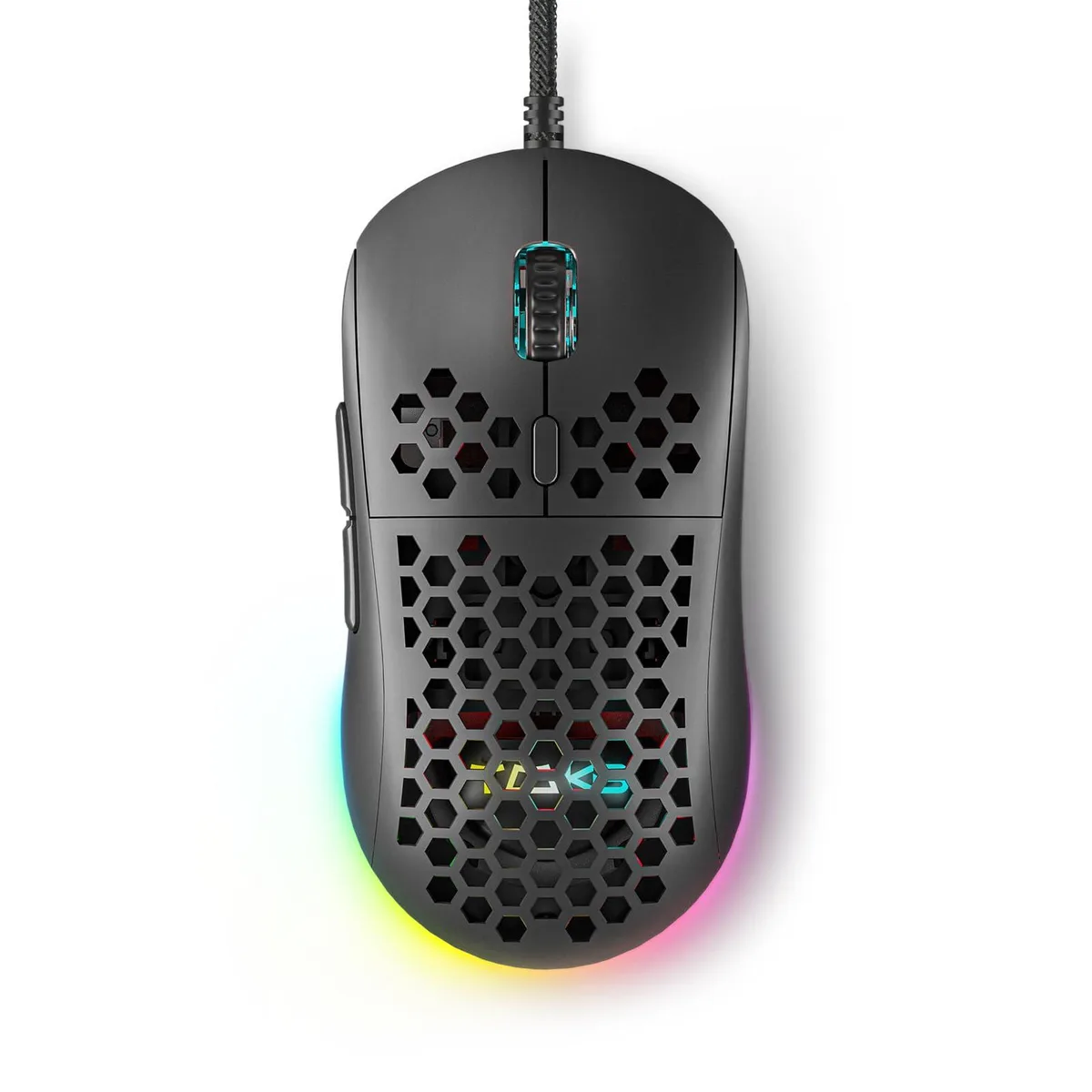


Wired gaming mouse with honeycomb shell, 75 g weight, 12800 DPI optical sensor, six programmable buttons, 16.8 million colour RGB lighting and driver software for macro recording
The ASUS DIERYA M1SE is a wired gaming mouse with a honeycomb shell that weighs 75 grams. It uses an optical sensor adjustable from 200 to 12800 DPI and offers six programmable buttons. The device connects via USB and includes RGB lighting with 16.8 million colours. It is built for right-handed players who want a lightweight, customisable pointer for competitive titles.
Plug the 180 cm braided cable into a USB port and the mouse works immediately on Windows 7, 8, 10, XP, Vista or Linux. For button remapping, macro recording and RGB profile editing you must download the TMKB driver from the supplied link. The software is the only way to access the 23 adjustable DPI levels and four memory profiles. Some users report that the driver must be run as administrator for settings to persist after reboot.
The sensor tops out at 12800 DPI with a polling rate up to 1000 Hz. If your play style demands higher sensitivity or faster report rates, this model will not meet that need. Buyers who require a wireless connection or a left-handed shape should look elsewhere.
| Brand | ASUS |
|---|---|
| Name | DIERYA |
| Part Number | M1SE |
| Type | 2.4GHz / Wired |
| Color | Black |
| Interface | Bluetooth |
| Mouse Grip Style | Adjustable |
| Tracking Method | Optical |
| Sensor | Optical |
| Hand Orientation | Right Hand |
| Buttons | 16 |
| Scrolling Capability | Touch Scroll |
| Weight | 105 grams |
| System Requirement | USB port |
| Package Contents | Honeycomb Gaming Mouse *1, User Manual *1 |
Move the mouse and confirm the cursor responds smoothly; then open the DIERYA driver software and check that the polling rate shows 1000Hz and the DPI level matches one of the 23 adjustable steps between 200 and 12800.
The package includes the honeycomb gaming mouse and a user manual; you must supply a free USB port for the 180cm cable and download the driver from kemove.com to unlock button remapping, macros and RGB control.
Begin at 800 DPI — a common mid-range value within the 200-12800 range — then use the DPI adjustment button to cycle through the 23 levels until the sensitivity feels right for your play style.
Także w tym dziale
Ten sam dział, ta sama kasa — osiem kryptowalut i 30-minutowa blokada kursu.
Waluta płatności i waluta wyświetlania cen.
Wysyłane z portfela przy kasie
Tylko podgląd — katalog wyceniony jest w dolarach
Brak pasującej waluty.
Wybierz język, w którym wyświetla się strona.
Pierwsza wizyta?
Konto już założone?
Nie ma automatycznego resetowania hasła: ten sklep nie wysyła żadnych e-maili, więc nie ma jednorazowego linku, o który można by poprosić. Adres pozostawiony przy koncie zostanie obsłużony ręcznie.
Zgłoszenie zapisane
Do skrzynki odbiorczej nic nie trafi — ten sklep nie wysyła żadnych e-maili. Zgłoszenia są obsługiwane ręcznie.
Hasło się przypomniało?


