


DELL
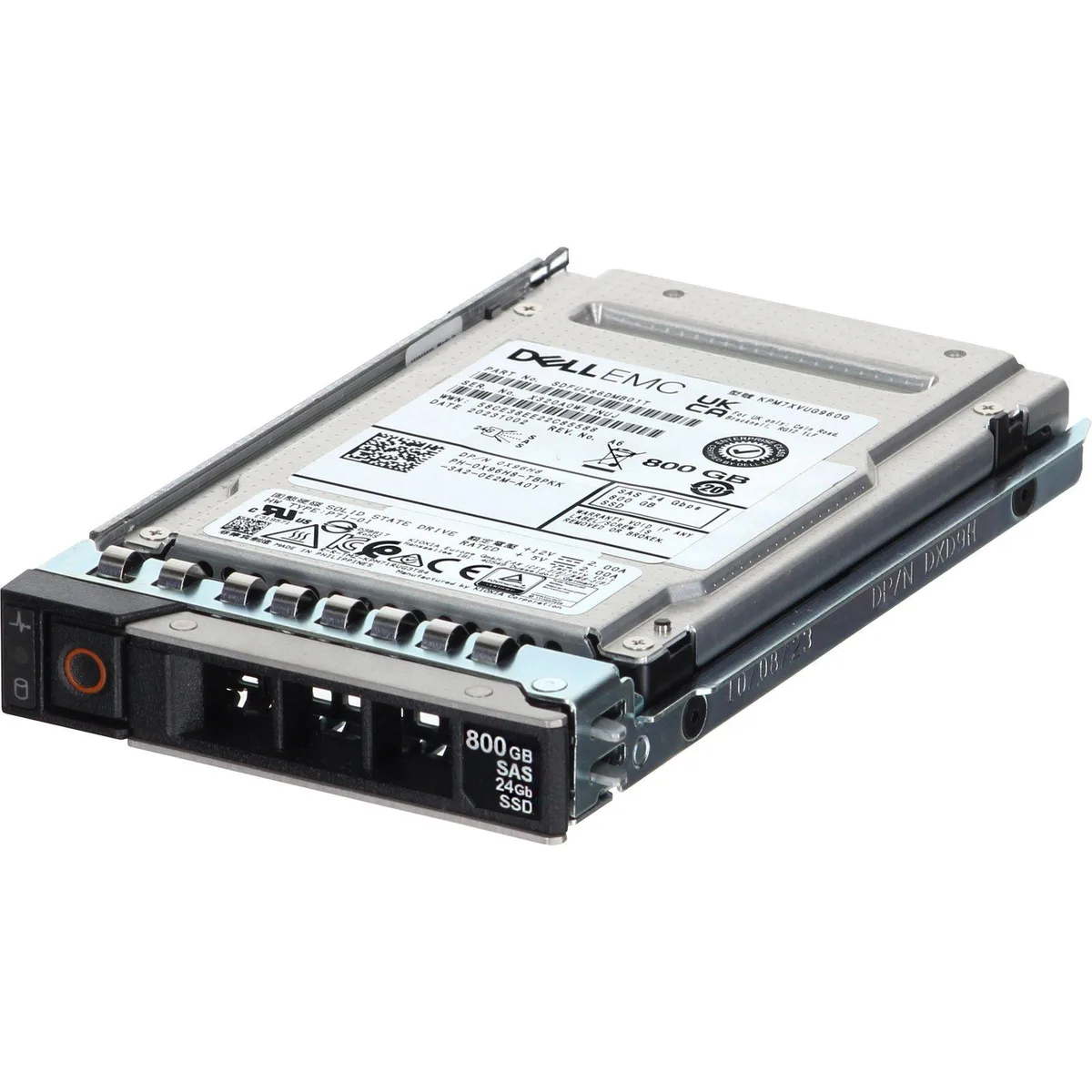
DELL 800GB 24Gbps SAS 2.5 Enterprise SSD KPM7XVUG960G (X96H8)
An 800 GB SAS solid-state drive for Dell PowerEdge servers, built with mixed-use TLC flash and a 24 Gbps interface
- InterfaceSAS
- 800 GB capacity supports large enterprise workloads
- 24 Gbps SAS interface delivers high-throughput data transfer
- Mix-use TLC design balances read and write endurance
- 5-inch form factor fits standard server drive bays
- Compatible with PowerEdge R650, R750, R760 and MX750C servers
Capacity and interface
This is an 800GB enterprise SSD with a 24Gbps SAS interface built for mixed-use workloads. It fits 2.5-inch drive bays in Dell PowerEdge servers and storage arrays. The drive targets IT teams that need reliable read-write performance for databases, virtualization or logging. Buyers who need a different capacity or a non-SAS interface should look elsewhere.
Thermals noise and power
The SSD is designed for continuous operation inside Dell PowerEdge chassis where system fans manage airflow across the drive bay. No standalone acoustic or thermal figures are supplied by the manufacturer. Power draw varies with the host server configuration and workload mix. Buyers who need exact wattage or temperature limits for a custom enclosure cannot be accommodated.
Build quality and connectors
The drive uses a standard SAS connector that mates directly with backplanes in the listed PowerEdge and MX models. Firmware is updated and each unit is tested before shipment. The 2.5-inch form factor allows hot-swap insertion in supported bays. Builders who need a drive for non-Dell chassis or for a different drive bay size cannot use this part.
Pontos fortes
- 800 GB capacity supports large enterprise workloads
- 24 Gbps SAS interface delivers high-throughput data transfer
- Mix-use TLC design balances read and write endurance
- 5-inch form factor fits standard server drive bays
- Compatible with PowerEdge R650, R750, R760 and MX750C servers
Especificações
| Brand | Dell |
|---|---|
| Model | KPM7XVUG960G |
| Interface | SAS |
Perguntas sobre este artigo
How do I install the 2.5 SAS SSD into a Dell PowerEdge R750 and what step is often missed?
Insert the drive into a 2.5 SAS bay, secure the carrier latch, and run the RAID controller initialisation so the volume appears to the OS.
What maintenance or replacement will the 800GB MU TLC SSD need over its service life?
Monitor SMART wear indicators; replace the drive once the media‑wear metric reaches the rated endurance threshold.
What limit appears first on the 24Gbps SAS interface during sustained mixed‑use workloads?
The 24Gbps SAS link bandwidth caps sustained throughput before the flash media reaches its write‑endurance limit.
Também nesta secção
Os clientes também compararam
Mesma prateleira, mesma finalização da compra — oito moedas e uma taxa bloqueada durante 30 minutos.




