
HP
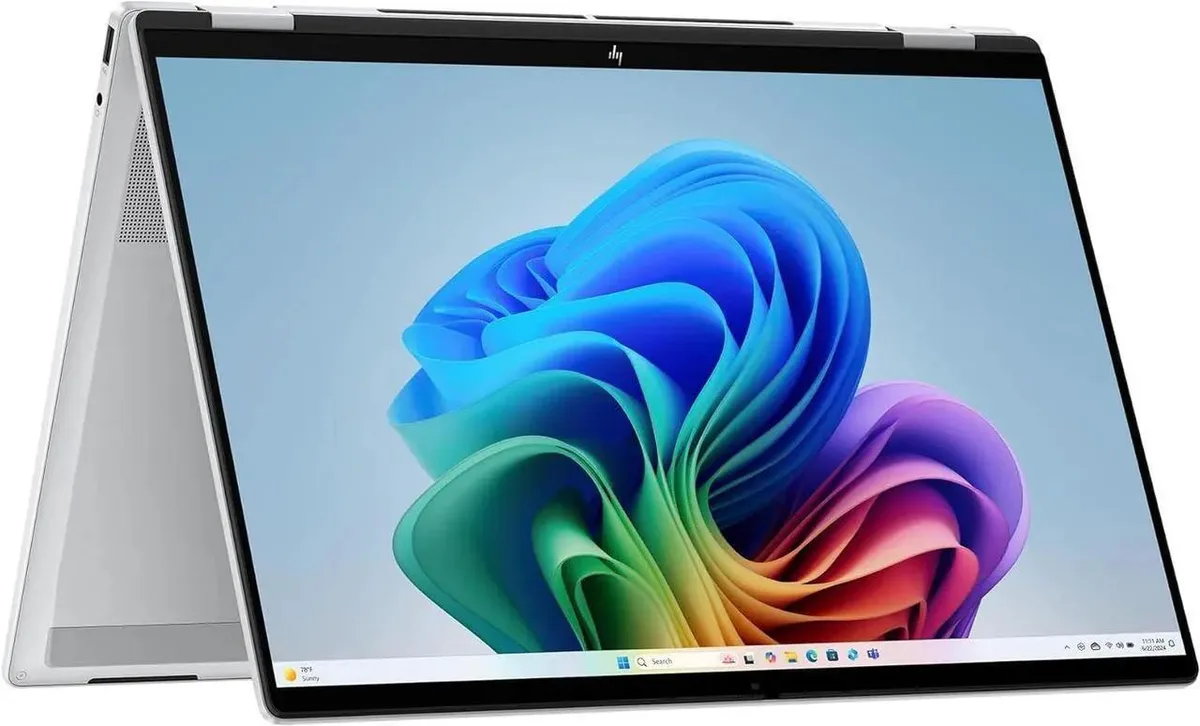
HP OmniBook 16-au0055cl 16" 2K Touchscreen Core Ultra 5 226V 16GB DDR5 2TB SSD
- Silver
- Copilot+ PC
957,99 US$
0.01192583BTC
Em stockAceitamos criptomoeda — para que as moedas que detém possam comprar material informático real.Pague em cripto, gaste-a em material informático real. Envio seguro gratuito para todo o mundo acima de 399 $. Caixas neutras, sem marca, expedidas a partir da Alemanha.Envio seguro gratuito acima de 399 $. A sua taxa fica bloqueada durante 30 minutos assim que abre a finalização da compra.Taxa bloqueada 30 minutos. Cada artigo é selado, o seu número de série é verificado, e está coberto por uma garantia de 24 meses.Selado, garantido 24 meses.


HP
A new desktop PC with an Intel Core Ultra 5 225 processor, 32GB DDR5 memory and a 2TB PCIe 4.0 SSD, plus Wi-Fi 6 and Bluetooth 5.4
Operating System Windows 11 Home
SSD 2TB PCIe
The HP OmniDesk desktop PC ships with an Intel Core Ultra 5 225 processor and 32GB DDR5 5600 memory for everyday workloads that benefit from on-device AI acceleration. A 2TB PCIe 4.0 NVMe drive provides fast storage for projects and media. Windows 11 Home and Microsoft Copilot are pre-installed. The dark wood chassis includes a 280W 80 Plus Platinum power supply, wireless keyboard and mouse.
This system suits home-office users and creators who want a compact, quiet machine with Wi-Fi 6 and Bluetooth 5.4 for peripherals. Quad-display support over DisplayPort 1.4 and HDMI handles multi-monitor productivity. Buyers who need discrete graphics for heavy 3D rendering, high-frame-rate gaming or workloads that require more than 64GB memory should look at a workstation-class tower instead.
The 6.1-inch wide chassis sits on a standard desk and connects to wired networks through a single RJ-45 port. Ten USB ports — two USB-A 3.0, two USB-A 3.1, one USB-C 3.0, one USB-C 3.1 and four USB-A 2.0 — leave room for docks, drives and input devices without a hub. Integrated Intel Graphics drives up to four displays, freeing PCIe slots for future storage expansion.
| Brand | HP |
|---|---|
| Series | Omni |
| Release Year | 2025 |
| Type | Desktop PC |
| Form Factor | Desktop |
| Color | Black |
| AI Features | Copilot+ PC |
| Power Supply | 280W |
| Monitor | Monitor not included |
| Operating System | Windows 11 Home |
| CPU Type | Intel Core Ultra 5 (Series 2) |
| CPU Name | Intel Core Ultra 5 225 |
| GPU/VGA Type | Intel Graphics |
| Memory Capacity | 32GB DDR5 |
| Memory Speed | DDR5 5600 |
| Memory Slot (Total) | 2 |
| Maximum Memory Supported | 64 GB |
| SSD | 2TB PCIe |
| WiFi Generation | Wi-Fi 6 |
| Bluetooth | Bluetooth 5.4 |
| Front USB | 6 |
| Front Audio Ports | 1 |
| Rear USB | 4 |
| RJ45 | 1 port |
| Keyboard Type | Wireless Keyboard |
| Mouse Type | Wireless Mouse |
Outras versões deste modelo
Mesma família, memória, ventoinha ou frequência diferentes — compare antes de decidir.
You will need a DisplayPort 1.4 cable for the DisplayPort output and an HDMI cable for the HDMI output; the remaining two displays require USB-C 3.1 or USB-C 3.0 ports that support video alt mode.
Yes, the four USB-A 2.0 ports are backward compatible with USB 2.0 devices such as keyboards and mice.
Open Task Manager in Windows 11 Home, go to the Performance tab, select CPU and watch the clock speed while running a demanding task.
Também nesta secção
Mesma prateleira, mesma finalização da compra — oito moedas e uma taxa bloqueada durante 30 minutos.
O que paga, e a moeda em que vê os preços.
Enviado da sua carteira ao finalizar a compra
Apenas informativo — o catálogo está em dólares
Nenhuma moeda corresponde.
Escolha o idioma em que o site lhe fala.
Ainda não tem conta?
Já tem conta?
Não existe reposição automática: esta loja não envia qualquer e-mail, pelo que não há nenhum link de utilização única para pedir. Deixe o endereço na conta e ele será tratado manualmente.
Pedido registado
Não vai chegar nada à sua caixa de entrada — esta loja não envia qualquer e-mail. Alguém trata disto manualmente.
Recordou-se dela?




