

HPE
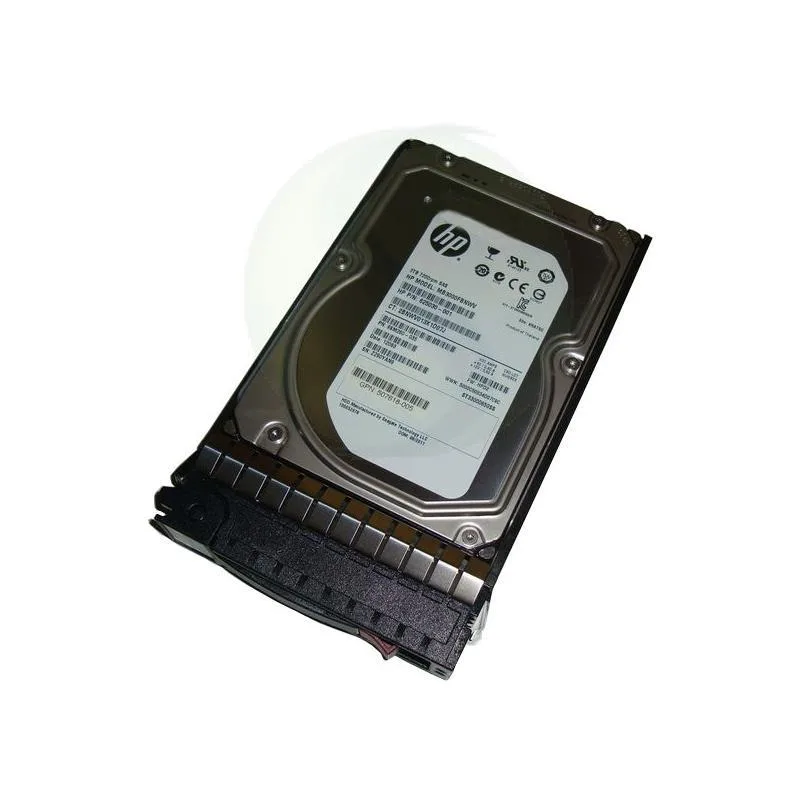
HPE 625140-001 3 TB 3.5" 7200 rpm SAS internal hard drive
A 3 TB 3.5-inch internal hard drive spinning at 7200 rpm with a SAS interface and hot-plug support
- InterfaceSAS 6Gb/s
- Capacity3TB
- NAND Flash Memory TypeSLC
- Form Factor3.5"
- 3 TB capacity stores large datasets
- 7200 rpm spindle speed delivers responsive data access
- SAS 6Gb/s interface enables fast transfer rates
- 5 inch form factor fits standard drive bays
- Hot-pluggable design allows drive replacement without system shutdown
3 TB SAS drive for servers
The HPE 625140-001 is a 3.5 inch internal hard drive built for SAS 6Gb/s environments. It delivers 3 TB of capacity at 7200 rpm and supports hot-plug installation. The drive is designed for enterprise storage arrays and server chassis that require dual-port SAS connectivity.
Replaces smaller SAS spindles
This unit steps up from lower-capacity 7200 rpm SAS drives when a single bay must hold more data without adding spindles. The jump is worth it when the controller and backplane already run at 6Gb/s and the workload is sequential or near-line rather than random transaction-heavy.
Sustained throughput on 6Gb/s SAS
Under continuous load the 7200 rpm platters keep a steady transfer rate limited by the 6Gb/s link and mechanical latency. Hot-plug capability lets a failed unit be swapped without powering down the enclosure, keeping the array online during rebuilds.
Pontos fortes
- 3 TB capacity stores large datasets
- 7200 rpm spindle speed delivers responsive data access
- SAS 6Gb/s interface enables fast transfer rates
- 5 inch form factor fits standard drive bays
- Hot-pluggable design allows drive replacement without system shutdown
Especificações
| Brand | HPE |
|---|---|
| Interface | SAS 6Gb/s |
| Capacity | 3TB |
| NAND Flash Memory Type | SLC |
| Form Factor | 3.5" |
Perguntas sobre este artigo
What 3.5" drive bay and SAS backplane does the 625140-001 need?
It fits a standard 3.5" internal bay and connects to a 6Gb/s SAS backplane; the hot-pluggable carrier slides directly into the server chassis.
How is the drive installed and what step is often missed?
Insert the drive into the hot-plug tray until the latch clicks, then push the tray into the bay until the lever locks; forgetting to seat the latch fully is the common error.
When will the 7200 rpm SAS drive need replacement?
Plan replacement after the rated workload limit or when SMART reports reallocated sectors; the SLC NAND cache does not wear like consumer flash.
Também nesta secção
Os clientes também compararam
Mesma prateleira, mesma finalização da compra — oito moedas e uma taxa bloqueada durante 30 minutos.


Lenovo
Lenovo 4XB0F28690 ThinkServer RAID 110i RAID 5 Upgrade Key
66,99 US$73,99 US$−9%
0.00085376BTC
Em stock
