


TUKO
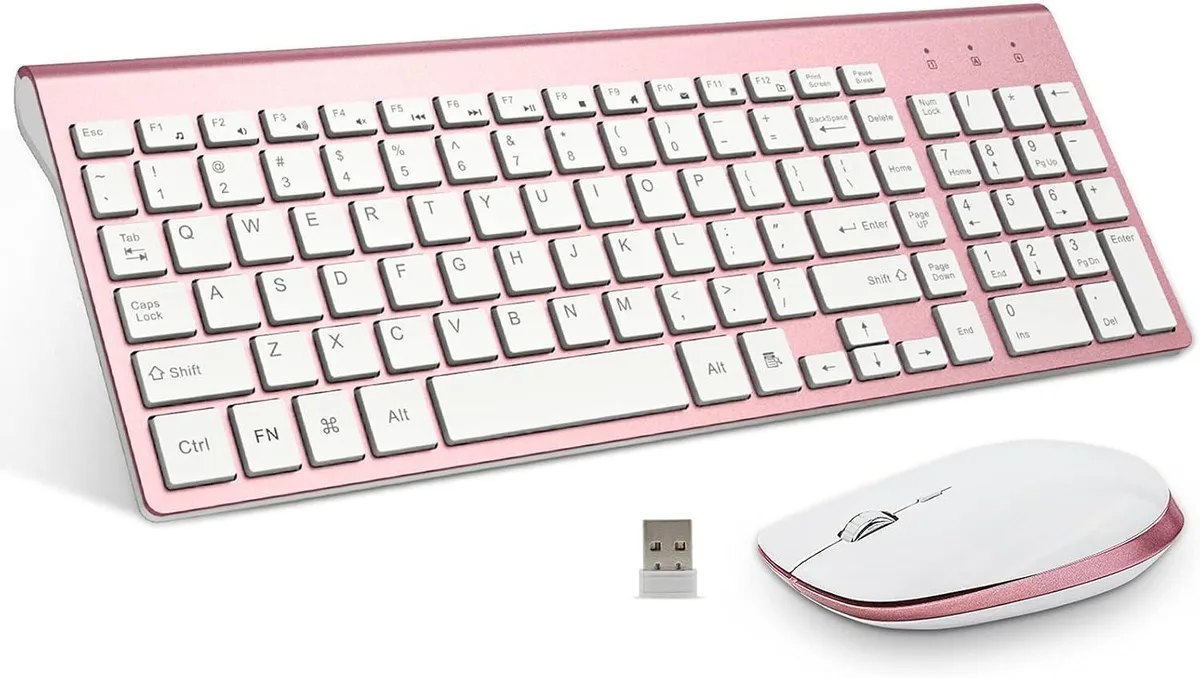
TUKO Wireless Keyboard & Mouse Combo Pink Rose Gold
A wireless keyboard and mouse combo with scissor-switch keys, silent clicks, auto sleep after 30 seconds, and a shared 2.4 GHz USB receiver
- LayoutFull-size
- Ergonomic tilt and contoured mouse reduce fatigue during long sessions
- Scissor-switch keys with ultra-short travel enable quiet, low-effort typing
- Silent mouse buttons rated for 5 million clicks suit shared spaces
- Auto sleep after 30 seconds of inactivity extends battery life
- Single 2.4 GHz USB receiver connects both keyboard and mouse
Full-size Wireless Keyboard & Mouse
The TUKO Wireless Keyboard & Mouse Combo in Pink Rose Gold pairs a full-size low-profile keyboard with a contoured mouse. Both connect through a single 2.4 GHz USB receiver for instant plug-and-play use on PC or laptop. The compact flat design includes a numeric keypad and a soft cover for portable protection.
Silent Scissor Keys and Auto-sleep Power Saving
Scissor-switch keys and silent mouse buttons deliver a quiet typing experience suited to offices, libraries and shared spaces. An intelligent power-saving chip turns off the keyboard indicator after 30 seconds of inactivity and wakes instantly on any key press. The keyboard runs on two AA batteries and the mouse on two AAA cells.
Upgrade from Noisy Membrane Sets
This combo replaces clacky membrane keyboards and rattling mice with a stable low-noise set that reduces hand fatigue during long sessions. The jump is worth it for users who need a full layout with number pad in a slim profile. Buyers who require mechanical switches, programmable macros or rechargeable batteries should look elsewhere.
Pontos fortes
- Ergonomic tilt and contoured mouse reduce fatigue during long sessions
- Scissor-switch keys with ultra-short travel enable quiet, low-effort typing
- Silent mouse buttons rated for 5 million clicks suit shared spaces
- Auto sleep after 30 seconds of inactivity extends battery life
- Single 2.4 GHz USB receiver connects both keyboard and mouse
Especificações
| Layout | Full-size |
|---|
Perguntas sobre este artigo
How do I install the wireless receiver and which step is often missed?
Plug the single USB 2.4GHz receiver into a free USB port; the keyboard and mouse share it. The step often missed is inserting 2 AA batteries into the keyboard and 2 AAA batteries into the mouse before pairing.
What maintenance will the mouse buttons need and when?
The left and right mouse buttons are rated for 5 million clicks. No routine maintenance is required, but after that many clicks the buttons may need replacement if they start to double-click or feel mushy.
What is the first power-saving limit I will hit during steady use?
After 30 seconds of inactivity the keyboard indicator light turns off to save power. Press any key to wake it; the mouse enters a similar low-power state until moved again.
Também nesta secção
Os clientes também compararam
Mesma prateleira, mesma finalização da compra — oito moedas e uma taxa bloqueada durante 30 minutos.



Cherry
Cherry MX 3.1 Mechanical Wired Gaming Keyboard White MX2A Silent Red
- Red Switch
- White
116,99 US$
0.00145107BTC
Em stock