ASUS
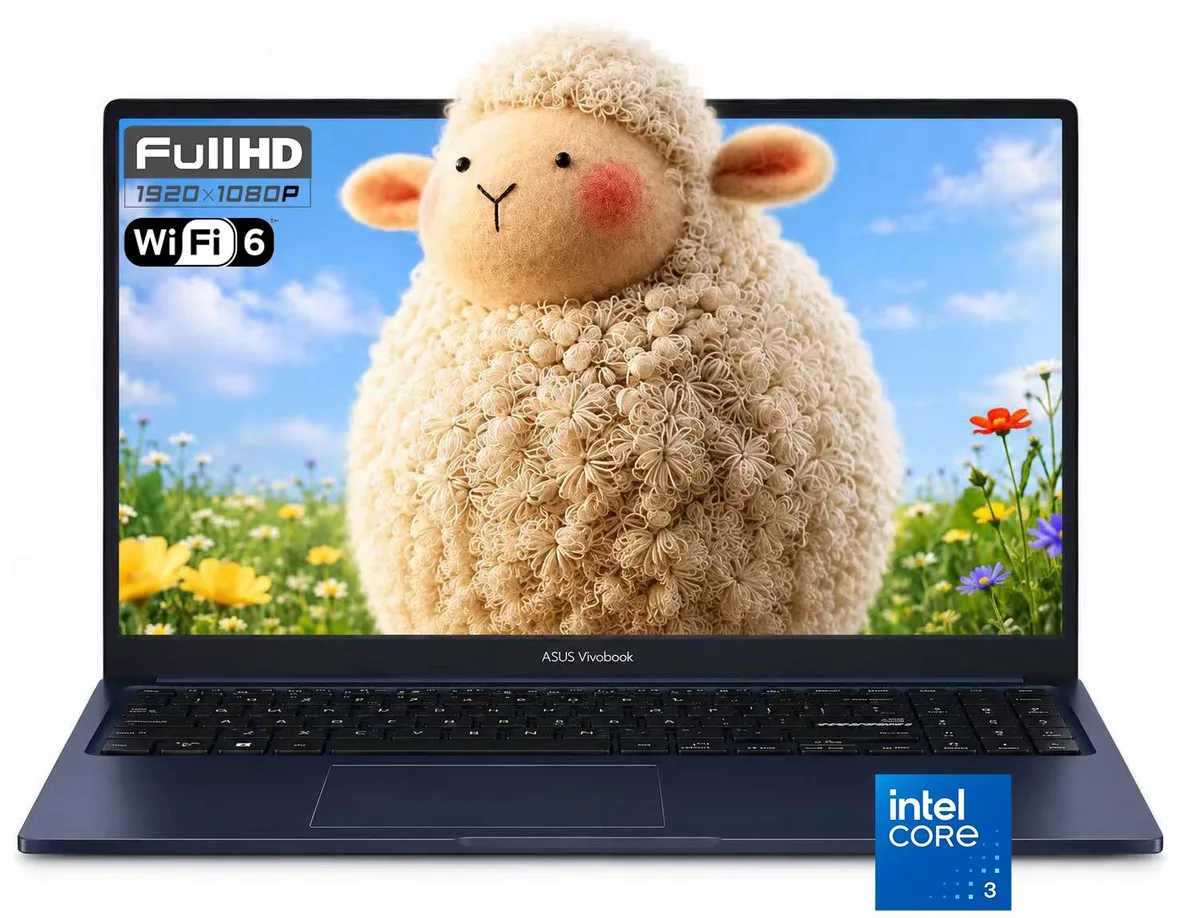
ASUS Vivobook 15 15.6" FHD Intel Core 3 100U 16GB DDR5 512GB SSD Blue
- Blue
- Copilot+ PC
US$403.99
0.00527237BTC
現貨


ASUS
15.6-inch FHD IPS laptop with Intel Core 3 100U 6-core processor, 20GB DDR5 5600 RAM, 1TB PCIe 4.0 NVMe SSD and Windows 11 Home
Options 20G · 1TB · Home
This 15.6 inch laptop runs Windows 11 Home on an Intel Core 3 100U processor with six cores and eight threads. The 20GB of DDR5 5600 memory and a 1TB PCIe 4.0 NVMe SSD give responsive multitasking and fast storage access. A 1920 x 1080 IPS panel at 60 Hz with anti-glare coating and 250 nits brightness handles documents and video calls. Integrated Intel Graphics drives the built-in display and one HDMI 1.4 output.
Buyers who want a lightweight machine for web browsing, office applications and streaming will find the specification matches those tasks. The 720p webcam, Wi-Fi 6 and USB 3.2 Gen 1 Type-C port support modern connectivity. Users who need a touchscreen, a backlit keyboard, discrete graphics for creative workloads or gaming, or more than one external display should look at other models.
The chassis measures 14.16 x 9.15 x 0.7 inches and weighs 3.75 lbs, so it slides into a standard backpack. A 45W power adapter and 3-cell lithium-ion battery keep it running away from a socket. Two USB 3.2 Gen 1 Type-A ports and one USB 2.0 Type-A port accept a mouse, keyboard and flash drive without a hub. The HDMI 1.4 port adds a second screen for extra workspace.
| Brand | ASUS |
|---|---|
| Color | Blue |
| AI Features | Copilot+ PC |
| Operating System | Windows 11 Home |
| CPU Type | Intel Core 3 Processors |
| Processor Name | Intel Core 3 100U |
| Number of Cores | 6-core Processor |
| CPU L2 Cache | 10MB |
| Screen Size | 15.6" |
| Touchscreen | Non-Touch Screen |
| Display Type | FHD |
| Resolution | 1920 x 1080 |
| Panel | IPS |
| Refresh Rate | 60 Hz |
| GPU/VPU | Intel Graphics |
| Graphic Type | Integrated Card |
| SSD | 1 TB |
| HDD | No |
| Memory | 20GB |
| Memory Speed | DDR5 5600 |
| LAN | 10/100/1000Mbps |
| WLAN | 802.11ax Wireless LAN |
| WiFi Generation | Wi-Fi 6 |
| Bluetooth | Yes |
| USB | 1 x USB 3.2 Gen 1 Type-C |
| Video Port | 1 x HDMI |
| HDMI | 1 x HDMI 1.4 |
| Audio Ports | 1 x Headphone/Microphone Combo Jack |
| Audio | 1x Headphone/Microphone combo jack (3.5mm) |
| Speaker | Internal Speakers |
| Touchpad | Yes |
| Keyboard | Standard |
| Backlit Keyboard | Non-backlit |
| Webcam | 720p HD |
| Style | Thin and Light |
| Type | Everyday Value |
| Usage | Business |
| Battery | 3-cell Lithium Ion |
| Weight | 3 - 3.9 lbs. |
其他版本
同系列產品,記憶體、散熱器或時脈不同 — 下單前請先比較。
The laptop includes one HDMI 1.4 port that can drive an external display at up to 1920 x 1080 resolution.
Yes, one USB 2.0 Type-A port is present alongside two USB 3.2 Gen 1 Type-A ports and one USB 3.2 Gen 1 Type-C port for backward compatibility.
Open Settings > System > About or Task Manager > Performance > Memory and confirm 20 GB shows as installed with a speed of 5600 MT/s.
同類商品
同一分類,同一套結帳流程 — 支援八種加密貨幣,匯率鎖定 30 分鐘。
您支付所用的幣種,以及查看價格所用的貨幣。
結帳時由您的錢包發送
僅供顯示 — 商品目錄以美元計價
查無符合的貨幣。
請選擇網站使用的語言。
查無符合的語言。
初次造訪?
已經有帳戶了嗎?
本店沒有自動重設密碼的機制:由於不寄送電子郵件,也就沒有一次性連結可供申請。只要將地址留在帳戶中,之後將由專人處理。
請求已收到
不會有任何郵件寄到您的信箱 — 本商店完全不寄送電子郵件。會有人親自處理這些申請。
想起來了嗎?