


ASUS
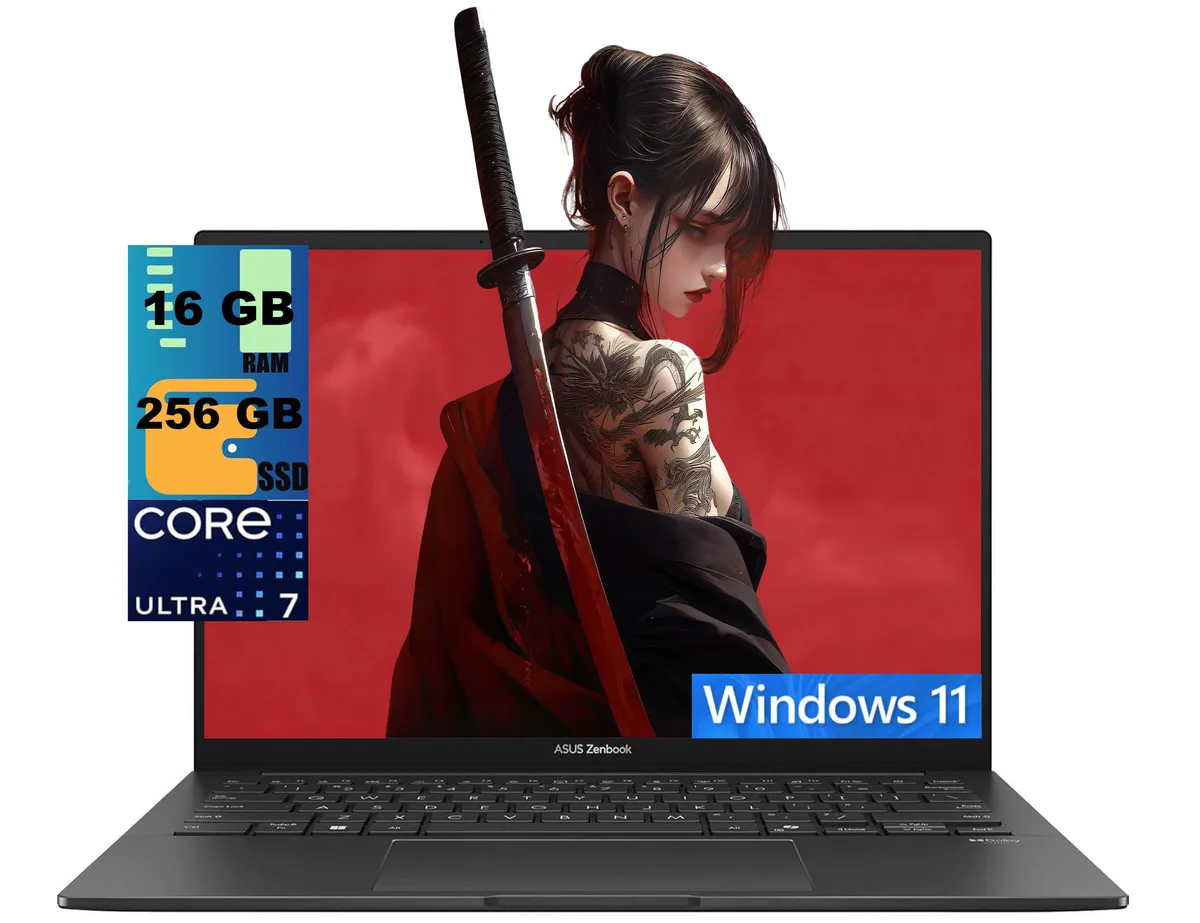
ASUS Zenbook 14 laptop Core Ultra 7 255H 16GB 256GB OLED touch
A 14-inch OLED touchscreen laptop with a 16-core Intel Core Ultra 7 processor, 16GB memory and 256GB PCIe SSD
- ColorGray
- Operating SystemWindows 11 Home
- CPU TypeIntel Core Ultra 7 (Series 1)
- Processor Name2.90GHz
- Turbo Frequency5.4 GHz
- Number of Cores16-core Processor
- 16-core Intel Core Ultra 7 255H reaches 5.4 GHz for responsive multitasking
- 14-inch 1920 x 1200 OLED touchscreen covers 100% DCI-P3 at 500 nits
- Intel Arc 140T graphics deliver crisp visuals for creative work
- 16 GB DDR4 memory with 256 GB PCIe SSD keeps apps loading fast
- Thunderbolt 4 and Wi-Fi 7 ports enable high-speed peripherals and networks
14-inch OLED touch ultraportable
The ASUS Zenbook 14 is a new 14.0-inch laptop with a WUXGA OLED touchscreen and an Intel Core Ultra 7 255H processor. Sixteen cores reach 5.4 GHz turbo frequency while a 13 TOPS NPU handles AI tasks. Sixteen gigabytes of DDR4 memory and a 256GB PCIe SSD complete the platform. Windows 11 Home ships pre-installed.
Creators and mobile professionals
The 16:10 panel covers 100% DCI-P3 at 500 nits and reduces blue light by 70 percent, suiting colour-critical work on the move. Integrated Intel Arc 140T graphics handle light creative loads but cannot replace discrete GPUs for sustained 3D rendering or high-frame-rate gaming. Buyers who need user-replaceable memory or a full-size SD slot should look elsewhere.
256GB PCIe SSD capacity
The single solid-state drive holds the operating system and active projects, yet 256GB fills quickly with large media libraries or virtual machines. Two Thunderbolt 4 ports and one USB-A 3.2 port allow fast external storage expansion. One HDMI 2.1 TMDS output connects an external display.
商品特色
- 16-core Intel Core Ultra 7 255H reaches 5.4 GHz for responsive multitasking
- 14-inch 1920 x 1200 OLED touchscreen covers 100% DCI-P3 at 500 nits
- Intel Arc 140T graphics deliver crisp visuals for creative work
- 16 GB DDR4 memory with 256 GB PCIe SSD keeps apps loading fast
- Thunderbolt 4 and Wi-Fi 7 ports enable high-speed peripherals and networks
商品規格
| Series | Raider |
|---|---|
| Model | Zenbook 14 |
| Color | Gray |
| Operating System | Windows 11 Home |
| CPU Type | Intel Core Ultra 7 (Series 1) |
| Processor Name | 2.90GHz |
| Turbo Frequency | 5.4 GHz |
| Number of Cores | 16-core Processor |
| Screen Size | 14.0" |
| Touchscreen | Touch Screen |
| Display Type | WUXGA |
| Resolution | 1920 x 1200 |
| GPU/VPU | Intel Arc Graphics |
| Graphic Type | Integrated Card |
| SSD | 256GB PCIe |
| HDD | No |
| Memory | 16GB |
| Optical Drive Type | No |
| WLAN | Yes |
| Bluetooth | Yes |
| USB | 2 |
| HDMI | 1 x HDMI |
| Audio Ports | 1 x Headphone/Microphone Combo Jack |
| Audio | Integrated Sound card |
| Speaker | Internal Speakers |
| Touchpad | Yes |
| Keyboard | Yes |
| Backlit Keyboard | Backlit |
| Webcam | Yes |
| Style | Standard |
| Type | Home / Personal |
| Usage | Consumer |
| Weight | 2 - 2.9 lbs. |
| Package Content | Laptop, Charger |
商品問答
What does the Thunderbolt 4 interface cap in practice?
Each Thunderbolt 4 port carries up to 40 Gbps of data, video and power, so a single cable can drive two 4 K displays or one 8 K panel while charging the laptop.
What are the chassis dimensions and weight for bag or sleeve fitting?
The notebook measures 12.3 x 8.67 x 0.59 inches and weighs 2.65 lbs, so a 14-inch sleeve with a little depth clearance fits best.
How is Windows 11 Home set up on first boot, and what step do people skip?
The out-of-box experience asks for region, keyboard layout, network connection and a Microsoft account; skipping the network step blocks account creation and leaves the device in a limited local-account state.
同類商品
顧客也比較過
同一分類,同一套結帳流程 — 支援八種加密貨幣,匯率鎖定 30 分鐘。


Microsoft
Microsoft Surface 3 1657 128GB CRB 2-in-1 laptop
- Silver
- Windows 10 Pro
US$244.99
0.00316668BTC
現貨
Microsoft
Microsoft Surface Pro FGG-2D-00001-RFB 2-in-1 laptop 16 GB 512 GB 12.0" touchscreen 2736 x 1824 refurbished
- 12.0"
- Touch Screen
US$687.99
0.00889278BTC
現貨
Lenovo
Lenovo Chromebook 500e Gen 5 M89 83TA0004US 12.2" MediaTek 8GB 64GB
- 12.2"
US$392.99US$420.99−7%
0.00507969BTC
現貨