


DELL
Dell 401-ABFL PM1725a 6.40 TB U.2 NVMe 2.5" internal drive
Adds 6.40 TB of NVMe storage to compatible Dell PowerEdge servers via a 2.5" U.2 internal drive
- NAND Flash Memory TypeSolid State Drive
- 40 TB capacity stores large datasets
- U.2 NVMe interface enables fast data transfer
- 5" internal form factor fits server bays
- Compatible with Dell PowerEdge R440 R640 R740XD R940
- Designed for server workloads with solid-state reliability
Dell PM1725a 6.40 TB U.2 NVMe Server Drive
This Dell PM1725a solid-state drive adds 6.40 TB of flash storage to compatible Dell PowerEdge servers. It uses a U.2 NVMe interface in a 2.5 inch internal form factor and ships new with a carrier for direct installation. The drive is built for server workloads that demand high capacity and low latency.
For Dell PowerEdge R440 R640 R740XD R940 owners
IT teams running Dell PowerEdge R440, R640, R740XD or R940 servers can install this drive to expand local NVMe storage. Systems without U.2 backplane support or those requiring a different drive interface cannot use this unit. Buyers needing a 3.5 inch form factor should look at other options.
U.2 NVMe interface decides fit
The single specification that determines compatibility is the U.2 (SFF-8639) NVMe drive interface. Only servers equipped with matching U.2 NVMe bays and Dell PowerEdge firmware support can recognise and boot from this 6.40 TB device.
商品特色
- 40 TB capacity stores large datasets
- U.2 NVMe interface enables fast data transfer
- 5" internal form factor fits server bays
- Compatible with Dell PowerEdge R440 R640 R740XD R940
- Designed for server workloads with solid-state reliability
商品規格
| Brand | Dell |
|---|---|
| NAND Flash Memory Type | Solid State Drive |
商品問答
What server bays and drive carrier does the Dell 401-ABFL 2.5" U.2 NVMe drive require?
It fits a standard 2.5-inch hot-swap bay in Dell PowerEdge R440, R640, R740XD or R940 servers and ships with the Dell carrier that matches those chassis.
What is the correct insertion procedure for the U.2 NVMe drive and carrier, and which step is often missed?
Slide the drive into the carrier until the connector seats firmly, lock the carrier handle, then insert the assembly into the bay until the latch clicks; the step often missed is fully engaging the carrier latch before powering on the server.
When should the 6.40 TB PM1725a drive be replaced in a Dell PowerEdge server?
Replace the drive when the SMART media-status indicator reports a pre-fail condition or when the percentage-used attribute approaches the rated endurance limit for the workload.
同類商品
顧客也比較過
同一分類,同一套結帳流程 — 支援八種加密貨幣,匯率鎖定 30 分鐘。

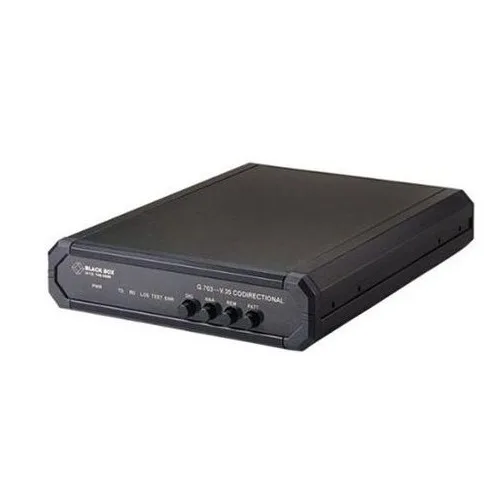
Black Box Corporation
Black Box Corporation IC714A-V35-R2 G.703 V.35 64Kbps Codirectional Converter
US$664.99
0.00854754BTC
現貨
Other Electricities
Other Electricities SFP Transceiver J4859C 1000BASE-LX 1310nm 10km
- sfp
US$10.99
0.00014126BTC
現貨
Black Box Corporation
Black Box Corporation E-LR SFP+ EXT DIAGSM 1310 LC 10KM LSP422 SFP transceiver
- Transceiver
US$261.99
0.00336752BTC
現貨