


DELL
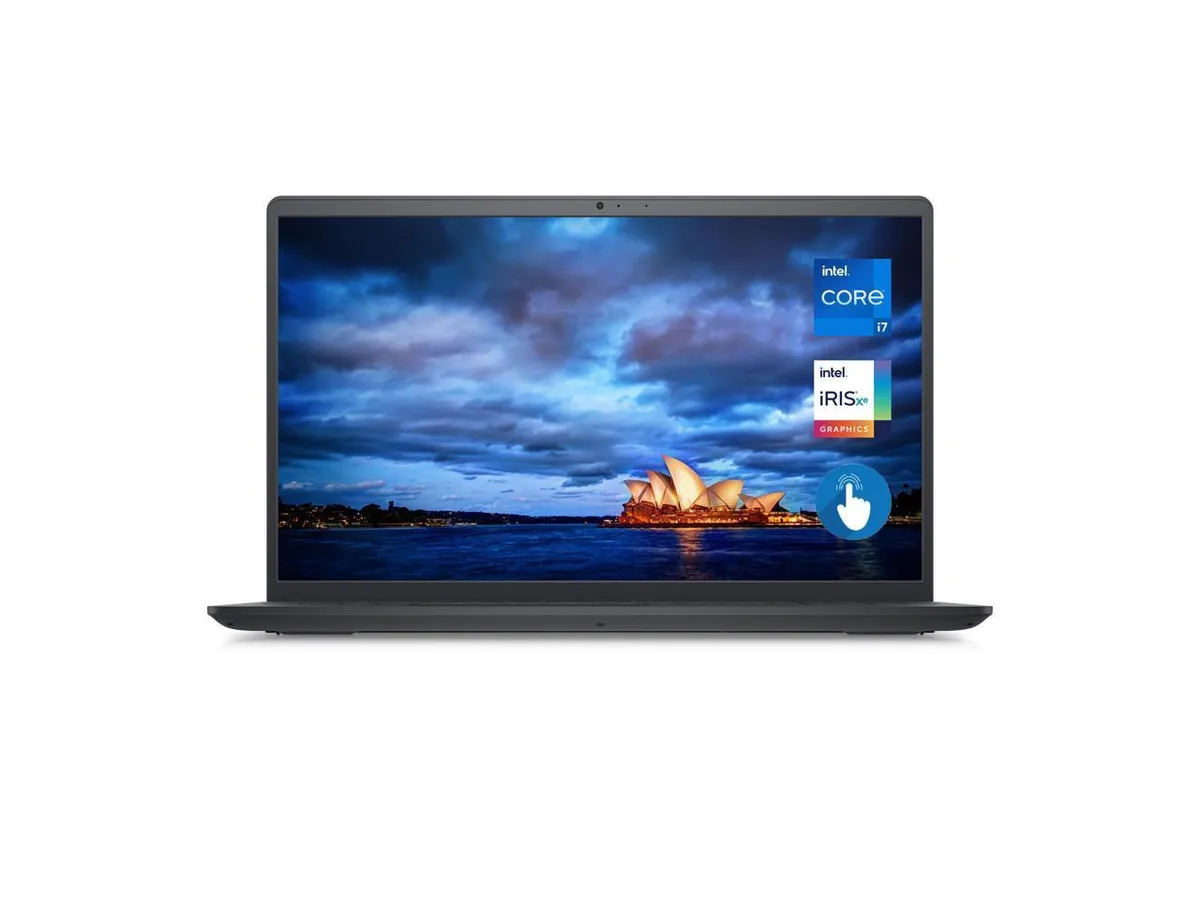
DELL Inspiron 3530 i3530-7050BLK 15.6" Touchscreen i7-1355U 32GB 512GB laptop
A 15.6 inch touchscreen laptop with a 10-core i7 processor, 32GB DDR4 memory and a 512GB SSD running Windows 11 Pro
- ColorBlack
- Operating SystemWindows 11 Pro
- CPU TypeIntel Core i7 13th Gen
- Processor NameIntel Core i7-1355U
- Turbo Frequency5.00GHz
- Number of Cores10-core Processor
- 10-core processor reaches 5.00 GHz for responsive multitasking
- 32GB DDR4 memory keeps many apps open without slowdown
- 512GB SSD stores files and boots Windows 11 Pro quickly
- 6" anti-glare touchscreen shows 1920 x 1080 detail in bright rooms
- Intel Iris Xe graphics handles everyday media and light creative work
Dell Inspiron 3530 Touchscreen Laptop
The Dell Inspiron 3530 is a 15.6 inch Full HD touchscreen laptop powered by a 13th Generation Intel Core i7-1355U 10-core processor. It ships with 32GB DDR4 memory and a 512GB SSD running Windows 11 Pro. Integrated Intel Iris Xe Graphics handles visual output on the anti-glare WVA panel.
Home office and student users needing touch input
The touchscreen and 10-core processor suit home office workers and students who want direct screen interaction for annotation or navigation. The 512GB SSD and lack of a hard drive bay limit buyers who need more internal storage capacity. The two USB 3.2 ports and one USB 2.0 port may not satisfy users requiring multiple high-speed peripherals.
512GB SSD capacity
The single 512GB solid-state drive determines how much software and data can be stored internally. No secondary drive is present, so the available space is fixed at 512GB unless external storage is added. Buyers should confirm this capacity meets their workload before purchase.
商品特色
- 10-core processor reaches 5.00 GHz for responsive multitasking
- 32GB DDR4 memory keeps many apps open without slowdown
- 512GB SSD stores files and boots Windows 11 Pro quickly
- 6" anti-glare touchscreen shows 1920 x 1080 detail in bright rooms
- Intel Iris Xe graphics handles everyday media and light creative work
商品規格
| Brand | DELL |
|---|---|
| Series | Inspiron |
| Model | i3530-7050BLK |
| Color | Black |
| Operating System | Windows 11 Pro |
| CPU Type | Intel Core i7 13th Gen |
| Processor Name | Intel Core i7-1355U |
| Turbo Frequency | 5.00GHz |
| Number of Cores | 10-core Processor |
| CPU L3 Cache | 12MB |
| Screen Size | 15.6" |
| Touchscreen | Touch Screen |
| Wide Screen Support | Yes |
| Display Type | 15.6" Touchscreen Anti-Glare LED Backlight WVA FHD (1920 x 1080) Display |
| Resolution | 1920 x 1080 |
| Display Features | 15.6" Touchscreen Anti-Glare LED Backlight WVA FHD (1920 x 1080) Display |
| GPU/VPU | Intel Iris Xe Graphics |
| Graphic Type | Integrated |
| SSD | 512GB |
| HDD | No |
| Storage Spec | 512GB SSD |
| Memory | 32GB |
| Memory Speed | DDR4 |
| Memory Spec | 32GB DDR4 |
| Optical Drive Type | No |
| LAN | No |
| WLAN | 802.11ax Wireless LAN |
| Bluetooth | 5 |
| USB | 1 x USB 3.2, 1 x USB 2.0, 1 x USB Type-C 3.2 |
| Video Port | HDMI |
| HDMI | 1 x HDMI |
| Audio Ports | 1 x Headphone/Microphone Combo Jack |
| Audio | Waves MaxxAudio Pro |
| Speaker | Integrated Stereo Speakers |
| Touchpad | Yes |
| Keyboard | Full Size Keyboard with Numeric Keypad |
| Backlit Keyboard | No |
| Webcam | Integrated Widescreen FHD (1080p) Webcam |
| Card Reader | 1x SD Media Card Reader |
| Style | Standard |
| Type | Mainstream |
| Usage | Business |
| Battery | 3-Cell Battery, 41WHr |
| Battery Life | Up to 7 Hours |
| Dimensions (W x D x H) | 14.11 x 9.27 x .70 |
| Weight | 4 |
| Package Content | Laptop, Power Adapter,Power Cord |
商品問答
Does the Inspiron 3530 require any extra peripherals to start working?
It ships with Windows 11 Pro, a 512 GB SSD, 32 GB DDR4 memory and a 15.6 inch FHD touchscreen, so it runs out of the box with only its own power adapter.
Can I keep using my USB 2.0 mouse and keyboard with the two USB 3.2 ports and one USB 2.0 port?
Yes, the USB 3.2 ports are backward compatible and the dedicated USB 2.0 port works natively with older mice, keyboards or flash drives.
How do I confirm the Intel Iris Xe graphics and 10-core i7-1355U are active after setup?
Open Task Manager’s Performance tab to see the 10 logical processors and Iris Xe listed under GPU, and check Device Manager for the display adapter name.
同類商品
顧客也比較過
同一分類,同一套結帳流程 — 支援八種加密貨幣,匯率鎖定 30 分鐘。


Microsoft
Microsoft Surface 3 1657 128GB CRB 2-in-1 laptop
- Silver
- Windows 10 Pro
US$244.99
0.00317752BTC
現貨
Microsoft
Microsoft Surface Pro FGG-2D-00001-RFB 2-in-1 laptop 16 GB 512 GB 12.0" touchscreen 2736 x 1824 refurbished
- 12.0"
- Touch Screen
US$687.99
0.00892323BTC
現貨
Lenovo
Lenovo Chromebook 500e Gen 5 M89 83TA0004US 12.2" MediaTek 8GB 64GB
- 12.2"
US$392.99US$420.99−7%
0.00509708BTC
現貨