

AVID Products
AVID Products R-Go Wireless Vertical Ergonomic Mouse Large Right Hand Black
US$71.99
0.00092073BTC
現貨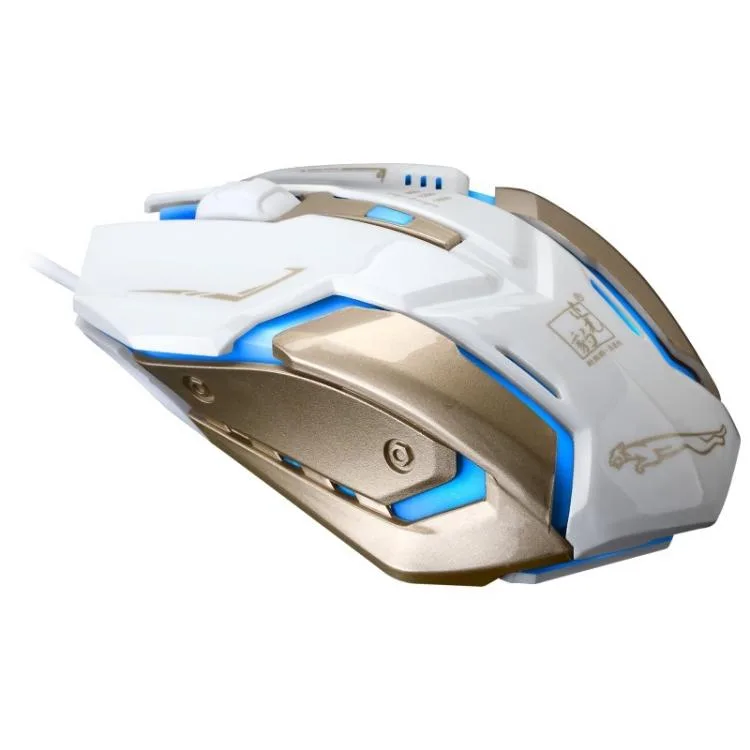


eForChina
A silent wired optical mouse with three adjustable DPI levels up to 1600, ergonomic symmetrical shape and a 1.3 m cable
The eForChina K1 is a white wired optical mouse aimed at casual gamers who want simple plug-and-play control. It connects through a standard USB interface and works on any operating system without driver installation. The symmetrical shape suits both left and right-handed users.
Sensitivity is limited to three preset levels of 800, 1200 and 1600 DPI with no software fine-tuning. The optical sensor is designed to reduce frame drops for consistent tracking. A 1.3 m cable restricts placement to desks close to the host port.
Plug the USB connector in and the mouse is ready instantly. Four buttons and a brushed stainless steel base with large feet provide stable glide. The silent switches keep noise down, though the 5 million click rating means heavy competitive use will wear them faster.
| Color | White |
|---|
The mouse offers three fixed settings — 800, 1200 and 1600 DPI. Start at 800 for general desktop work; switch to 1200 or 1600 when you need quicker cursor travel in games.
At 1600 DPI the cursor moves 1600 counts per inch of hand movement, giving noticeably faster screen travel without software scaling.
The mouse uses a standard USB wired connection with plug-and-play operation; all three DPI steps (800, 1200, 1600) are available immediately with no driver installation.
同類商品
同一分類,同一套結帳流程 — 支援八種加密貨幣,匯率鎖定 30 分鐘。
您支付所用的幣種,以及查看價格所用的貨幣。
結帳時由您的錢包發送
僅供顯示 — 商品目錄以美元計價
查無符合的貨幣。
請選擇網站使用的語言。
查無符合的語言。
初次造訪?
已經有帳戶了嗎?
本店沒有自動重設密碼的機制:由於不寄送電子郵件,也就沒有一次性連結可供申請。只要將地址留在帳戶中,之後將由專人處理。
請求已收到
不會有任何郵件寄到您的信箱 — 本商店完全不寄送電子郵件。會有人親自處理這些申請。
想起來了嗎?



