


Fans
Fans NV77H CPU cooler for NV77H03U NV77H04U NV77H05U NV77H06U NV77H08U NV77H18U NV77H19U NV77H20U
Replacement CPU cooling fan compatible with Gateway NV77H series laptops including multiple sub-models
- Compatible with multiple Gateway NV77H series laptops
- Replaces part codes 23.RB002.001 and FS541305LH0T
- New condition ensures reliable cooling performance
- Direct fit for NV77H03U through NV77H20U models
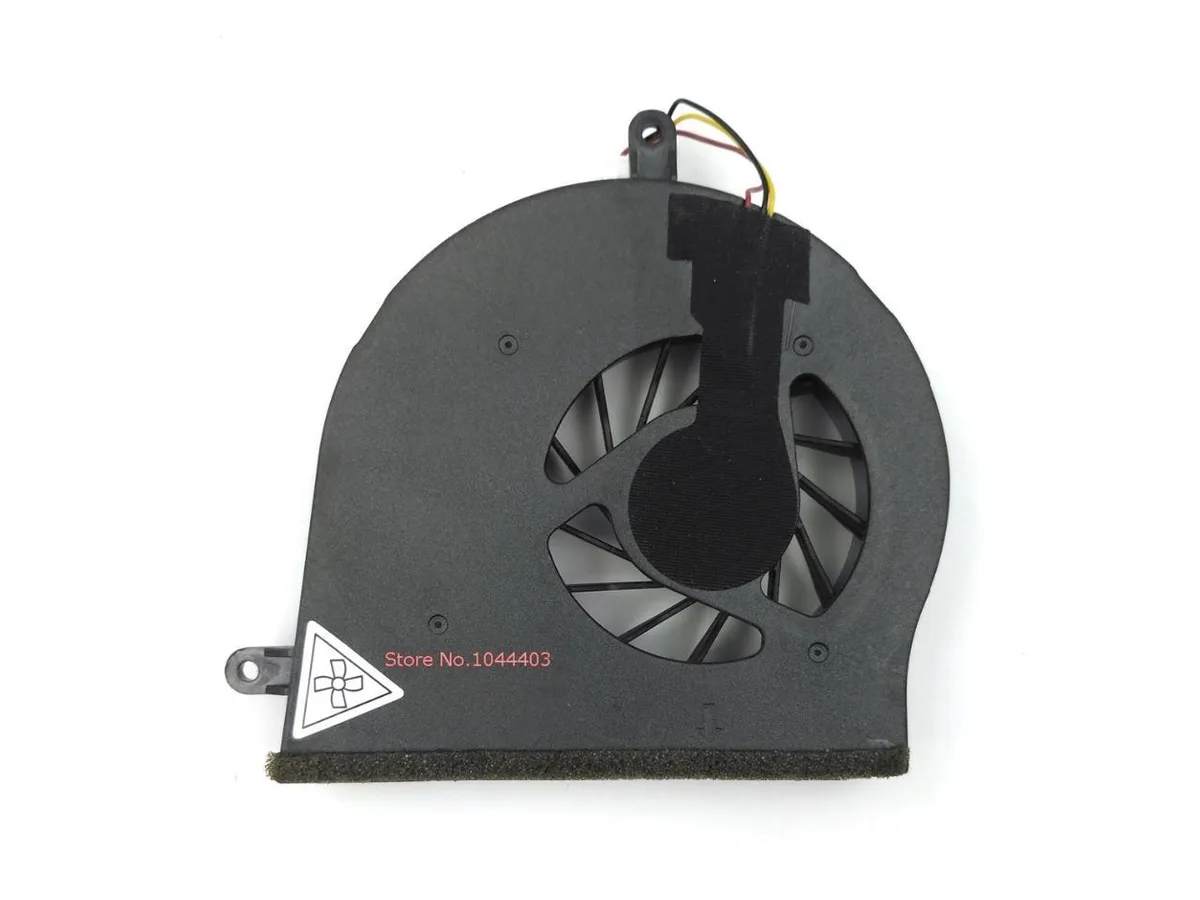
- Product image matches actual item for easy verification
Compatible Gateway models
This replacement CPU cooler fits Gateway NV77H series laptops including the NV77H03U, NV77H04U, NV77H05U, NV77H06U, NV77H08U, NV77H18U, NV77H19U and NV77H20U. It matches part codes 23.RB002.001 and FS541305LH0T. The unit is supplied new and ready for installation.
Who should buy this
Owners of the listed Gateway models needing a direct replacement for a worn or noisy original fan can use this part. Buyers with different laptop series or desktop systems should look elsewhere because the mounting and connector are specific to the NV77H range.
Deciding specification
The cooler is built to the FS541305LH0T part number and the 23.RB002.001 compatible code used by the NV77H series. Verify that your original fan carries one of these codes before ordering.
商品特色
- Compatible with multiple Gateway NV77H series laptops
- Replaces part codes 23.RB002.001 and FS541305LH0T
- New condition ensures reliable cooling performance
- Direct fit for NV77H03U through NV77H20U models
- Product image matches actual item for easy verification
商品規格
本商品目前尚未公佈規格。
商品問答
Which Gateway NV77H series models is the NV77H CPU cooler compatible with?
The cooler fits NV77H03U, NV77H04U, NV77H05U, NV77H06U, NV77H08U, NV77H18U, NV77H19U and NV77H20U.
What physical details must match for the NV77H cooler to mount correctly?
Compare the replacement fan to your original unit; the product image shows the exact connector layout and screw-hole pattern required.
How is the NV77H cooler installed and what step do people often miss?
Remove the old fan, align the new cooler's mounting holes with the motherboard standoffs, secure the screws, then connect the power cable to the CPU_FAN header.
同類商品
顧客也比較過
同一分類,同一套結帳流程 — 支援八種加密貨幣,匯率鎖定 30 分鐘。


Black Box Corporation
Black Box Corporation DisplayPort to DVI Fibre Optic Cable 15 ft 4.5 m 1.35 GB/s
- Consumer Electronics
US$39.99
0.00049577BTC
現貨