

ASUS
ASUS CR1104FTA-YZ84T Chromebook 11.6" Touch N150 8GB 64GB Mineral Gray
- 11.6"
US$414.99
0.00527192BTC
現貨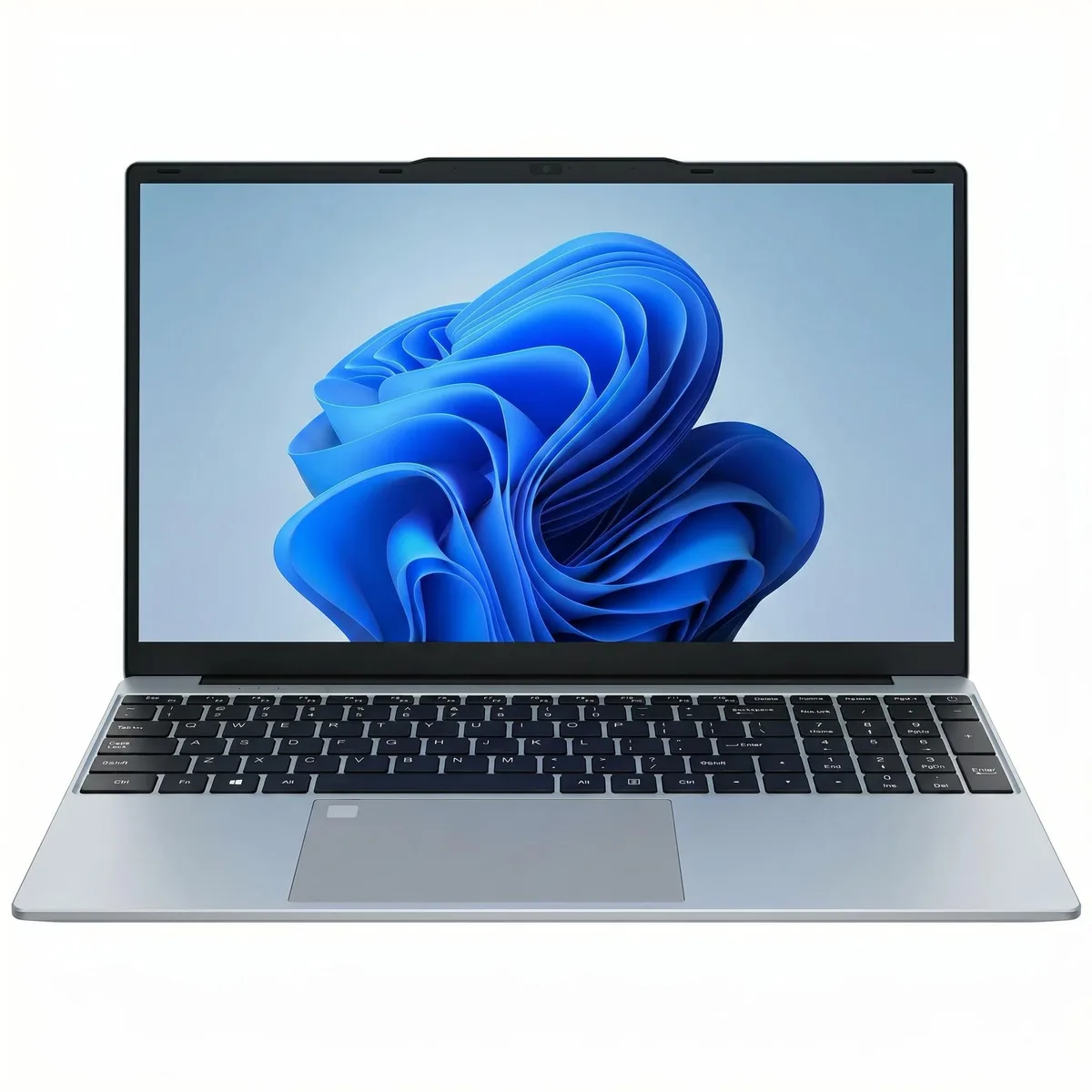


GXMO
A 14.1 inch Windows 11 Pro laptop with a 120 Hz IPS 1080P display, Intel J4125 quad-core processor up to 2.7 GHz, 8 GB RAM and 512 GB SSD
The GXMO 14.1-inch laptop runs Windows 11 Pro on an Intel J4125 quad-core processor reaching 2.7 GHz. It pairs 8 GB of memory with a 512 GB SSD and a 120 Hz IPS 1080P display. An HD camera and dual-frequency 2.4/5G WiFi handle calls and browsing in a slim silver chassis.
This configuration suits students and mobile professionals who need a light machine for documents, web apps and video playback. Buyers who want more storage or memory than the single 512 GB drive and 8 GB soldered RAM provide should look elsewhere, as the specifications list no additional slots. Gamers and creators needing discrete graphics or higher sustained performance will not find it here.
Windows 11 Pro arrives pre-installed so the laptop is ready to use after the initial out-of-box configuration. The single memory slot is already populated, and the 512 GB SSD appears to be the only internal drive bay, so storage expansion relies on external drives. Driver updates for the Intel UHD Graphics and WiFi modules are the typical post-install steps.
| Brand | GXMO |
|---|---|
| Part Number | 12508 |
| Color | Silver |
| Operating System | Windows 11 Pro |
| CPU Type | J4125 |
| Processor Name | Intel Core Ultra 7 155H |
| Core Name | J4125 |
| Number of Cores | 11-core (4P+8E) Processor |
| Screen Size | 14.1" |
| Display Type | HD display |
| Refresh Rate | 120 Hz |
| GPU/VPU | Intel UHD Graphics |
| Video Memory | 8GB |
| SSD | 512GB |
| HDD | No |
| Storage Spec | 512 |
| Memory | 8GB |
| Memory Slot (Total) | 1 |
| Memory Slot (Available) | 1 |
| Max Memory Supported | 512GB |
| LAN | 2.5 Gbps |
| WLAN | 802.11be Wireless LAN |
| WiFi Generation | Wi-Fi 5 |
| Bluetooth | Bluetooth 4.0 |
| Audio | Integrated Sound card |
| Speaker | Internal Speakers |
| Type | Work / Business |
| Weight | 1.2kg |
No, the laptop ships with 8 GB of memory already installed in its single slot, so Windows 11 Pro runs immediately without any upgrade.
Yes, the dual-frequency Wi-Fi supports both 2.4 G and 5 G bands, so a 2.4 GHz router works without any change on your side.
Open Windows Settings, choose System then Display, select Advanced display and verify the refresh rate dropdown shows 120 Hz for the built-in screen.
同類商品
同一分類,同一套結帳流程 — 支援八種加密貨幣,匯率鎖定 30 分鐘。
您支付所用的幣種,以及查看價格所用的貨幣。
結帳時由您的錢包發送
僅供顯示 — 商品目錄以美元計價
查無符合的貨幣。
請選擇網站使用的語言。
查無符合的語言。
初次造訪?
已經有帳戶了嗎?
本店沒有自動重設密碼的機制:由於不寄送電子郵件,也就沒有一次性連結可供申請。只要將地址留在帳戶中,之後將由專人處理。
請求已收到
不會有任何郵件寄到您的信箱 — 本商店完全不寄送電子郵件。會有人親自處理這些申請。
想起來了嗎?


