
HP
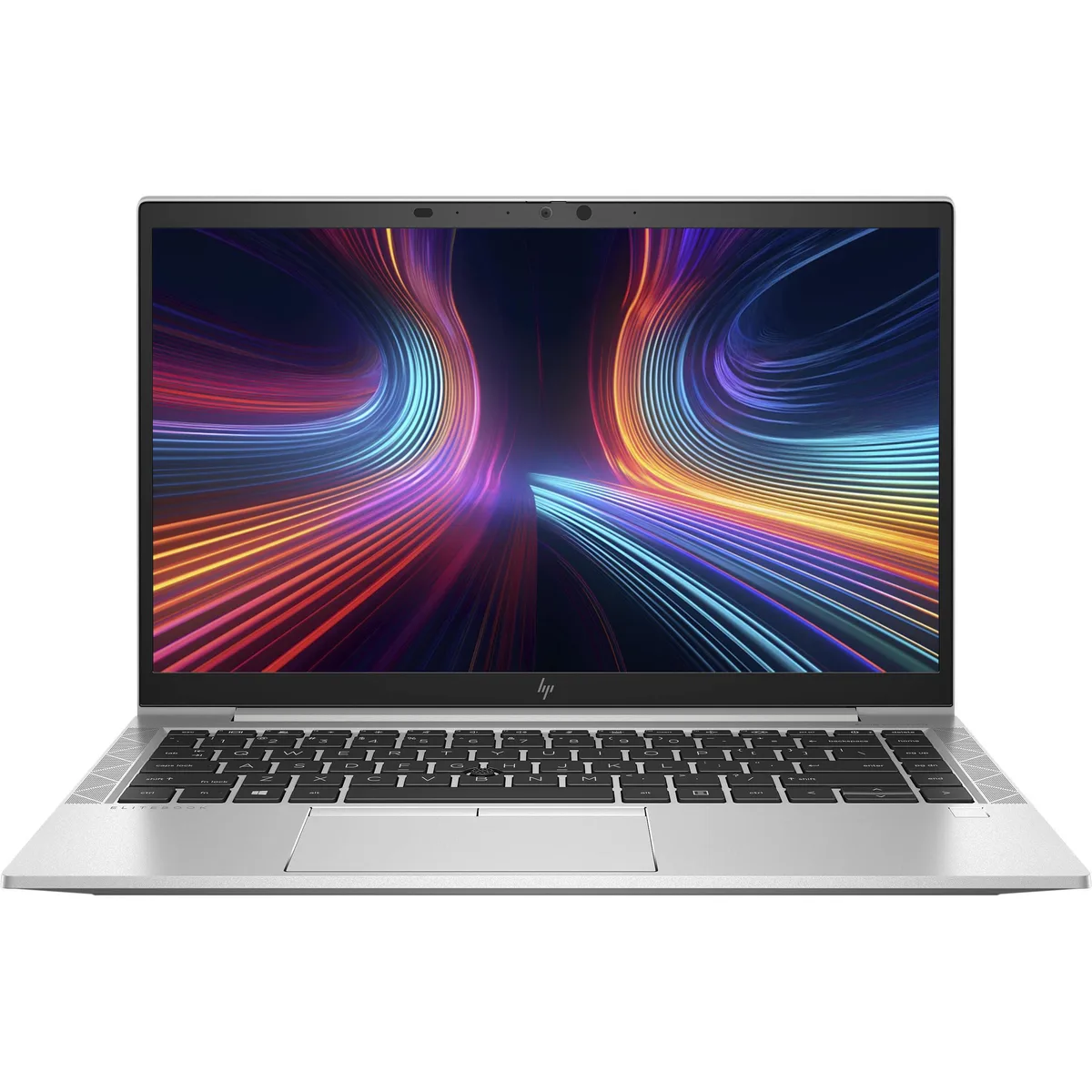
HP EliteBook 845 G8 14 laptop Ryzen 5 PRO 5650U 32GB 256GB
- Silver
- Grade A (Excellent)
US$406.99
0.00524566BTC
現貨


HP
A 15.6-inch FHD business laptop with an Intel Core i7-1185G7, 16GB DDR4, 256GB NVMe and Thunderbolt 4
The HP EliteBook 850 G8 combines an Intel Core i7 1185G7 processor running at 3.0 GHz with 16 GB DDR4 memory and a 256 GB NVMe PCIe M.2 SSD. A 15.6 inch FHD display at 1920 x 1080 resolution provides clear visuals. Windows 11 Pro 64-bit is pre-installed.
This configuration fits professionals who require two Thunderbolt 4 ports, one HDMI port, USB 3.2 Gen 1 and USB 3.1 Gen 1 connectivity, plus Intel AX201 wireless with Bluetooth 5.2. Buyers who need a touchscreen, discrete graphics, or larger local storage should consider other models.
The presence of two Thunderbolt 4 ports alongside HDMI and traditional USB-A ports determines whether this EliteBook 850 G8 matches a docking or peripheral workflow. If a single Thunderbolt port or no Thunderbolt is acceptable, alternative configurations exist.
| Brand | HP |
|---|---|
| Series | EliteBook |
| Model | 850 G8 |
| Color | Silver |
| Cosmetic Condition | Grade A (Excellent) |
| Operating System | Windows 11 Pro |
| CPU Type | Intel Core i7 11th Gen |
| Core Name | Tiger Lake |
| Number of Cores | Quad-core Processor |
| CPU L2 Cache | 12MB |
| CPU L3 Cache | 12 MB |
| Screen Size | 15.6" |
| Touchscreen | Non-Touch Screen |
| Wide Screen Support | Yes |
| Display Type | FHD |
| Resolution | 1920 x 1080 |
| Display Features | LED backlight |
| GPU/VPU | Intel Iris Xe Graphics |
| Video Memory | Shared system memory |
| Graphic Type | Integrated Card |
| SSD | 256GB PCIe |
| Storage Spec | NVMe PCIe M.2 SSD |
| Memory | 16GB |
| Max Memory Supported | 32GB |
| Optical Drive Type | No |
| LAN | 10/100/1000Mbps |
| WLAN | 802.11ax Wireless LAN |
| WiFi Generation | Wi-Fi 6 |
| Bluetooth | Bluetooth 5.2 |
| USB | 2 |
| Thunderbolt | 2 x Thunderbolt 4 / USB4 |
| Video Port | 1 x HDMI |
| HDMI | 1 x HDMI |
| Audio Ports | 1 x Headphone/Microphone Combo Jack |
| Speaker | Internal Speakers |
| Touchpad | Yes |
| Webcam | Yes |
| Style | Standard |
| Type | Mainstream |
| Usage | Business |
| Software Included | Fresh install and activated Windows 11 with zero bloatware. Windows 11 will be activated via your unit's unique digital license and ready to go right out of the box. |
| Consumer Alert | Previously Used, Seller Refurbished. Unit may show minor signs of use but will be in great condition. Vinyl skin cover may be applied. |
其他版本
同系列產品,記憶體、散熱器或時脈不同 — 下單前請先比較。
The laptop has two USB Type-C Thunderbolt 4 ports that carry video; connect a monitor with USB-C DisplayPort Alt Mode or use a Thunderbolt 4 dock to drive external screens.
Yes, the single USB 3.2 Gen 1 Type-A port and the single USB 3.1 Gen 1 Type-A port are backward compatible with USB 3.1 Gen 1 devices at up to 5 Gbps.
Open Device Manager and confirm Intel Iris Xe Graphics appears under Display adapters and Intel AX201 appears under Network adapters; then run the DirectX Diagnostic Tool to see the Iris Xe driver version and connect to a Wi-Fi network to test throughput.
同類商品
同一分類,同一套結帳流程 — 支援八種加密貨幣,匯率鎖定 30 分鐘。
您支付所用的幣種,以及查看價格所用的貨幣。
結帳時由您的錢包發送
僅供顯示 — 商品目錄以美元計價
查無符合的貨幣。
請選擇網站使用的語言。
查無符合的語言。
初次造訪?
已經有帳戶了嗎?
本店沒有自動重設密碼的機制:由於不寄送電子郵件,也就沒有一次性連結可供申請。只要將地址留在帳戶中,之後將由專人處理。
請求已收到
不會有任何郵件寄到您的信箱 — 本商店完全不寄送電子郵件。會有人親自處理這些申請。
想起來了嗎?



