

HP
HP EliteBook 1040 G9 i7-1255U 32GB 512GB 14in business laptop
- Silver
- Windows 11 Pro
US$418.99
0.00539227BTC
現貨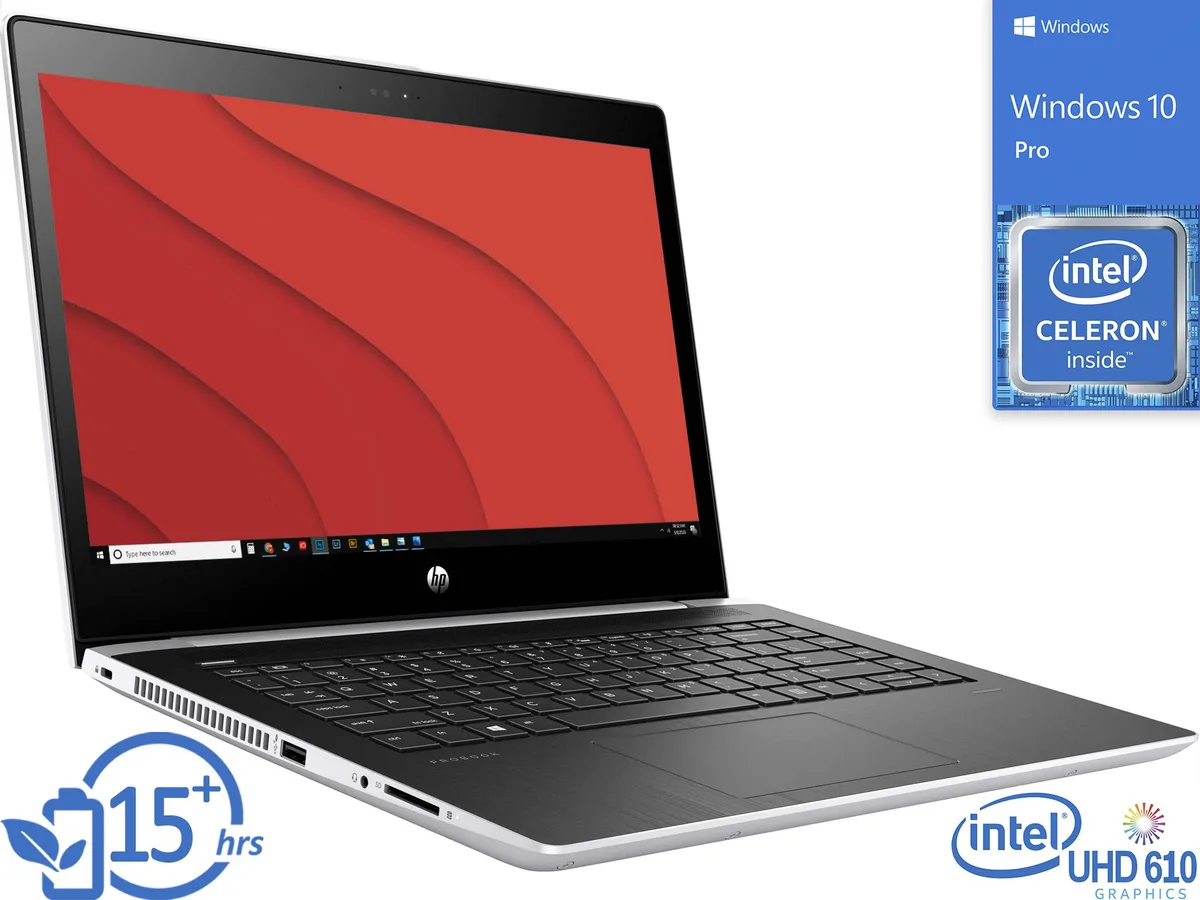


HP
A 14-inch HD thin-client laptop with an Intel Celeron 3865U processor, 8GB DDR4 memory and a 2TB NVMe SSD running Windows 10 Pro
The HP MT21 is a 14 inch HD notebook built around an Intel Celeron 3865U dual-core processor running at 1.80GHz. It ships with 8GB of DDR4 2400 memory in a 4 GB x 2 configuration and a 2TB NVMe SSD. Windows 10 Pro is pre-installed, and the integrated Intel HD Graphics 610 drives the 1366 x 768 non-touch display as well as external monitors via HDMI, VGA and DisplayPort over USB-C.
This device targets workers who run applications from a server, cloud or VDI platform such as VMware, Citrix or Microsoft virtualised environments. The low-power Celeron and integrated graphics are not intended for local 3D rendering, video editing, heavy multitasking or modern gaming. Buyers who need discrete graphics, a higher core count or a touchscreen should look at a different class of machine.
The single specification that determines whether this unit fits a deployment is the 2TB NVMe solid-state drive. It sets the total local space available for cached profiles, offline files and the operating system. If a project requires more internal capacity or a different drive interface, this model will not meet the requirement.
| Brand | HP |
|---|---|
| Series | Thin Client |
| Model | MT21 |
| Color | Silver |
| Operating System | Windows 10 Pro |
| CPU Type | Intel Celeron |
| Number of Cores | Dual-core Processor |
| Screen Size | 14.0" |
| Touchscreen | Non-Touch Screen |
| Wide Screen Support | Yes |
| Display Type | HD |
| Resolution | 1366 x 768 |
| GPU/VPU | Intel HD Graphics 610 |
| Graphic Type | Integrated Card |
| SSD | 2TB |
| HDD | No |
| Storage Spec | 2TB NVMe SSD |
| Memory | 8GB |
| Memory Speed | DDR4 2400 |
| Memory Spec | 4 GB x 2 |
| Memory Slot (Total) | 2 |
| Memory Slot (Available) | 0 |
| Max Memory Supported | 32 GB |
| LAN | 10/100/1000Mbps |
| WLAN | Wi-Fi 5 (802.11ac) |
| Bluetooth | Bluetooth 4.0 |
| USB | 2x USB 3.1 Gen 1, 1x USB-C 3.1 Gen 1 |
| Video Port | 1x HDMI, 1x VGA, 1x DisplayPort via USB-C |
| HDMI | 1 x HDMI |
| Audio Ports | 1 x Headphone/Microphone Combo Jack |
| Audio | Integrated Sound card |
| Speaker | Integrated Stereo Speakers |
| Touchpad | Yes |
| Keyboard | Standard |
| Backlit Keyboard | Non-backlit |
| Webcam | Yes |
| Card Reader | 3-in-1 |
| Type | Mainstream |
| AC Adapter/Charger | 45-watt AC Adapter |
| Battery | 3-cell Lithium Ion |
| Battery Life | > 5 hours |
| Dimensions (W x D x H) | 9.4" x 13.2" x 0.8" |
| Weight | 3 - 3.9 lbs. |
The MT21 includes HDMI, VGA and DisplayPort via USB-C so you can attach legacy VGA screens or modern HDMI and DisplayPort panels without adapters.
The system uses DDR4 2400 SO-DIMM slots populated as 4 GB x 2; any compatible DDR4 2400 module can be added to the free slot.
Open Task Manager, select the Performance tab and confirm the drive appears as a 2 TB NVMe SSD with active read and write throughput.
同類商品
同一分類,同一套結帳流程 — 支援八種加密貨幣,匯率鎖定 30 分鐘。
您支付所用的幣種,以及查看價格所用的貨幣。
結帳時由您的錢包發送
僅供顯示 — 商品目錄以美元計價
查無符合的貨幣。
請選擇網站使用的語言。
查無符合的語言。
初次造訪?
已經有帳戶了嗎?
本店沒有自動重設密碼的機制:由於不寄送電子郵件,也就沒有一次性連結可供申請。只要將地址留在帳戶中,之後將由專人處理。
請求已收到
不會有任何郵件寄到您的信箱 — 本商店完全不寄送電子郵件。會有人親自處理這些申請。
想起來了嗎?


