IHDAPP
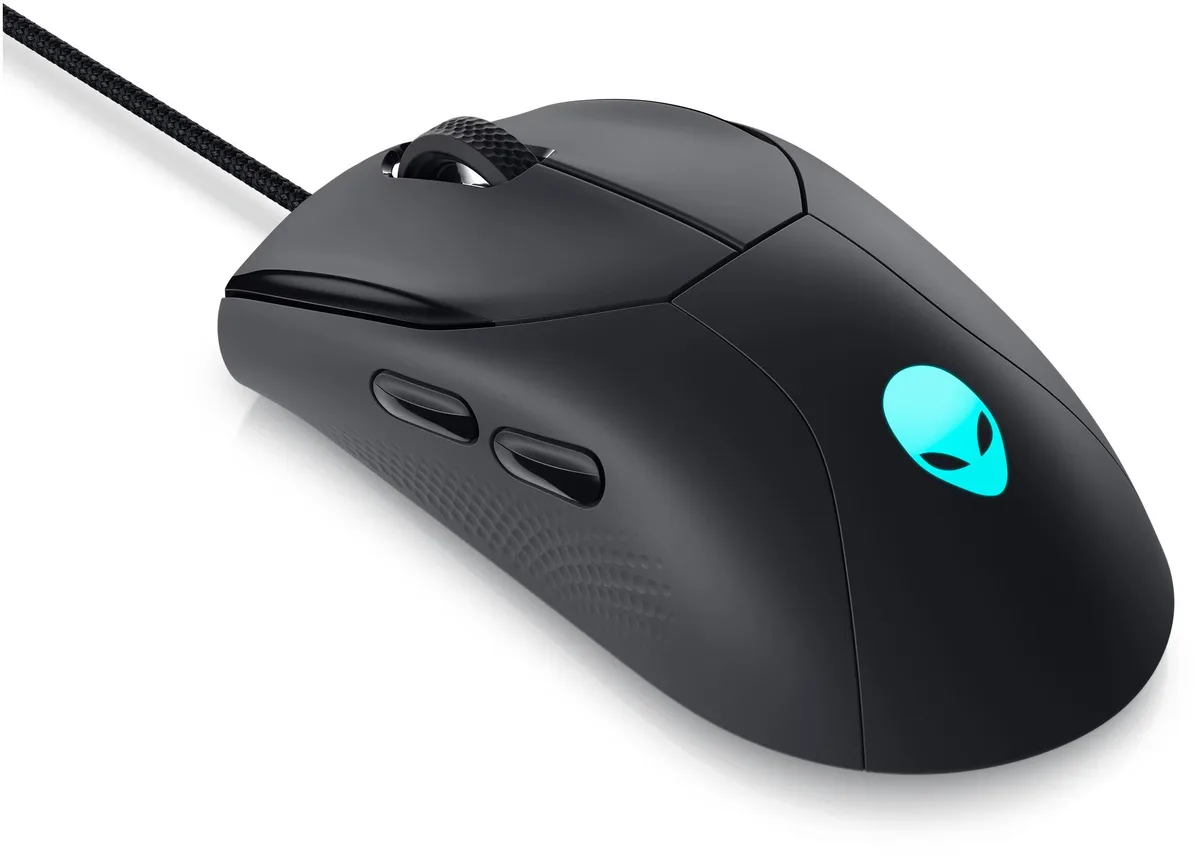
IHDAPP Wired Gaming Mouse 3200 DPI 6 Buttons RGB
Wired optical gaming mouse with four adjustable DPI levels up to 3200, six responsive buttons and dynamic RGB lighting
- TypeWired
- InterfaceUSB
- Tracking MethodOptical
- Resolution (DPI)3200 dpi
- Buttons6
- Operating System SupportedWorks flawlessly with Windows XP/Vista/7/8/10 and macOS.
- Adjust sensitivity instantly with four DPI levels from 1200 to 3200
- Seven-colour RGB backlighting adds visual flair and can be toggled off
- Ergonomic palm-friendly shape with soft-touch coating reduces fatigue during long sessions
- Six responsive buttons including forward/back and dedicated DPI switch for quick commands
- Plug-and-play USB optical sensor works on Windows XP through 10 and macOS
Wired Gaming Mouse for Windows and macOS
The IHDAPP wired gaming mouse connects through a standard USB port and works with Windows XP, Vista, 7, 8, 10 and macOS without installing drivers. Its optical sensor reaches a maximum of 3200 DPI and offers four selectable steps at 1200, 1600, 2400 and 3200 DPI. The six buttons include left and right clicks, forward and back navigation, a DPI switch and a scroll wheel. Buttons are not programmable.
Practical limits of the USB optical interface
The mouse draws power directly from the USB connection, so no external supply is needed. Optical tracking performs best on non-reflective surfaces; glass or highly glossy desks may reduce accuracy. The fixed cable length restricts placement compared with wireless models, and the lack of onboard memory means DPI and lighting settings reset when the device is unplugged.
Plug-and-play setup with non-programmable buttons
Installation is limited to inserting the USB connector into an available port; the operating system recognises the device immediately. The DPI button cycles through the four preset levels, while a combination of the DPI button plus the forward or back button toggles the RGB lighting on or off. Because the buttons cannot be remapped, users who require macros or custom key assignments will need a different solution.
商品特色
- Adjust sensitivity instantly with four DPI levels from 1200 to 3200
- Seven-colour RGB backlighting adds visual flair and can be toggled off
- Ergonomic palm-friendly shape with soft-touch coating reduces fatigue during long sessions
- Six responsive buttons including forward/back and dedicated DPI switch for quick commands
- Plug-and-play USB optical sensor works on Windows XP through 10 and macOS
商品規格
| Type | Wired |
|---|---|
| Interface | USB |
| Tracking Method | Optical |
| Resolution (DPI) | 3200 dpi |
| Buttons | 6 |
| Operating System Supported | Works flawlessly with Windows XP/Vista/7/8/10 and macOS. |
| Features | with 4 DPI speed settings (1200/1600/2400/3200); Dynamic RGB Lighting; 6 Responsive Buttons |
| Package Contents | 1 x Wired Gaming Mouse, 1 x User Manual |
商品問答
Which DPI level should I start with for everyday use?
The mouse offers four fixed steps — 1200, 1600, 2400 and 3200 DPI — and the dedicated button cycles through them instantly; 1600 DPI is a common starting point for general desktop work.
What does the 3200 DPI top setting actually deliver in practice?
At 3200 DPI the cursor moves 3200 counts per inch of hand travel, giving very fast screen crossing for high-resolution monitors or fast-paced games without needing driver software.
Does the USB wired interface limit any of the four DPI steps or the RGB lighting?
The standard USB connection powers the optical sensor and the 7-colour RGB LEDs directly, so all four DPI settings and the lighting work immediately on Windows XP through 10 and macOS with no extra drivers.
同類商品
顧客也比較過
同一分類,同一套結帳流程 — 支援八種加密貨幣,匯率鎖定 30 分鐘。