
Intel
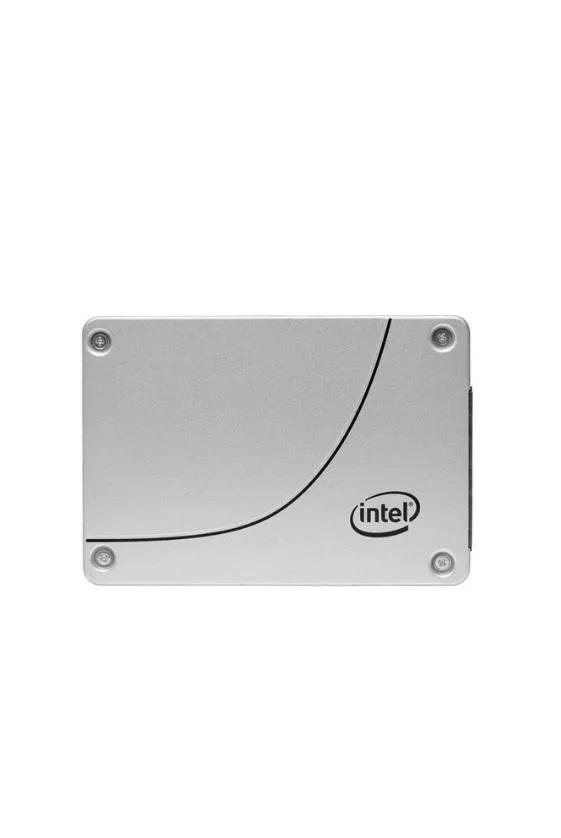
Intel SSDSC2KG240G801 D3-S4610 240 GB SATA internal SSD
A 2.5 inch SATA solid state drive with 240 GB capacity delivering 560 MBps read and 320 MBps write speeds for mixed workloads
- 560 MB/s sequential read speed for fast boot and load times
- 320 MB/s sequential write speed to move large files quickly
- 92,000 random read IOPS for responsive multitasking
- 28,000 random write IOPS for snappy application launches
- 240 GB capacity in a 2.5 inch SATA form factor for easy laptop or desktop upgrades
240 GB SATA internal SSD
Intel D3-S4610 model SSDSC2KG240G801 is a 2.5-inch solid state drive with 240 GB capacity. It connects through a SATA 6Gb/s interface and uses 3D triple-level cell NAND. Sequential reads reach 560 MBps and writes reach 320 MBps.
Fits 2.5-inch SATA bays and read-heavy workloads
The drive suits builds that need a 2.5-inch SATA boot or data drive with steady read performance. Random read IOPS reach 92000 and random write IOPS reach 28000. Operating temperature spans 32 °F to 158 °F. Builders needing higher capacity or a different physical connector should look elsewhere.
SATA 6Gb/s interface decides compatibility
This SSD only works with a SATA 6Gb/s port and a 2.5-inch drive bay. The interface is the single specification that determines whether the part fits the system. No other protocol or form factor is supported by this model.
商品特色
- 560 MB/s sequential read speed for fast boot and load times
- 320 MB/s sequential write speed to move large files quickly
- 92,000 random read IOPS for responsive multitasking
- 28,000 random write IOPS for snappy application launches
- 240 GB capacity in a 2.5 inch SATA form factor for easy laptop or desktop upgrades
商品規格
本商品目前尚未公佈規格。
商品問答
Does the 2.5-inch form factor need any bracket or adapter to fit a standard drive bay?
The drive uses a standard 2.5-inch form factor and SATA 6Gb/s connectors, so it fits directly into any 2.5-inch bay or 3.5-inch bay with a simple tray.
What is the correct order for connecting the SATA data and power cables during installation?
Connect the SATA data cable to the motherboard and drive first, then attach the SATA power cable from the power supply; reversing the order can prevent the drive from being detected.
How often should I check the drive health given the 3D TLC NAND and 92000 random read IOPS rating?
Monitor SMART attributes quarterly using Intel SSD Toolbox or any SMART utility; the 3D TLC NAND is rated for typical mixed workloads, and the tool will flag reallocated sectors or wear-level indicators before failure.
同類商品
顧客也比較過
同一分類,同一套結帳流程 — 支援八種加密貨幣,匯率鎖定 30 分鐘。




Western Digital
Western Digital G-DRIVE ArmorATD 5TB portable hard drive SDPH81G005TGBA1D
US$298.99
0.00382189BTC
現貨
OWC
OWC Gemini Ultra X6 12TB Thunderbolt portable SSD (OWCTB3GMA6X12)
- 12TB
- Thunderbolt
US$2,645.99
0.03382278BTC
現貨