


Lenovo
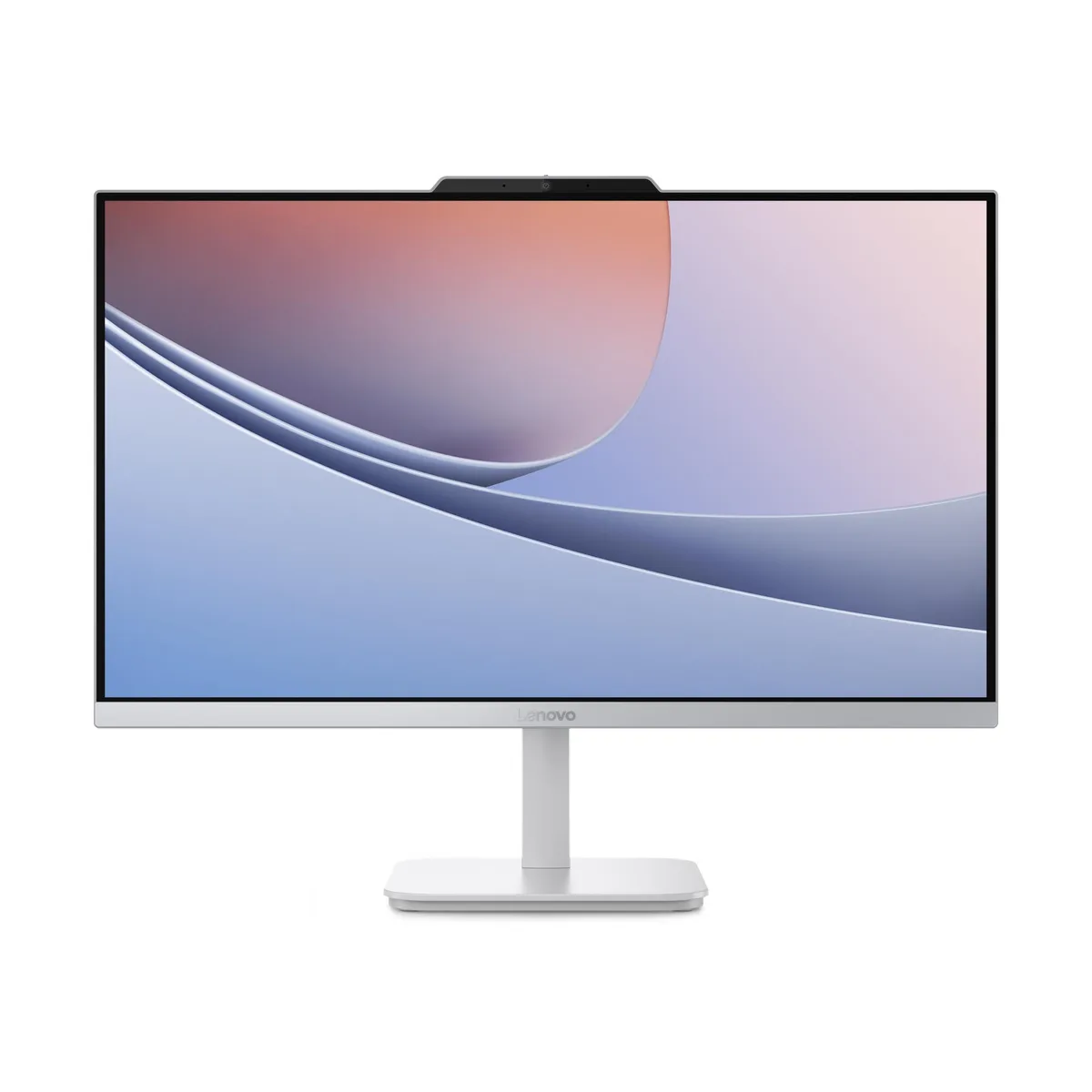
Lenovo A100 all-in-one PC 23.8" Intel Core N100 3.4GHz 8GB DDR5 512GB NVMe Windows 11 Pro
A 23.8 inch all-in-one with FHD display, Intel Core N100 up to 3.4GHz, 8GB DDR5, 512GB NVMe and Windows 11 Pro
- TypeAll-in-One PC
- UsageConsumer
- ProcessorIntel Core N100
- Processor Main Features64 bit Quad-Core Processor
- Memory8GB DDR5
- Storage512GB
- Space-saving 23.8" FHD all-in-one with ultra-thin 3-side bezels
- Intel Core N100 quad-core up to 3.4GHz handles everyday tasks
- 8GB DDR5 memory keeps daily workflows responsive
- 512GB NVMe storage provides fast boot and file access
- Wi-Fi 6 and Gigabit Ethernet give reliable wired or wireless connectivity
Compact All-in-One for Everyday Use
The Lenovo A100 integrates a 23.8 inch Full HD display, Intel Core N100 processor reaching 3.4 GHz, 8 GB DDR5 memory and a 512 GB NVMe SSD into a single unibody chassis. Windows 11 Pro is pre-installed, and the 65 W power supply keeps cable clutter to a minimum. Stereo speakers and a 5 MP webcam with dual microphones handle video calls out of the box.
Home and Office Users Seeking Simplicity
This system suits buyers who want a ready-to-run desktop for web browsing, document work and video conferencing without assembling separate parts. The 99 percent sRGB panel and 1300 to 1 contrast ratio serve casual photo viewing well. It is not for buyers who need more storage than 512 GB, who require a discrete graphics card for rendering or gaming, or who prefer to upgrade memory beyond the 8 GB soldered configuration.
Included Peripherals and Connectivity
A wired keyboard is bundled so the PC is usable immediately after unboxing. The 23.8 inch panel offers HDMI input, allowing the all-in-one to function as an external monitor for a laptop or console. Gigabit Ethernet and Wi-Fi 6 (802.11ax) provide flexible network options, while the integrated stereo speakers and webcam remove the need for separate audio and camera accessories.
商品特色
- Space-saving 23.8" FHD all-in-one with ultra-thin 3-side bezels
- Intel Core N100 quad-core up to 3.4GHz handles everyday tasks
- 8GB DDR5 memory keeps daily workflows responsive
- 512GB NVMe storage provides fast boot and file access
- Wi-Fi 6 and Gigabit Ethernet give reliable wired or wireless connectivity
商品規格
| Brand | Lenovo |
|---|---|
| Model | A100 |
| Part Number | F0JN0002US |
| Type | All-in-One PC |
| Usage | Consumer |
| Processor | Intel Core N100 |
| Processor Main Features | 64 bit Quad-Core Processor |
| Memory | 8GB DDR5 |
| Storage | 512GB |
| Audio | Sound card - Integrated |
| Ethernet | Gigabit Ethernet |
| Wireless Card | Wi-Fi 6 (802.11ax) |
| Power Supply | 65W |
| Monitor | Monitor included |
| Speaker | Stereo speakers |
| Keyboard | Wired Keyboard |
| Operating System | Windows 11 Pro |
| CPU Type | #N/A |
| Turbo Frequency | 3.4GHz |
| GPU/VGA Type | Intel UHD Graphics |
| Graphics Card | Intel UHD Graphics |
| Graphics Interface | Integrated video |
| Memory Capacity | 8GB DDR5 |
| Memory Speed | DDR5 4800 |
| Memory Spec | 8 GB x 1 |
| Memory Slot (Total) | 1 |
| Memory Slot (Available) | 0 |
| Memory Slots (Available/Total) | 0/1 |
| Maximum Memory Supported | 32 GB |
| SSD | 512 GB |
| HDD | No |
| Storage Spec | 512GB NVMe SSD |
| Optical Drive Type | No |
| Screen Size | 23.8" |
| Touchscreen | No |
| Screen Type | Non-Touch Screen |
| LAN Chipset | Integrated |
| LAN Speed | 10/100/1000Mbps |
| WLAN | 802.11ax Wireless LAN |
| Bluetooth | Bluetooth 5.2 |
| Video Ports | 1 x HDMI |
| Rear USB | 4 |
| RJ45 | 1 port |
| Rear Audio Ports | 1 port |
| Keyboard Type | Wired Keyboard |
| Speaker Configuration | Internal Speaker |
| Dimensions (H x W x D) | 7.82 x 21.23 x 16.64 in |
| Weight | 9.47 lb |
| Package Type | Retail |
商品問答
What external peripherals are required beyond the wired keyboard included with the Lenovo A100?
A wired mouse is the only essential peripheral not supplied; the 23.8" FHD display, stereo speakers, 5MP webcam and Gigabit Ethernet port are all built into the all-in-one chassis.
Can I keep using my existing 1080p monitor as a second screen through the HDMI port on this Intel Core N100 system?
Yes, the HDMI output supports an additional 1080p display alongside the internal 23.8" panel, driven by the integrated Intel UHD Graphics.
How can I verify the 512GB NVMe SSD and 8GB DDR5 memory are recognised correctly after first boot?
Open Windows 11 Settings → System → Storage to confirm the 512GB drive, then Task Manager → Performance → Memory to see 8GB DDR5 reported.
同類商品
顧客也比較過
同一分類,同一套結帳流程 — 支援八種加密貨幣,匯率鎖定 30 分鐘。



DELL
DELL J1-7490AA01 All-in-One PC Core i7-10700 2.9GHz 16GB 512GB SSD 23.8" FHD
- All-in-One PC
- All-in-One
US$691.99US$768.99−10%
0.00903594BTC
現貨
HP
HP J1-800G6AA01 All-in-One PC Core i5-10500 16GB DDR4 512GB NVMe 23.8
- All-in-One PC
- All-in-One
US$810.99US$999.99−19%
0.01058983BTC
現貨