


Lenovo
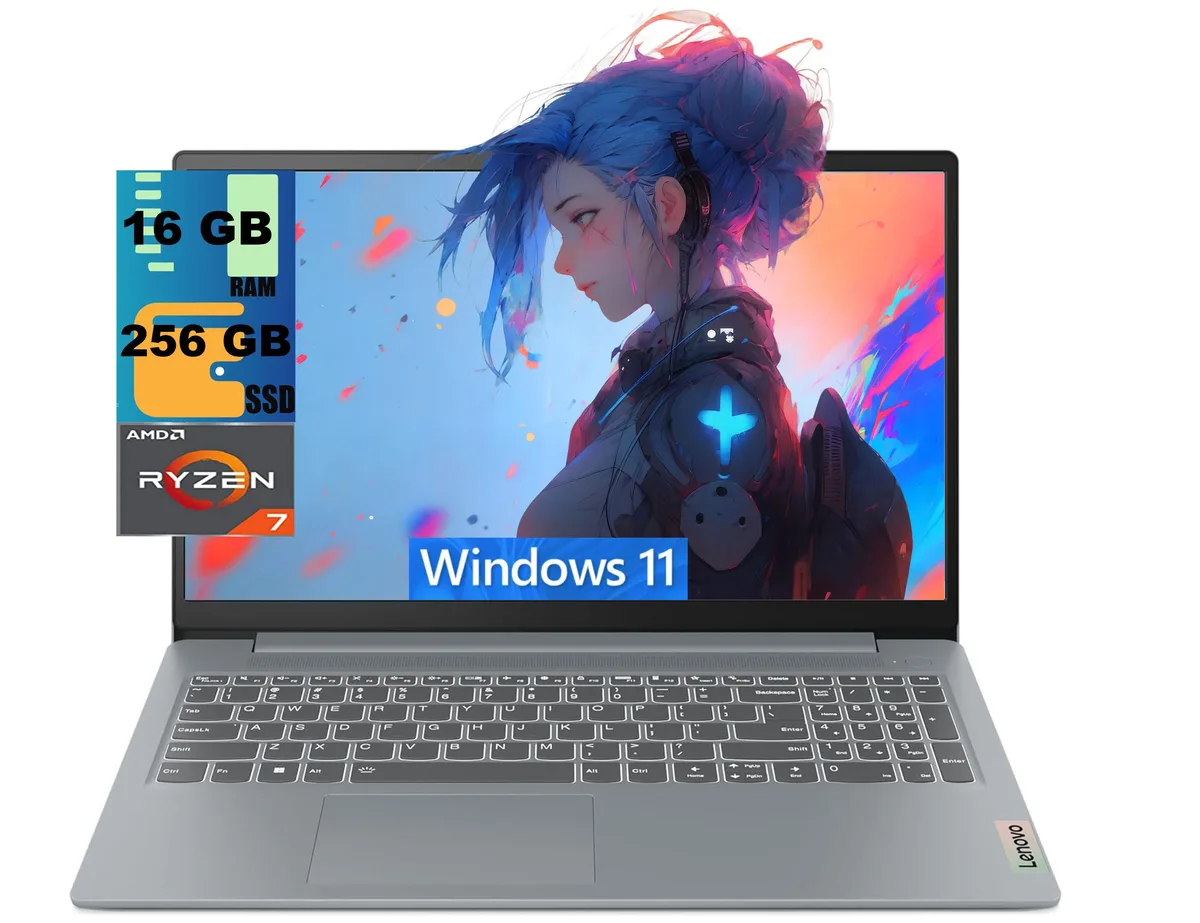
Lenovo IdeaPad Slim 3 15 laptop AMD Ryzen 7 5825U 16GB 256GB 15.6 FHD
A 15.6-inch FHD laptop with an 8-core Ryzen 7 5825U, 16 GB DDR4 memory and a 256 GB SSD running Windows 11 Home
- ColorGray
- Operating SystemWindows 11 Home
- CPU TypeAMD Ryzen 7
- Processor Name2.00GHz
- Turbo Frequency4.5 GHz
- Number of Cores8-core Processor
- 8-core Ryzen 7 5825U reaches 4.50 GHz for responsive multitasking
- 6" FHD 1920x1080 display delivers crisp visuals for work and media
- Integrated Radeon graphics handles everyday creative tasks without a discrete card
- 16 GB DDR4 memory and 256 GB PCIe SSD keep apps and files loading quickly
- USB-C 3.2 Gen 1 with Power Delivery and DisplayPort 1.2 plus HDMI 1.4 connect peripherals and external screens
Business laptop with Ryzen 7 5825U
The Lenovo IdeaPad Slim 3 15 is a 15.6 inch FHD laptop powered by an AMD Ryzen 7 5825U processor with 8 cores and 16 threads. It runs at a base frequency of 2.00 GHz and boosts up to 4.50 GHz. The system includes 16GB DDR4 memory and a 256GB PCIe SSD. Integrated AMD Radeon graphics drive the 1920 x 1080 non-touch display. Windows 11 Home comes pre-installed.
Suits office work; not for heavy creative loads
This configuration suits professionals who need a portable Windows machine for productivity, video calls and web-based applications. The 16GB RAM supports smooth multitasking across browser tabs and office suites. Buyers who require dedicated graphics power for 3D rendering, video editing or modern gaming should look at a different class of device. The integrated Radeon graphics handle everyday visual tasks but not intensive GPU workloads.
Ports and reader expand connectivity
The laptop provides two USB 3.2 Gen 1 ports, one USB-C 3.2 Gen 1 port with Power Delivery and DisplayPort 1.2, an HDMI 1.4 output and a 3.5mm combo jack. A multi-format SD card reader allows quick media offload from cameras. Wi-Fi 6 and Bluetooth deliver modern wireless performance. The 3.57 lb chassis measures 14.15 x 9.25 x 0.70 inches, keeping the footprint compact for mobile use.
商品特色
- 8-core Ryzen 7 5825U reaches 4.50 GHz for responsive multitasking
- 6" FHD 1920x1080 display delivers crisp visuals for work and media
- Integrated Radeon graphics handles everyday creative tasks without a discrete card
- 16 GB DDR4 memory and 256 GB PCIe SSD keep apps and files loading quickly
- USB-C 3.2 Gen 1 with Power Delivery and DisplayPort 1.2 plus HDMI 1.4 connect peripherals and external screens
商品規格
| Series | Raider |
|---|---|
| Model | IdeaPad Slim 3 15 |
| Color | Gray |
| Operating System | Windows 11 Home |
| CPU Type | AMD Ryzen 7 |
| Processor Name | 2.00GHz |
| Turbo Frequency | 4.5 GHz |
| Number of Cores | 8-core Processor |
| Screen Size | 15.6" |
| Touchscreen | Non-Touch Screen |
| Display Type | FHD |
| Resolution | 1920 x 1080 |
| GPU/VPU | AMD Radeon Graphics |
| Graphic Type | Integrated Card |
| SSD | 256GB PCIe |
| HDD | No |
| Memory | 16GB |
| Optical Drive Type | No |
| WLAN | Yes |
| Bluetooth | Yes |
| USB | 2 |
| HDMI | 1 x HDMI |
| Audio Ports | 1 x Headphone/Microphone Combo Jack |
| Audio | Integrated Sound card |
| Speaker | Internal Speakers |
| Touchpad | Yes |
| Keyboard | Yes |
| Backlit Keyboard | Non-backlit |
| Webcam | Yes |
| Style | Standard |
| Type | Home / Personal |
| Usage | Consumer |
| Weight | 3 - 3.9 lbs. |
| Package Content | Laptop, Charger |
商品問答
Will my existing USB-C monitor work with the laptop's USB-C 3.2 Gen 1 port that supports DisplayPort 1.2?
The USB-C 3.2 Gen 1 port supports DisplayPort 1.2 for video output. Connect your monitor with a USB-C to DisplayPort cable or a USB-C dock that passes DisplayPort alt mode. The port also handles data transfer and Power Delivery.
Can I keep using my older USB-A flash drives and mouse with the two USB 3.2 Gen 1 Type-A ports?
Yes. The two USB 3.2 Gen 1 Type-A ports are backward compatible with USB 2.0 and USB 1.1 devices. Your existing flash drives, mouse, keyboard and other USB-A peripherals will work without adapters.
How can I confirm the AMD Radeon integrated graphics are active after Windows 11 Home finishes its first boot?
Open Device Manager, expand Display adapters and verify that AMD Radeon Graphics appears. Then launch Task Manager, choose the Performance tab, select GPU 0 and check that the name shown matches AMD Radeon Graphics.
同類商品
顧客也比較過
同一分類,同一套結帳流程 — 支援八種加密貨幣,匯率鎖定 30 分鐘。


Microsoft
Microsoft Surface 3 1657 128GB CRB 2-in-1 laptop
- Silver
- Windows 10 Pro
US$244.99
0.00303025BTC
現貨
Microsoft
Microsoft Surface Pro FGG-2D-00001-RFB 2-in-1 laptop 16 GB 512 GB 12.0" touchscreen 2736 x 1824 refurbished
- 12.0"
- Touch Screen
US$687.99
0.00850967BTC
現貨
Lenovo
Lenovo Chromebook 500e Gen 5 M89 83TA0004US 12.2" MediaTek 8GB 64GB
- 12.2"
US$392.99US$420.99−7%
0.00486085BTC
現貨