ASUS
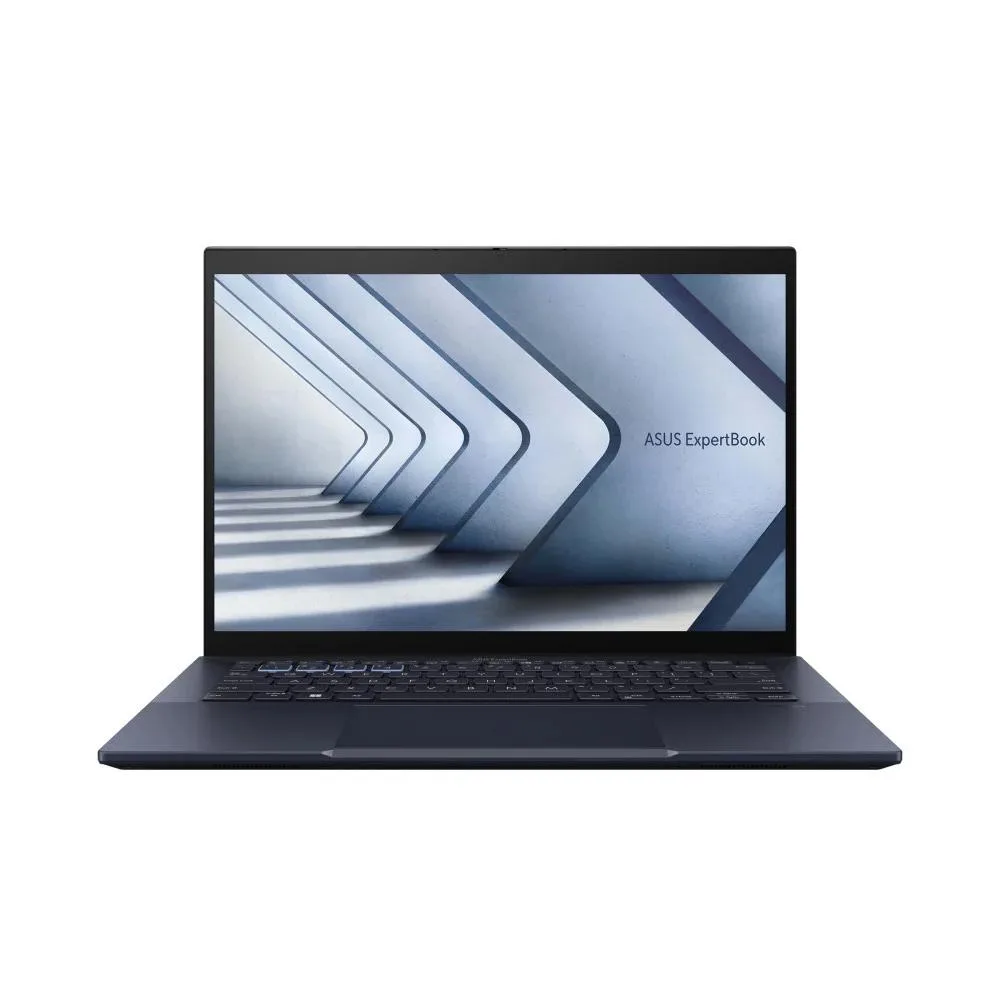
ASUS Expertbook B5 B5404 14.6" Core Ultra 5 125H 16GB 512GB business laptop
- 14.6"
US$808.99
0.01038458BTC
現貨


Lenovo
A 14.0 inch Full HD laptop with an 11th Gen Core i5, 32GB RAM and a 256GB SSD running Windows 11 Pro
This 14.0-inch Lenovo ThinkPad T14 G2 laptop ships with Windows 11 Pro and an Intel Core i5 11th Gen processor running at a minimum 2.40 GHz. The non-touch Full HD IPS panel delivers a 1920 x 1080 resolution. It includes 32 GB of installed memory and a 256 GB M.2 solid-state drive. Integrated Intel Iris Pro Graphics handles visual output. The unit is listed as new and includes a one-year warranty.
The supplier notes this unit was professionally reconditioned and may show moderate scratches, scuffs or minor cracks on the bezel and casing. The screen may exhibit up to two light scratches, one to two dead pixels or small bruises. Expansion slot covers may be absent. Buyers who need a pristine exterior or a laptop with multiple memory slots for future upgrades should look elsewhere. The single memory slot limits total capacity to the 32 GB already installed.
The specification lists exactly one total memory slot with 32 GB already populated. This configuration leaves no free slot for additional modules, so the system cannot be expanded beyond the factory-fitted 32 GB. Any buyer anticipating a need for more memory must choose a different model.
| Brand | Lenovo |
|---|---|
| Series | ThinkPad |
| Model | T14 G2 |
| Color | Black |
| Operating System | Windows 11 Pro |
| CPU Type | Intel Core i5 11th Gen |
| Screen Size | 14.0" |
| Touchscreen | Non-Touch Screen |
| Display Type | Full HD |
| Resolution | 1920 x 1080 |
| GPU/VPU | Intel Iris Pro Graphics |
| SSD | 256GB |
| HDD | No |
| Memory | 32GB |
| Memory Slot (Total) | 1 |
| Optical Drive Type | None |
| Bluetooth | Yes |
| USB | 0 |
| Backlit Keyboard | No |
| Webcam | Yes |
| Type | Mainstream |
| Usage | Business |
| Dimensions (W x D x H) | 0.94 H x 13.2 W x 9.1 L |
| Weight | 3 - 3.9 lbs. |
| Package Content | Includes Laptop and AC Adapter |
The laptop has only one memory slot and the 256GB SSD is already installed, so no free M.2 slot is available for expansion.
Use the built-in hard-disk recovery partition — boot to the Lenovo recovery environment and select the factory reset option; do not format the drive first or the image will be lost.
Reseating is not a scheduled task; only reseat the module if the system fails to recognise the full 32GB after a drop or heavy vibration.
同類商品
同一分類,同一套結帳流程 — 支援八種加密貨幣,匯率鎖定 30 分鐘。
您支付所用的幣種,以及查看價格所用的貨幣。
結帳時由您的錢包發送
僅供顯示 — 商品目錄以美元計價
查無符合的貨幣。
請選擇網站使用的語言。
查無符合的語言。
初次造訪?
已經有帳戶了嗎?
本店沒有自動重設密碼的機制:由於不寄送電子郵件,也就沒有一次性連結可供申請。只要將地址留在帳戶中,之後將由專人處理。
請求已收到
不會有任何郵件寄到您的信箱 — 本商店完全不寄送電子郵件。會有人親自處理這些申請。
想起來了嗎?