
Logitech
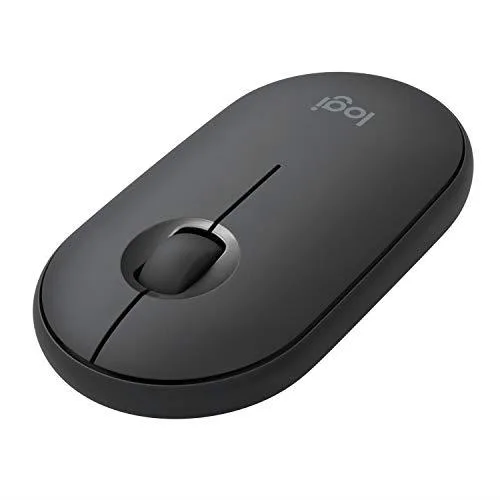
Logitech 910005743 Pebble M350 1000 DPI gaming mouse Graphite
- Office Products
- 1000 dpi
US$30.99
0.00039689BTC
現貨


Logitech
A compact white gaming mouse with 1000 dpi optical tracking for everyday play
The Logitech Pebble i345 is a gaming mouse model 910005888 presented in a white finish. It is built for users who want a straightforward pointing device with a fixed 1000 dpi sensor resolution. The product arrived on the manufacturer listing on April 16, 2026.
This mouse suits players who prefer a constant sensitivity without on-the-fly switching or software-adjusted stages. It is not for users who need adjustable DPI levels, programmable buttons, or ergonomic shaping for extended sessions.
The single specification that determines fit is the non-adjustable 1000 dpi resolution. If your workflow or games demand higher or variable sensitivity, this model will not meet that requirement.
| Resolution (DPI) | 1000 dpi |
|---|---|
| Color | White |
| 出貨重量 | 0.45 kg |
| 包裝尺寸 | 119 × 76 × 36 mm |
其他版本
同系列產品,記憶體、散熱器或時脈不同 — 下單前請先比較。
The 1000 dpi optical sensor works on most desks and mouse pads without a special surface.
Plug the USB receiver into a port; the driver loads automatically.
The PTFE feet and left/right switches are the components that typically need replacement after extended use.
同類商品
同一分類,同一套結帳流程 — 支援八種加密貨幣,匯率鎖定 30 分鐘。
您支付所用的幣種,以及查看價格所用的貨幣。
結帳時由您的錢包發送
僅供顯示 — 商品目錄以美元計價
查無符合的貨幣。
請選擇網站使用的語言。
查無符合的語言。
初次造訪?
已經有帳戶了嗎?
本店沒有自動重設密碼的機制:由於不寄送電子郵件,也就沒有一次性連結可供申請。只要將地址留在帳戶中,之後將由專人處理。
請求已收到
不會有任何郵件寄到您的信箱 — 本商店完全不寄送電子郵件。會有人親自處理這些申請。
想起來了嗎?




