
Micron Technology, Inc.
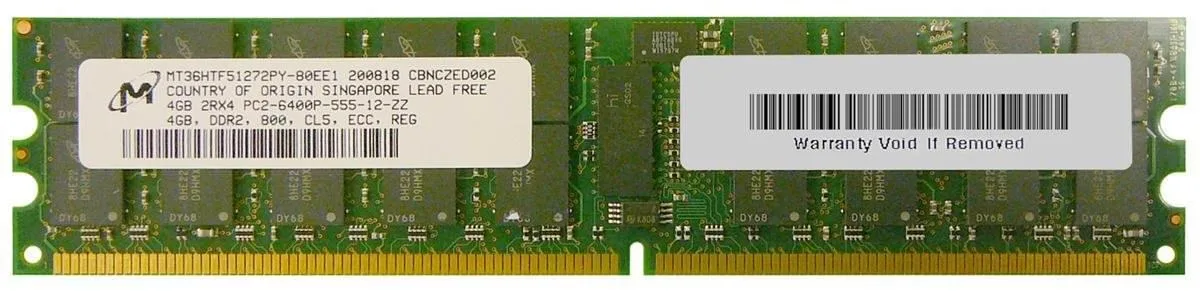
Micron Technology, Inc. MT36HTF51272PY- 4GB DDR3 800 MHz 240-pin desktop RAM
Adds 4 GB of DDR3 desktop memory running at 800 MHz with a 240-pin DIMM interface
- Capacity4GB
- 4 GB capacity adds responsive multitasking headroom
- 800 MHz DDR3 speed keeps data flowing smoothly
- 240-pin DIMM fits standard desktop memory slots
- PC2-6400 rating matches 800 MHz bandwidth spec
- Micron-built DRAM delivers reliable module quality
4 GB DDR3 DIMM for desktop systems
This module provides 4 GB of DDR3 memory in a standard 240-pin form factor. It operates at an 800 MHz data transfer rate, matching the PC2-6400 specification. The part is intended for desktop computers that accept DDR3 DIMMs.
Suits owners of older DDR3 desktops needing
Builders repairing or upgrading a system with 240-pin DDR3 slots will find this module compatible. It is not suited for buyers who need more storage per slot, users whose systems require faster data rates, or anyone whose platform does not accept DDR3 memory.
800 MHz data transfer rate determines fit
The 800 MHz rating is the single specification that decides whether this DIMM matches the motherboard's supported speed. Verify that the board lists PC2-6400 or 800 MHz DDR3 before purchase.
商品特色
- 4 GB capacity adds responsive multitasking headroom
- 800 MHz DDR3 speed keeps data flowing smoothly
- 240-pin DIMM fits standard desktop memory slots
- PC2-6400 rating matches 800 MHz bandwidth spec
- Micron-built DRAM delivers reliable module quality
商品規格
| Capacity | 4GB |
|---|
商品問答
Which motherboard slot does the 240-pin DIMM plug into?
It installs in a standard DDR3 DIMM socket on a desktop motherboard that accepts 240-pin modules.
Can this 800 MHz module run with slower DDR3 sticks already in the system?
Yes, the memory will down-clock to match the lowest speed among the installed modules.
How can I verify the module is recognised at 800 MHz after installation?
Check the BIOS memory information screen or a system utility such as CPU-Z; both will report the active data rate.
同類商品
顧客也比較過
同一分類,同一套結帳流程 — 支援八種加密貨幣,匯率鎖定 30 分鐘。


Mushkin Enhanced
Mushkin Enhanced 4GB DDR2-800 CL6 SoDIMM Apple 971741A memory upgrade
US$104.99
0.00134392BTC
現貨

SK hynix
SK hynix HYMD232M646C6-J 256MB DDR 333MHz PC2700 CL2.5 SODIMM laptop RAM
- 4GB (2 x 2GB)
US$7.99
0.00010228BTC
現貨