

SanDisk
SanDisk Cruzer Blade 8 GB USB 2.0 USB flash drive Black SDCZ50-008G-B35
US$391.99
0.00499179BTC
現貨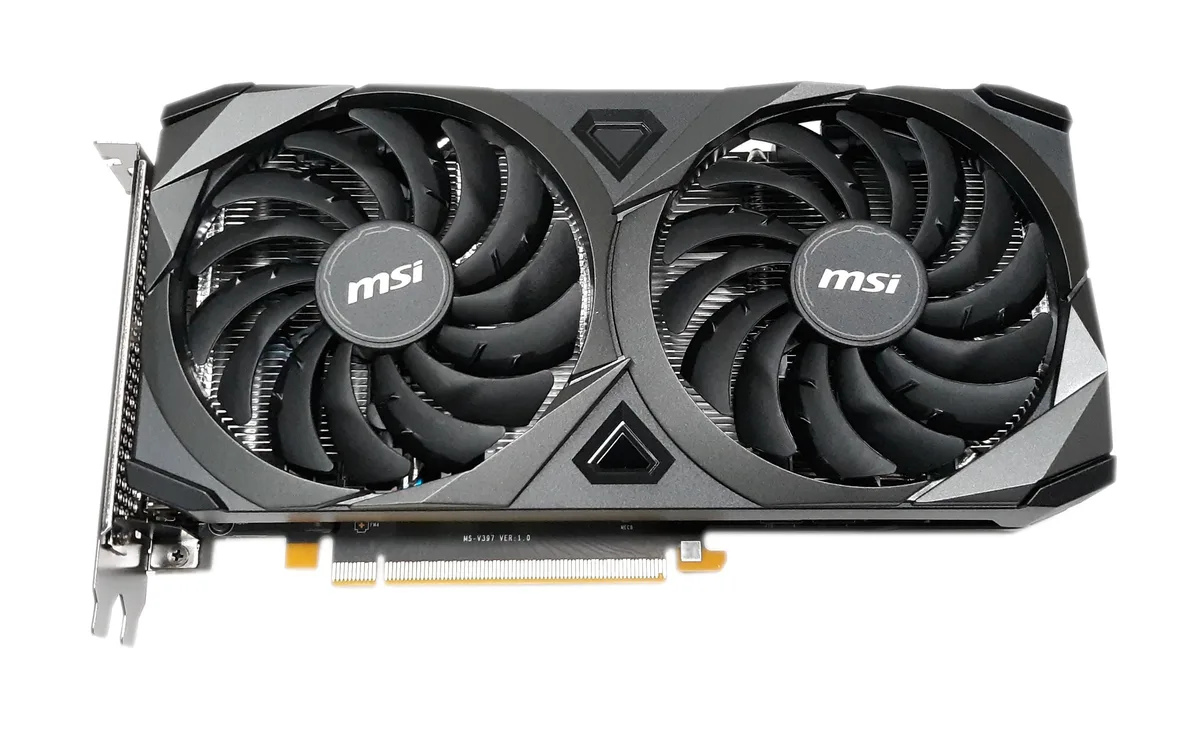


MSI
8 GB GDDR6 graphics card with 4864 cores, 1695 MHz boost clock and 256-bit memory bus for 4K 120 Hz output
The MSI GeForce RTX 3060 Ti Ventus 2X 8G OCV1 LHR is a graphics card built for 1440p gaming and creative workloads. It uses the NVIDIA RTX 3060 Ti GPU with 4864 cores and 8GB of GDDR6 memory on a 256-bit bus. The dual-fan Ventus cooler fits a compact 235 x 124 x 42 mm form factor.
This card replaces older GPUs limited to PCI Express Gen 3 or memory below 8GB. The jump is worth it when your current hardware cannot sustain 14 Gbps memory speed or drive 4K at 120Hz over HDMI 2.1. It also adds G-SYNC support for variable refresh displays.
Verify your power supply delivers at least 600 W and has one free 8-pin connector for the 200 W board. Confirm the case can clear 235 mm in length and 42 mm in thickness. Ensure the motherboard offers a PCI Express Gen 4 x16 slot and that your monitor uses DisplayPort 1.4a or HDMI 2.1 for full resolution.
| Memory Type | GDDR6 |
|---|
The card measures 235 mm long, 124 mm wide and 42 mm thick; check your case clearance against those dimensions before ordering.
Plug one 8-pin PCIe cable from the PSU directly into the card; do not use a 6-pin adapter or daisy-chain splitter, as the board draws 200 W.
Re-paste only if temperatures rise noticeably after several years; the dual-fan Ventus cooler has no user-service schedule.
同類商品
同一分類,同一套結帳流程 — 支援八種加密貨幣,匯率鎖定 30 分鐘。
您支付所用的幣種,以及查看價格所用的貨幣。
結帳時由您的錢包發送
僅供顯示 — 商品目錄以美元計價
查無符合的貨幣。
請選擇網站使用的語言。
查無符合的語言。
初次造訪?
已經有帳戶了嗎?
本店沒有自動重設密碼的機制:由於不寄送電子郵件,也就沒有一次性連結可供申請。只要將地址留在帳戶中,之後將由專人處理。
請求已收到
不會有任何郵件寄到您的信箱 — 本商店完全不寄送電子郵件。會有人親自處理這些申請。
想起來了嗎?



