
MSI
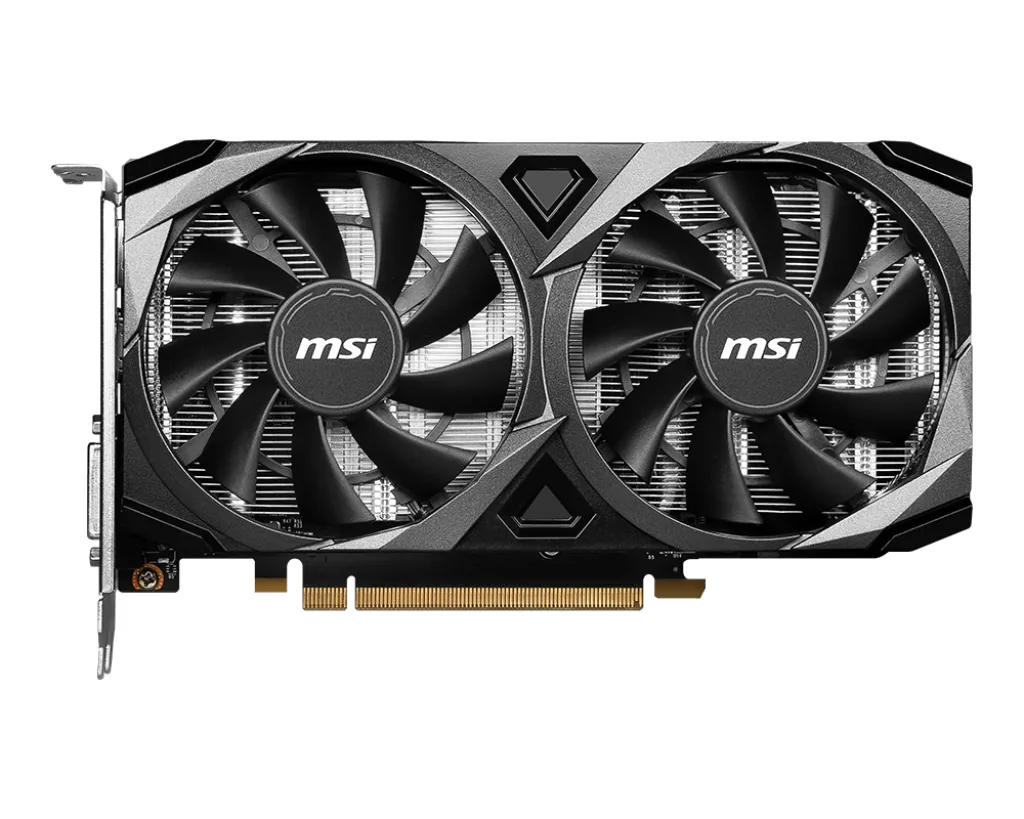
MSI RTX 3050 Ventus 2X XS 8G OC graphics card
- PCI Express 4.0 x8
- NVIDIA
US$220.99US$232.99−5%
0.00282994BTC
現貨


MSI
Entry-level 6 GB GDDR6 GPU with 2304 CUDA cores, 1492 MHz boost, PCIe 4.0 x8 and dual-fan cooling
Option VENTUS 2X
被劃上刪除線的選項確實存在,但本站並無供貨。
Edition RTX 3050 6G OC
被劃上刪除線的選項確實存在,但本站並無供貨。
This MSI Ventus graphics card uses the NVIDIA GeForce RTX 3050 GPU with 2304 CUDA cores and a 1492 MHz boost clock. It delivers 6GB of GDDR6 memory across a 96-bit interface running at 14000 MHz. The PCI Express 4.0 x8 interface connects the card to the system for 1080p gaming and creative workloads.
The dual-fan Ventus cooler fits compact cases and the x8 lane width works on mainstream motherboards. Three display outputs include two HDMI 2.1 ports and one DisplayPort 1.4a connector for multi-monitor setups. Builds needing more VRAM or a wider memory bus should consider a higher-tier model.
The 96-bit GDDR6 interface sets the memory bandwidth ceiling for this card. It is the single specification that determines whether texture-heavy 1080p titles or entry-level 1440p work run smoothly. Check your target resolution and texture settings against this bus width before buying.
| Brand | MSI |
|---|---|
| Series | Ventus |
| Model | RTX 3050 VENTUS 2X 6G OC |
| Interface | PCI Express 4.0 x8 |
| Chipset Manufacturer | NVIDIA |
| GPU Series | NVIDIA GeForce RTX 30 Series |
| GPU | GeForce RTX 3050 |
| Boost Clock | 1492 MHz |
| CUDA Cores | 2304 |
| Effective Memory Clock | 14000 MHz |
| Memory Size | 6GB |
| Memory Interface | 96-Bit |
| Memory Type | GDDR6 |
| DirectX | DirectX 12 Ultimate |
| OpenGL | OpenGL 4.6 |
| Multi-Monitor Support | 3 |
| HDMI | 2 x HDMI 2.1 |
| DisplayPort | 1 x DisplayPort 1.4a |
| Color | Black |
| Max Resolution | 7680 x 4320 |
| Cooler | Double Fans |
| Thermal Design Power | 70W |
| Recommended PSU Wattage | 300W |
| HDCP Ready | Yes |
| Form Factor | ATX |
| Max GPU Length | 189 mm |
| 出貨重量 | 0.64 kg |
| 包裝尺寸 | 260 × 184 × 70 mm |
其他版本
同系列產品,記憶體、散熱器或時脈不同 — 下單前請先比較。
The card uses a dual-fan design built into a compact industrial frame, so it fits most standard ATX cases without blocking drive cages.
Press the card straight down until the retention clip on the motherboard slot clicks, then secure the rear bracket screw before attaching power cables.
Use short bursts of compressed air through the fan blades while holding them stationary, then wipe the heatsink fins with a soft brush every few months.
同類商品
同一分類,同一套結帳流程 — 支援八種加密貨幣,匯率鎖定 30 分鐘。
您支付所用的幣種,以及查看價格所用的貨幣。
結帳時由您的錢包發送
僅供顯示 — 商品目錄以美元計價
查無符合的貨幣。
請選擇網站使用的語言。
查無符合的語言。
初次造訪?
已經有帳戶了嗎?
本店沒有自動重設密碼的機制:由於不寄送電子郵件,也就沒有一次性連結可供申請。只要將地址留在帳戶中,之後將由專人處理。
請求已收到
不會有任何郵件寄到您的信箱 — 本商店完全不寄送電子郵件。會有人親自處理這些申請。
想起來了嗎?





