


SAMSUNG
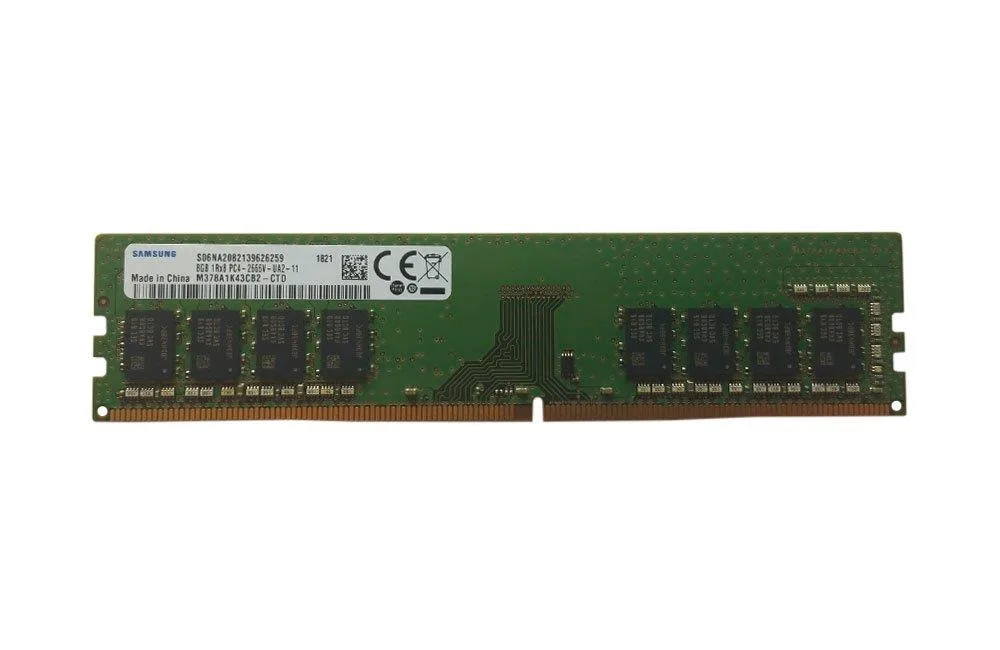
SAMSUNG 8GB DDR4 2666MHz CL19 288-Pin DIMM desktop RAM
8GB DDR4 desktop memory module running at 2666MHz with CL19 latency and 1.2V operation
- 8GB capacity keeps everyday workloads responsive
- 2666 MHz DDR4 speed supports faster data throughput
- CL19 latency balances timing with stable operation
- 2V unbuffered design lowers power draw by up to 40%
- 288-pin DIMM fits standard desktop memory slots
8GB DDR4 2666MHz Desktop Module
This Samsung module delivers 8GB of DDR4 memory at 2666MHz with CL19 timings. It uses the standard 288-pin DIMM form factor and runs at 1.2V. The unbuffered, non-ECC design suits mainstream desktop systems.
Suitable for general desktop upgrades and office PCs
Buyers who want more capacity per slot or lower latency timings should consider other options. Systems requiring ECC error correction or registered modules cannot use this stick. The single 8GB density may limit total memory on boards with few slots.
Check motherboard DDR4 support and free DIMM slots
Verify the board accepts 2666MHz unbuffered non-ECC memory at 1.2V. Confirm an open 288-pin slot exists and the CPU or chipset supports this speed. No special cooling clearance is required for this low-profile module.
商品特色
- 8GB capacity keeps everyday workloads responsive
- 2666 MHz DDR4 speed supports faster data throughput
- CL19 latency balances timing with stable operation
- 2V unbuffered design lowers power draw by up to 40%
- 288-pin DIMM fits standard desktop memory slots
商品規格
本商品目前尚未公佈規格。
商品問答
Does my motherboard need a 288-pin DDR4 slot to use this 8GB module?
Yes, the stick is a 288-pin DIMM built for DDR4 desktop boards, so the slot must match that pin count and memory type.
Will this CL19 2666MHz stick run with my existing 2133MHz DDR4 memory?
It will run alongside slower DDR4 modules; the system simply operates all sticks at the lowest common speed.
How can I confirm the module is running at 2666MHz after installation?
Check the memory speed in BIOS or a system-information tool such as CPU-Z; it should report 2666 MT/s when the XMP or default profile is active.
同類商品
顧客也比較過
同一分類,同一套結帳流程 — 支援八種加密貨幣,匯率鎖定 30 分鐘。


Mushkin Enhanced
Mushkin Enhanced 4GB DDR2-800 CL6 SoDIMM Apple 971741A memory upgrade
US$104.99
0.00134506BTC
現貨

SK hynix
SK hynix HYMD232M646C6-J 256MB DDR 333MHz PC2700 CL2.5 SODIMM laptop RAM
- 4GB (2 x 2GB)
US$7.99
0.00010236BTC
現貨