

ViewSonic
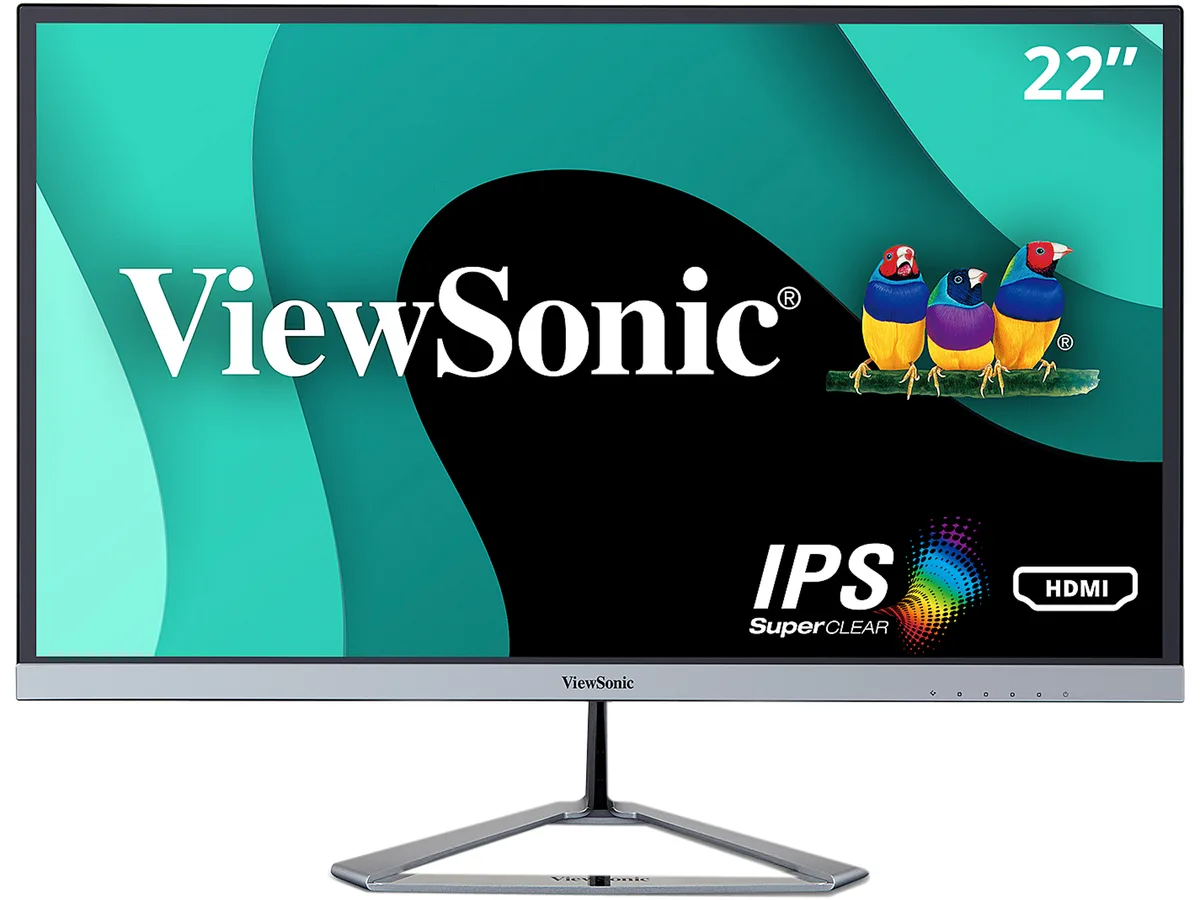
ViewSonic VX2276-SMHD 22" 1080p IPS monitor
A 22 inch IPS monitor with 1920 x 1080 resolution, 60 Hz refresh rate, 250 cd/m2 brightness, 1000:1 contrast and 178 degree viewing angles
- Resolution1920 x 1080
- Refresh Rate60Hz
- Display Colors16.7M (6-Bit + FRC)
- Screen Size22"
- Response Time7 ms
- WidescreenYes
Cabinet Color Black
- Black
- Black / Silver
- Full HD 1920 x 1080 resolution on a 22 inch IPS panel
- Ultra-slim frameless design keeps the focus on your content
- 178° horizontal and vertical viewing angles for consistent colour from any position
- Flicker-Free technology and Blue Light Filter reduce eye strain during long sessions
- HDMI, DisplayPort and VGA inputs connect laptops, PCs and Macs
Ultra-slim frameless 22-inch IPS display
The ViewSonic VX2276-SMHD is a 22-inch Full HD monitor built around a SuperClear IPS panel with a 1920 x 1080 resolution and 16.7 million colours. Its edge-to-edge frameless design and compact stand suit home offices, study desks or secondary-screen setups where desk space is tight. Wide 178-degree horizontal and vertical viewing angles keep colours consistent from almost any position.
Replaces bulky-bezel 1080p panels
Upgrading from an older 21.5-inch or 22-inch TN or VA screen removes the plastic frame that sits between multi-monitor arrays and reduces the monitor’s front-to-back depth. The jump is worth it when you want a cleaner sight line across two or three displays or need the thinner chassis to fit a shallow desk or monitor arm. The 60 Hz refresh rate and 7 ms response time match typical office workloads rather than competitive gaming.
Steady 250 cd/m² brightness
Flicker-Free backlighting and a built-in Blue Light Filter reduce eye strain over extended work or streaming periods. The IPS panel maintains its 178-degree viewing performance without colour shift when brightness is lowered for evening use. HDMI, DisplayPort and VGA inputs allow quick switching between laptop, desktop and legacy sources without signal degradation over time.
商品特色
- Full HD 1920 x 1080 resolution on a 22 inch IPS panel
- Ultra-slim frameless design keeps the focus on your content
- 178° horizontal and vertical viewing angles for consistent colour from any position
- Flicker-Free technology and Blue Light Filter reduce eye strain during long sessions
- HDMI, DisplayPort and VGA inputs connect laptops, PCs and Macs
商品規格
| Resolution | 1920 x 1080 |
|---|---|
| Refresh Rate | 60Hz |
| Display Colors | 16.7M (6-Bit + FRC) |
| Screen Size | 22" |
| Response Time | 7 ms |
| Widescreen | Yes |
| LED Backlight | Yes |
| Brightness | 250 cd/m2 |
| Contrast Ratio | 1,000:1 |
| Aspect Ratio | 16:9 |
| Maximum Resolution | 1920 x 1080 |
| Viewing Angle | 178° (H) / 178° (V) |
| Panel | IPS |
| Display Type | 1080p |
| Curved Surface Screen | Flat Panel |
| Brand | ViewSonic |
| Model | VX2276-smhd |
| Cabinet Color | Black |
| D-Sub | 1 |
| DVI | No |
| HDMI | 1 |
| Video Ports | 1 x D-Sub / 1 x DisplayPort / 1 x HDMI |
| Connectors | D-Sub, HDMI, DisplayPort |
| DisplayPort | 1 |
| Stand Adjustments | Tilt: -5 to 15 Degree |
| Built-in Speakers | 3W x 2 |
| Built-in Webcam | No |
| VESA Compatibility - Mountable | No Mounting |
| Features | Ultra-slim panel with frameless design SuperClear IPS panel technology Versatile connectivity Full HD 1080p resolution Superior color rendering and intuitive settings Enhanced viewing comfort Dual integrated speakers |
| Dimensions | 15.46" x 19.60" x 8.23" w/stand 11.87" x 19.60" x 1.31" w/o stand |
| Weight | 5.40 lbs. w/ stand 4.40 lbs. w/o stand |
| Package Contents | VX2276-smhd monitor, Power cable, AC/DC adapter, Audio cable, VGA cable, HDMI cable, Quick Start Guide, ViewSonic Wizard CD |
| 出貨重量 | 3.77 kg |
| 包裝尺寸 | 565 × 381 × 117 mm |
其他版本
同系列還有 3 款
同系列產品,記憶體、散熱器或時脈不同 — 下單前請先比較。



商品問答
What desk space does the 22-inch frameless panel and its unique stand require?
The 21.5-inch viewable screen sits in an ultra-slim frameless cabinet; the fixed desktop stand has a sculpted base that needs a flat area deep enough for the monitor's low-profile depth.
Which cable should I connect first to get a 1920 x 1080 picture at 60 Hz without hunting through menus?
Plug the supplied HDMI cable into the HDMI port; the monitor auto-detects the 1920 x 1080 60 Hz signal so the desktop appears immediately.
When should I clean the anti-glare coating on the IPS panel to keep the 178-degree viewing angles clear?
Wipe the screen with a dry microfibre cloth whenever dust or fingerprints become visible; avoid liquids that can damage the coating.
同類商品
顧客也比較過
同一分類,同一套結帳流程 — 支援八種加密貨幣,匯率鎖定 30 分鐘。