

Elo Touch Solutions
Elo Touch Solutions 1991L 19" Open-Frame Touchscreen Monitor
- 19"
US$615.99US$650.99−5%
0.00758917BTC
現貨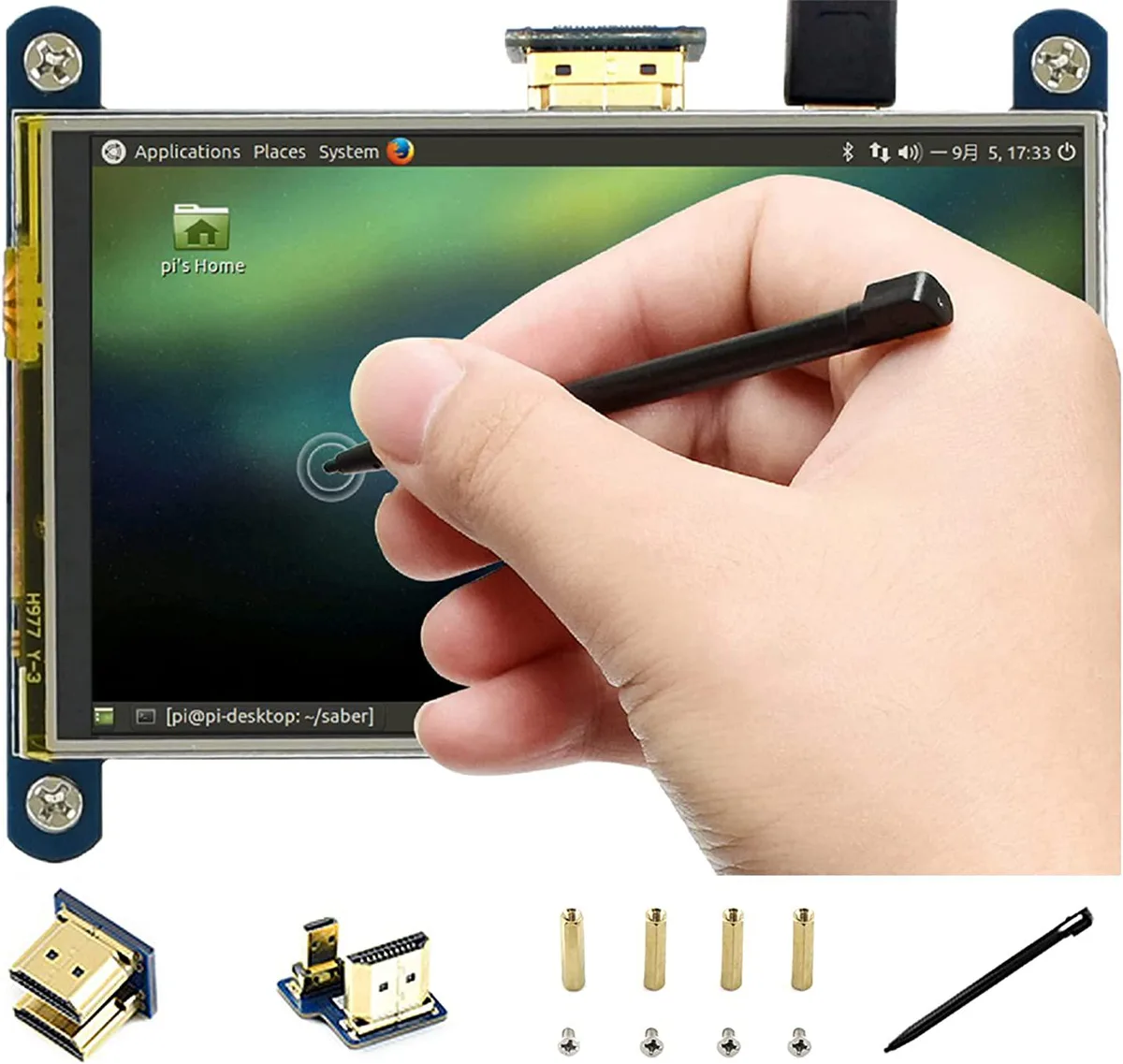


WaveShare
4-inch IPS display with resistive touch and 800x480 resolution connects via HDMI for Raspberry Pi or general computer use
This 4-inch portable monitor uses an IPS panel with 800x480 hardware resolution and a resistive touch layer. It connects directly to the HDMI port on compatible Raspberry Pi boards without extra cabling. Drivers are provided for Raspbian, Ubuntu, Kali and Retropie so the display and touch input work immediately. The unit also functions as a basic HDMI monitor for other computers, though touch is unavailable in that mode.
The IPS screen runs cool in normal use and has no moving parts, so it adds no audible noise to a build. A backlight-off feature is included to reduce power consumption when the display is not needed. Power is drawn entirely through the HDMI connection, requiring no separate supply for the display itself. This keeps wiring simple for portable or embedded projects.
The display replaces a composite or lower-resolution screen on Raspberry Pi 4B, 3B+, 3B, 2B, B+, A+ and Zero W boards; Pi 1 Model B and Pi Zero need an HDMI cable. It is not suited for users who need capacitive multi-touch, higher pixel density or a larger viewing area. Builders who require a second independent display output should look elsewhere, as this panel mirrors the single HDMI port.
| CPU Type | Other |
|---|
Align the board's HDMI plug directly with the Pi's HDMI port and press it firmly into place; the unit draws power and video through that single connection.
Resistive screens rely on a flexible top membrane that can lose sensitivity over time; if touch accuracy drops, the entire LCD module must be swapped.
The backlight can be disabled to cut power draw, but while it is on it generates the most heat and will dim gradually before any other component fails.
同類商品
同一分類,同一套結帳流程 — 支援八種加密貨幣,匯率鎖定 30 分鐘。
您支付所用的幣種,以及查看價格所用的貨幣。
結帳時由您的錢包發送
僅供顯示 — 商品目錄以美元計價
查無符合的貨幣。
請選擇網站使用的語言。
查無符合的語言。
初次造訪?
已經有帳戶了嗎?
本店沒有自動重設密碼的機制:由於不寄送電子郵件,也就沒有一次性連結可供申請。只要將地址留在帳戶中,之後將由專人處理。
請求已收到
不會有任何郵件寄到您的信箱 — 本商店完全不寄送電子郵件。會有人親自處理這些申請。
想起來了嗎?



