LUOM
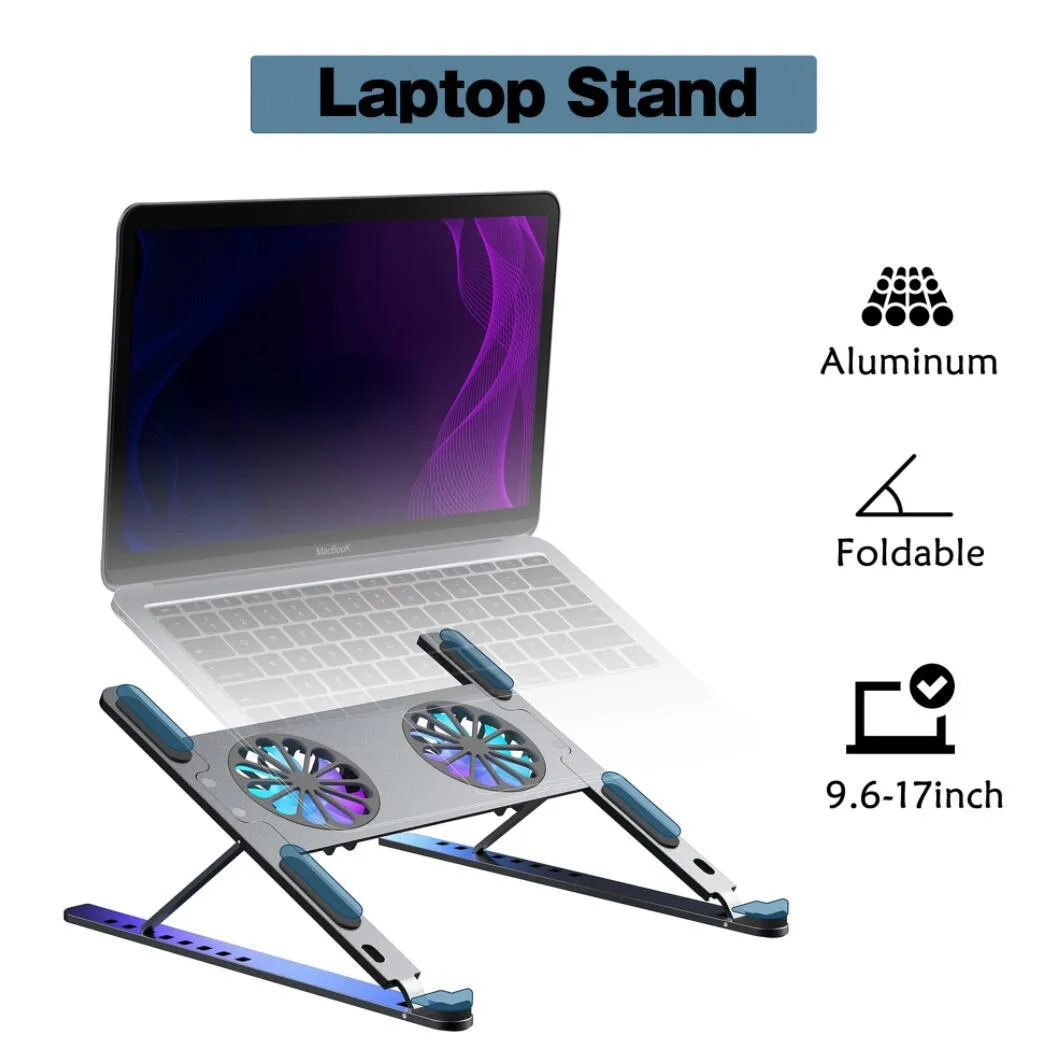
LUOM TSB02F laptop cooling pad dual fan 11-17.3 inch black
- Stand
- Black
28,99 US$
0.00035652BTC
En stockAceptamos criptomonedas — así, las criptos que usted tiene pueden comprar hardware real.Pague en cripto y gástela en hardware real. Envío asegurado gratis a nivel mundial a partir de $399. Cajas neutras, sin marca, enviadas desde Alemania.Envío asegurado gratis a partir de $399. Su cotización queda bloqueada 30 minutos en cuanto se abre el pago.Cotización bloqueada 30 minutos. Todos los artículos vienen sellados, con el número de serie verificado y cubiertos por una garantía de 24 meses.Sellado, con 24 meses de garantía.


DELL
A genuine Dell OEM palmrest touchpad assembly for Latitude 5580 and Precision 3520 laptops, measuring 14.2" x 5.3" x 0.4" and weighing 0.65 lbs
This genuine Dell OEM replacement part restores full palmrest and touchpad functionality for Latitude 5580 and Precision 3520 laptops. It integrates directly with the motherboard via a ribbon cable connection and supports Windows precision drivers for multi-gesture input. The unit measures 14.2" x 5.3" x 0.4" and weighs 0.65 lbs.
This assembly suits owners of a Dell Latitude 5580 or Precision 3520 needing to replace a cracked frame, unresponsive clickpad, or loose connector. It is not for users of other Dell models or different laptop brands, as screw holes and ribbon cable routing are model-specific. Buyers needing a standalone touchpad module without the palmrest frame should look elsewhere.
The decisive specification is the exact model compatibility: this part fits only Dell Latitude 5580 and Precision 3520 laptops. Verify your laptop model number before purchase, as the pre-aligned screw holes and connector slots will not align with any other device.
| Brand | Dell |
|---|---|
| Part Number | 5WF4M |
| Compatible Manufacturer | For Dell |
| Compatible Models | For Dell Latitude 5580 & Precision 3520 |
| Dimensions | 14.2" x 5.3" x 0.4" (Length x Width x Height) |
| Weight | 0.65 lbs |
Remove the bottom case, disconnect the battery, unplug the old ribbon cable, align the pre-drilled screw holes, connect the new ribbon cable firmly into the motherboard socket, then reinstall screws. The step most often missed is fully seating the ribbon cable connector before tightening the palmrest.
The scratch-resistant surface and reinforced stress points are built for long-term use. If the touchpad later develops unresponsive clicks or cursor drift, the whole assembly would be replaced again; no separate sub-components are serviceable.
The integrated ribbon cable and clickpad surface are rated for continuous operation. The first limit is typically physical wear on the touchpad coating or ribbon-cable fatigue after extended daily use.
También en este pasillo
Mismo estante, mismo pago — ocho criptomonedas y un tipo de cambio fijado 30 minutos.
Lo que usted paga, y la moneda en la que lee los precios.
Se envía desde su billetera al finalizar la compra
Solo informativo — el catálogo está en dólares
Ninguna moneda coincide.
Elija el idioma en el que el sitio le habla.
Ningún idioma coincide.
¿Es nuevo aquí?
¿Ya tiene una?
No existe ningún restablecimiento automático: esta tienda no envía correos electrónicos, así que no hay ningún enlace de un solo uso que solicitar. Deje la dirección asociada a la cuenta y se atenderá de forma manual.
Solicitud registrada
No hay nada de camino a su bandeja de entrada: esta tienda no envía correos en absoluto. Alguien se encarga de esto manualmente.
¿La recordó?