

HP
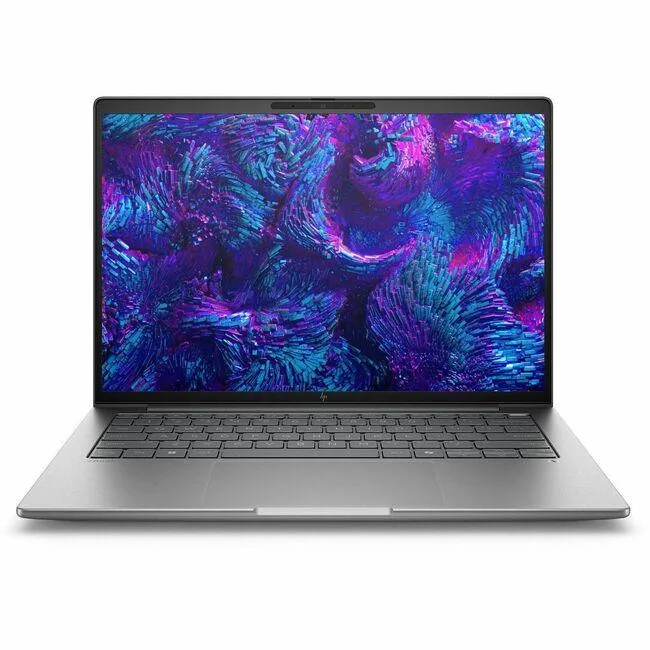
HP EliteBook 1040 G9 i7-1255U 32GB 512GB 14in business laptop
- Silver
- Windows 11 Pro
418,99 US$
0.00534092BTC
En stockAceptamos criptomonedas — así, las criptos que usted tiene pueden comprar hardware real.Pague en cripto y gástela en hardware real. Envío asegurado gratis a nivel mundial a partir de $399. Cajas neutras, sin marca, enviadas desde Alemania.Envío asegurado gratis a partir de $399. Su cotización queda bloqueada 30 minutos en cuanto se abre el pago.Cotización bloqueada 30 minutos. Todos los artículos vienen sellados, con el número de serie verificado y cubiertos por una garantía de 24 meses.Sellado, con 24 meses de garantía.


HP
16-inch WUXGA touchscreen mobile workstation with Intel Core Ultra 7 255H, 16GB DDR5, 512GB SSD and NVIDIA RTX 500 Ada graphics
The HP ZBook 8 G1i BX7V2UT#ABA is a 16-inch mobile workstation built for professionals who need a touchscreen display and dedicated graphics in a Meteor Silver chassis. It runs Windows 11 Pro on an Intel Core Ultra 7 255H processor with 16GB of DDR5 memory and a 512GB SSD. The NVIDIA RTX 500 Ada Generation GPU provides 4GB of video memory for hardware-accelerated workflows.
The 16.0-inch WUXGA panel delivers a 1920 x 1200 resolution at 60 Hz with touch input and an anti-glare finish. Wireless connectivity uses Wi-Fi 7 (802.11be) alongside Bluetooth for cable-free peripherals. The dedicated graphics card and touchscreen combination supports direct manipulation in design and engineering applications without external monitors.
Confirm that 16GB of soldered DDR5 memory meets your workload before ordering, as the capacity cannot be upgraded after purchase. The 512GB SSD may require supplementation for large project libraries or local datasets. Ensure Windows 11 Pro aligns with your software licensing and management policies. Buyers who need more storage or user-upgradeable memory should consider a different configuration.
| Processor Name | Intel Core Ultra 7 255H |
|---|---|
| CPU Type | Intel Core Ultra 7 (Series 2) |
| Memory | 16GB DDR5 |
| Type | Workstation |
| Resolution | 1920 x 1200 |
| Screen Size | 16.0" |
| Wide Screen Support | Yes |
| Touchscreen | Touch Screen |
| Refresh Rate | 60 Hz |
| SSD | 512GB |
| Brand | HP |
| Series | ZBook 8 G1i |
| Part Number | BX7V2UT#ABA |
| GPU/VPU | NVIDIA RTX 500 Ada Generation |
| Video Memory | 4GB |
| Graphic Type | Dedicated Card |
| Operating System | Windows 11 Pro |
| WiFi Generation | Wi-Fi 7 |
| WLAN | 802.11be Wireless LAN |
| Bluetooth | Yes |
| Dimensions (W x D x H) | 14.1" x 9.8" x 0.76" |
| Weight | 3.87 lbs. |
| Optical Drive Type | No |
| Webcam | Yes |
| HDMI | 1 x HDMI |
| Peso de envío | 3.52 kg |
| Dimensiones del paquete | 505 × 302 × 69 mm |
The 802.11be wireless LAN supports Wi-Fi 7, delivering multi-gigabit throughput for large file transfers and low-latency video calls.
The 16.0" WUXGA panel with 1920 x 1200 resolution fits the standard ZBook 8 G1i chassis; no extra bezel or hinge adapters are needed.
Boot the preloaded Windows 11 Pro, complete OOBE, then enable BitLocker only after the first update cycle finishes.
También en este pasillo
Mismo estante, mismo pago — ocho criptomonedas y un tipo de cambio fijado 30 minutos.
Lo que usted paga, y la moneda en la que lee los precios.
Se envía desde su billetera al finalizar la compra
Solo informativo — el catálogo está en dólares
Ninguna moneda coincide.
Elija el idioma en el que el sitio le habla.
Ningún idioma coincide.
¿Es nuevo aquí?
¿Ya tiene una?
No existe ningún restablecimiento automático: esta tienda no envía correos electrónicos, así que no hay ningún enlace de un solo uso que solicitar. Deje la dirección asociada a la cuenta y se atenderá de forma manual.
Solicitud registrada
No hay nada de camino a su bandeja de entrada: esta tienda no envía correos en absoluto. Alguien se encarga de esto manualmente.
¿La recordó?


