

SanDisk
SanDisk Cruzer Blade 8 GB USB 2.0 USB flash drive Black SDCZ50-008G-B35
391,99 US$
0.00500607BTC
En stockAceptamos criptomonedas — así, las criptos que usted tiene pueden comprar hardware real.Pague en cripto y gástela en hardware real. Envío asegurado gratis a nivel mundial a partir de $399. Cajas neutras, sin marca, enviadas desde Alemania.Envío asegurado gratis a partir de $399. Su cotización queda bloqueada 30 minutos en cuanto se abre el pago.Cotización bloqueada 30 minutos. Todos los artículos vienen sellados, con el número de serie verificado y cubiertos por una garantía de 24 meses.Sellado, con 24 meses de garantía.


MCDODO
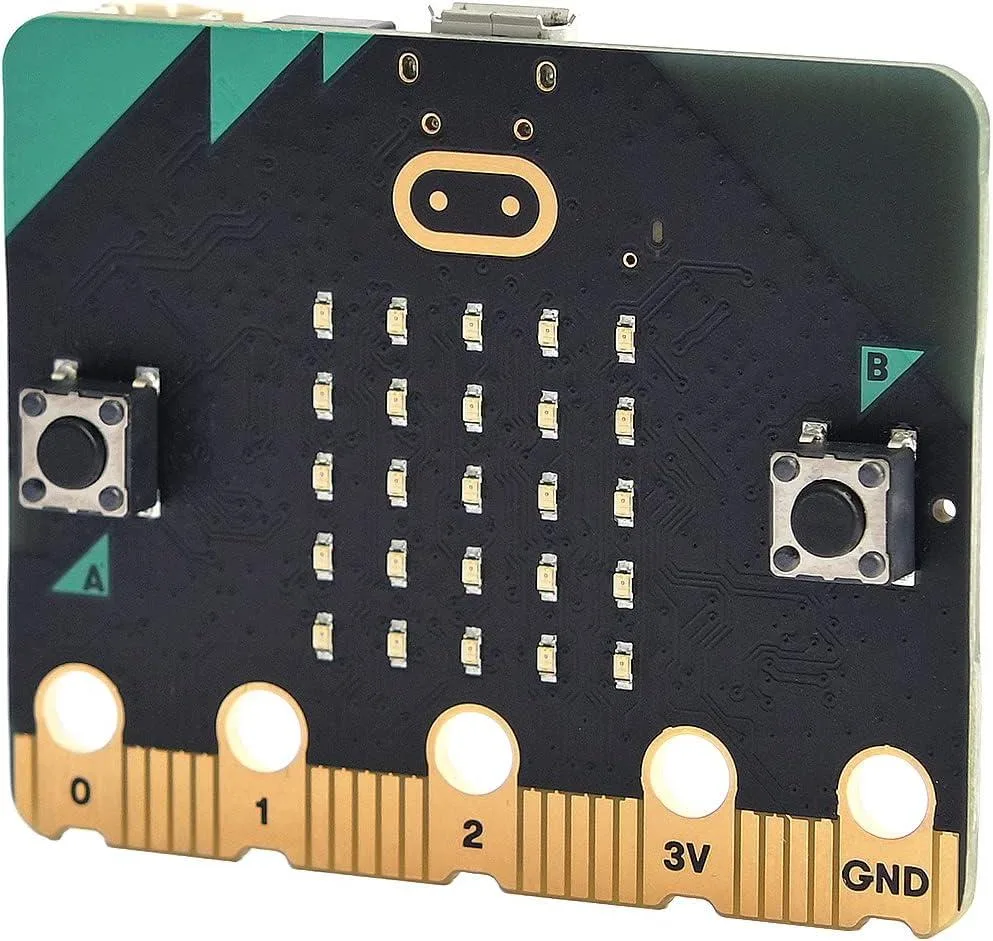
A pocket-sized programmable computer with 25 LEDs, motion sensors, speaker and microphone for classroom coding projects
The Micro:bit V2.2 is a pocket-sized programmable computer built for teaching coding and digital making in schools and clubs. It adds an onboard speaker and microphone so students can create sound-based projects without extra hardware. Twenty-five individually addressable LEDs and two programmable buttons give immediate visual and tactile feedback.
This board suits teachers, students and hobbyists who need a ready-to-program platform with built-in sensors for light, temperature and motion. Buyers who require more processing power, additional GPIO pins or a Linux environment should look at other single-board computers.
The V2.2 revision integrates a MEMS microphone and a piezoelectric speaker directly on the board, enabling sound input and output for interactive lessons. Earlier revisions lack these audio features, so confirm the version before purchasing for sound-dependent projects.
| Type | Single Board Computers |
|---|
The board uses a micro USB connector for both power and programming; a compatible cable is not included.
Connect the board to a computer via micro USB; it appears as a USB drive so you can drag compiled .hex files onto it.
The 25 programmable LEDs, two buttons, speaker, microphone, accelerometer and compass are all soldered on the board and are not user-replaceable.
También en este pasillo
Mismo estante, mismo pago — ocho criptomonedas y un tipo de cambio fijado 30 minutos.
Lo que usted paga, y la moneda en la que lee los precios.
Se envía desde su billetera al finalizar la compra
Solo informativo — el catálogo está en dólares
Ninguna moneda coincide.
Elija el idioma en el que el sitio le habla.
Ningún idioma coincide.
¿Es nuevo aquí?
¿Ya tiene una?
No existe ningún restablecimiento automático: esta tienda no envía correos electrónicos, así que no hay ningún enlace de un solo uso que solicitar. Deje la dirección asociada a la cuenta y se atenderá de forma manual.
Solicitud registrada
No hay nada de camino a su bandeja de entrada: esta tienda no envía correos en absoluto. Alguien se encarga de esto manualmente.
¿La recordó?



