

SanDisk
SanDisk Cruzer Blade 8 GB USB 2.0 USB flash drive Black SDCZ50-008G-B35
$391.99
0.0049743BTC
在庫あり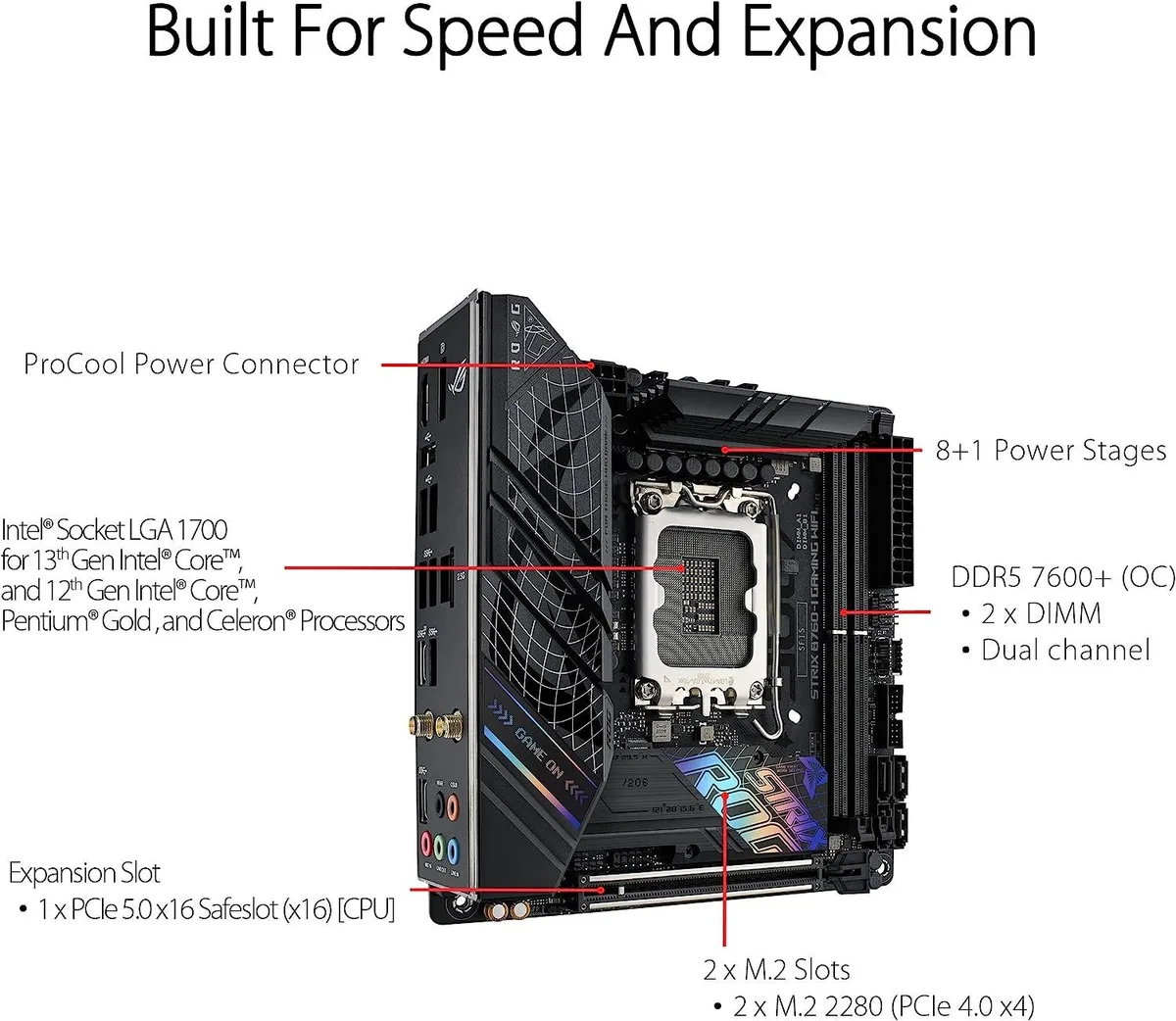


ASUS
LGA 1700 MicroATX board with DDR5 memory support, PCIe 5.0 x16 slot and two M.2 slots
The ASUS ROG Strix B760-I Gaming WiFi is a MicroATX board built for Intel LGA 1700 processors and DDR5 memory. It includes a PCI Express 5.0 x16 slot and two M.2 slots alongside the I/O shield. This configuration suits compact desktop builds that require modern memory and high-speed expansion.
This board fits builders who want a MicroATX layout with DDR5 support and a single top-tier graphics slot. It is not for users who need more than two M.2 slots or additional full-length PCIe slots beyond the primary x16 connection.
The CPU socket is LGA 1700, which determines processor compatibility. Verify your chosen processor against the manufacturer's CPU compatibility list before purchase to confirm support and any BIOS update requirements.
| Brand | ASUS |
|---|---|
| CPU Socket Type | LGA 1700 |
| CPU Type | LGA 1700 |
| Memory Standard | DDR5 |
| Form Factor | MicroATX |
The board uses the MicroATX form factor with standard mounting holes, so any case that supports MicroATX will fit it.
The I/O shield snaps into the case rear cut-out before the motherboard is lowered in; the common mistake is mounting the board first and then realising the shield is still on the bench.
The two M.2 slots each use a small standoff and screw that can be lost during drive swaps; DDR5 modules have no moving parts and only need occasional dust removal.
同じ売り場の商品
同じ売り場、同じレジ — 8種類のコインと30分間のレートロック。
お支払いに使うコインと、価格表示に使う通貨です。
チェックアウト時にウォレットから送信されます。
表示のみ—カタログの価格は米ドル建てです。
該当する通貨がありません。
サイトの表示言語を選択してください。
一致する言語がありません。
初めてのご利用ですか?
すでにお持ちですか?
自動的な再設定はありません。当店はメールを送信しないため、ワンタイムリンクをお送りすることもできません。アカウントにメールアドレスを残しておいていただければ、担当者が手作業で確認いたします。
リクエストを受け付けました
受信箱に何かが届くことはありません — 当店はメールを一切送信していません。担当者が手作業で確認いたします。
思い出しましたか?



