

SanDisk
SanDisk Cruzer Blade 8 GB USB 2.0 USB flash drive Black SDCZ50-008G-B35
US$391.99
0.00503901BTC
現貨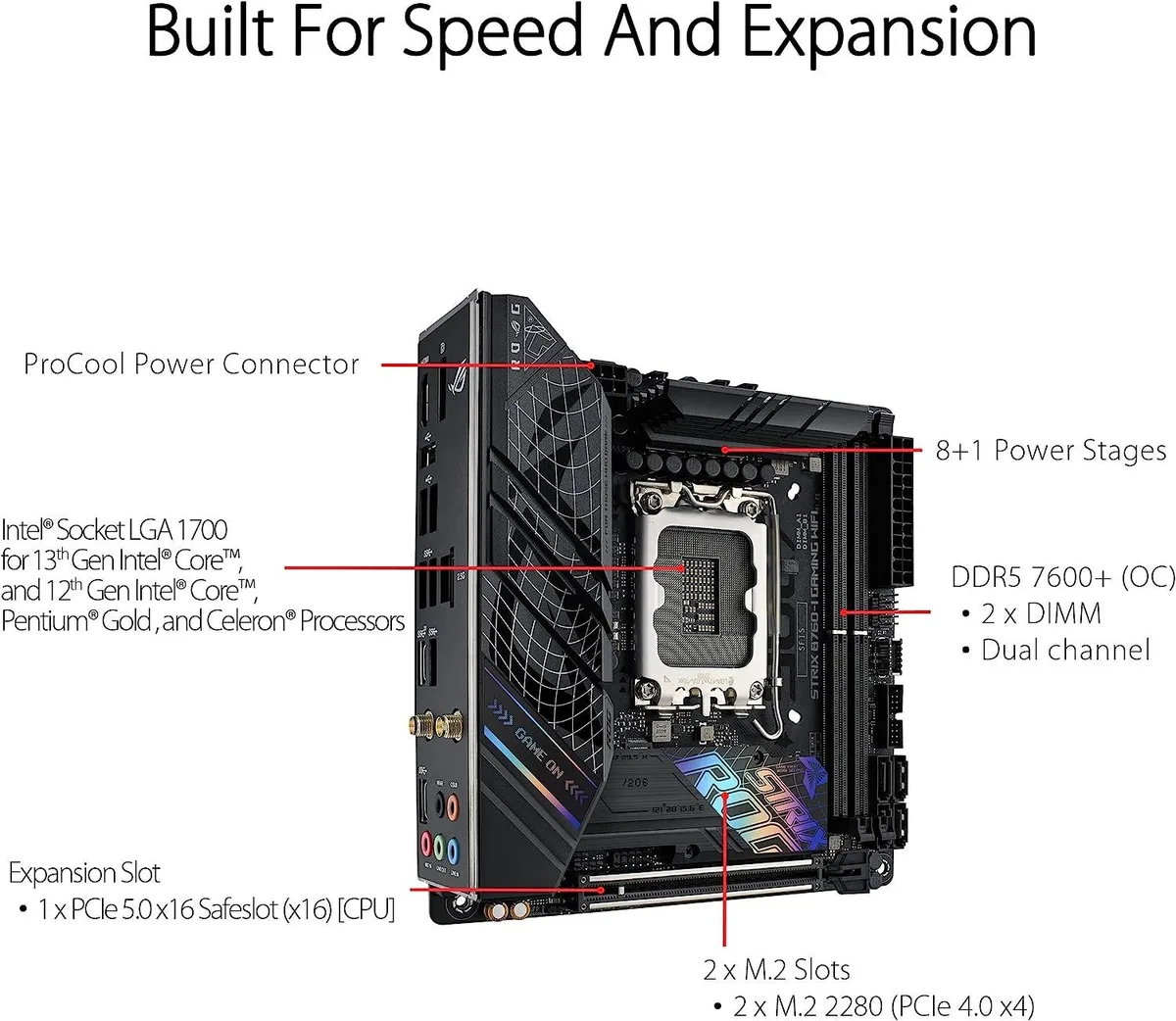


ASUS
LGA 1700 MicroATX board with DDR5 memory support, PCIe 5.0 x16 slot and two M.2 slots
The ASUS ROG Strix B760-I Gaming WiFi is a MicroATX board built for Intel LGA 1700 processors and DDR5 memory. It includes a PCI Express 5.0 x16 slot and two M.2 slots alongside the I/O shield. This configuration suits compact desktop builds that require modern memory and high-speed expansion.
This board fits builders who want a MicroATX layout with DDR5 support and a single top-tier graphics slot. It is not for users who need more than two M.2 slots or additional full-length PCIe slots beyond the primary x16 connection.
The CPU socket is LGA 1700, which determines processor compatibility. Verify your chosen processor against the manufacturer's CPU compatibility list before purchase to confirm support and any BIOS update requirements.
| Brand | ASUS |
|---|---|
| CPU Socket Type | LGA 1700 |
| CPU Type | LGA 1700 |
| Memory Standard | DDR5 |
| Form Factor | MicroATX |
The board uses the MicroATX form factor with standard mounting holes, so any case that supports MicroATX will fit it.
The I/O shield snaps into the case rear cut-out before the motherboard is lowered in; the common mistake is mounting the board first and then realising the shield is still on the bench.
The two M.2 slots each use a small standoff and screw that can be lost during drive swaps; DDR5 modules have no moving parts and only need occasional dust removal.
同類商品
同一分類,同一套結帳流程 — 支援八種加密貨幣,匯率鎖定 30 分鐘。
您支付所用的幣種,以及查看價格所用的貨幣。
結帳時由您的錢包發送
僅供顯示 — 商品目錄以美元計價
查無符合的貨幣。
請選擇網站使用的語言。
查無符合的語言。
初次造訪?
已經有帳戶了嗎?
本店沒有自動重設密碼的機制:由於不寄送電子郵件,也就沒有一次性連結可供申請。只要將地址留在帳戶中,之後將由專人處理。
請求已收到
不會有任何郵件寄到您的信箱 — 本商店完全不寄送電子郵件。會有人親自處理這些申請。
想起來了嗎?



