


ASUS
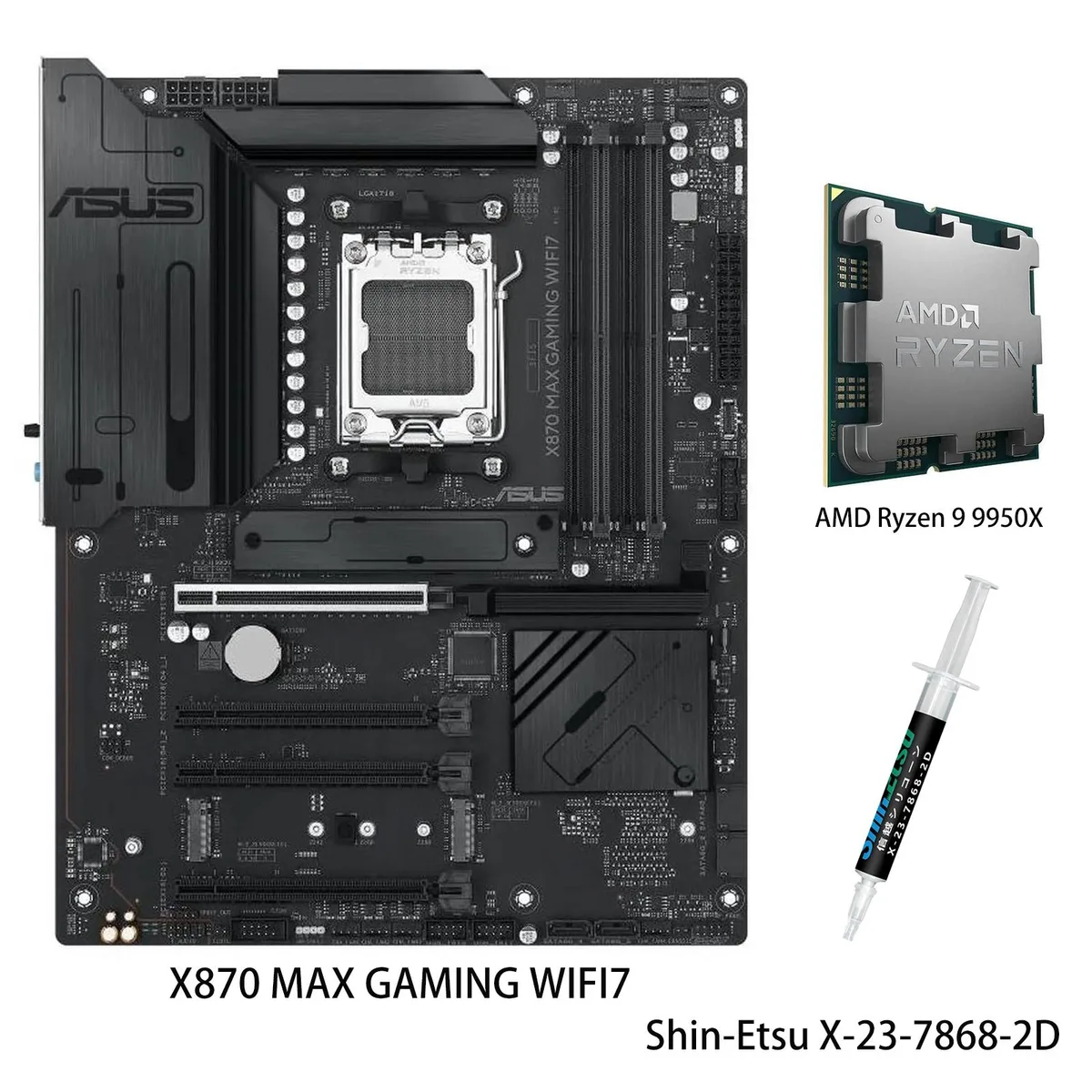
ASUS X870 MAX GAMING WIFI7 & Ryzen 9 9950X AMD motherboard combo
Combines an X870 ATX board with Wi-Fi 7, three M.2 slots and 40 Gbps USB4 alongside a 16-core Ryzen 9 9950X reaching 5.7 GHz boost
- CPU Socket TypeAM5
Motherboard X870 MAX GAMING WIFI7
CPU + R9 9950X
- 16 cores and 32 threads handle heavy workloads
- 7 GHz max boost speeds up demanding tasks
- 12+2+1 80A DrMOS stages deliver stable power
- Wi-Fi 7 and 2.5Gb Ethernet give fast networking
- Pre-mounted I/O shield and Q-Release simplify building
Combo purpose
This bundle pairs an ASUS X870 MAX GAMING WIFI7 motherboard with an AMD Ryzen 9 9950X processor for AM5 systems. It targets builders who want a matched platform for AI workloads, heavy multitasking and high-refresh gaming without selecting parts separately. The board delivers Wi-Fi 7, USB4 40Gbps Type-C and a front USB 20Gbps Type-C connector alongside three M.2 slots and Realtek 2.5Gb Ethernet.
Upgrade context
The combination replaces an older AM4 or early AM5 build when core count, memory bandwidth and PCIe 5.0 connectivity become bottlenecks. The CPU brings 16 cores and 32 threads with a 5.7 GHz max boost, 64MB L3 cache and DDR5-5600 support, while the board adds a 12+2+1 80A DrMOS design on an 8-layer PCB. The jump is worth it when rendering, compilation or local AI inference scale beyond what 8- or 12-core chips can sustain.
Build experience
Installation is streamlined by a pre-mounted I/O shield, PCIe Slot Q-Release, Q-Antenna and a flexible M.2 heatsink that reduce screw counts. BIOSFlashBack lets you update firmware without a CPU installed, and Q-LED Core plus Q-Dashboard give immediate post-code feedback. The main pitfalls are forgetting to seat the 12VHPWR or 8-pin EPS cables fully, and neglecting to enable EXPO in BIOS so DDR5 runs at rated speed.
주요 특징
- 16 cores and 32 threads handle heavy workloads
- 7 GHz max boost speeds up demanding tasks
- 12+2+1 80A DrMOS stages deliver stable power
- Wi-Fi 7 and 2.5Gb Ethernet give fast networking
- Pre-mounted I/O shield and Q-Release simplify building
사양
| Brand | ASUS |
|---|---|
| Model | X870 MAX GAMING WIFI7+R9 9950X |
| CPU Socket Type | AM5 |
이 모델의 다른 버전
같은 라인업에서 5개 더
같은 제품군에서 메모리·쿨러·클럭이 다릅니다 — 결정 전에 비교해 보세요.


ASUS
ASUS TUF GAMING X870-PRO WIFI7 W NEO AMD motherboard Ryzen 9 9900X combo
- AMD X870
- AMD X870
US$910.99
0.01152233BTC
재고 있음
ASUS
ASUS B850M AYW GAMING WIFI + Ryzen 9 9900X3D AMD motherboard CPU combo
- AM5
US$923.99
0.01168676BTC
재고 있음
ASUS
ASUS X870 MAX GAMING WIFI7 AMD Motherboard & Ryzen 9 9900X3D CPU Combo
- AM5
US$953.99
0.0120662BTC
재고 있음
ASUS
ASUS TUF GAMING X870-PLUS WIFI AM5 ATX AMD Motherboard & Ryzen 7 9800X3D CPU Combo
- AMD X870
- 4x288pin (DDR5)
US$956.99
0.01210414BTC
재고 있음이 상품에 대한 질문
What case clearance and mounting pattern does the ATX X870 MAX GAMING WIFI7 require?
The board uses standard ATX dimensions with nine screw holes and a pre-mounted I/O shield; verify your chassis supports ATX and has standoffs in the standard locations before installation.
Which BIOSFlashBack step is most often missed when updating without a CPU installed?
Rename the BIOS file on the FAT32 USB drive to the exact name the manual specifies, plug it into the dedicated BIOSFlashBack port, then hold the rear button until the LED starts blinking — skipping the rename stops the update.
When should the CMOS battery be replaced and what settings are lost?
Replace the coin cell when the system loses date, time or BIOS configuration after power-off; this restores BIOSFlashBack profiles, Q-LED Core status, and Fan Xpert 4 curves.
이 진열대의 다른 상품
고객들이 함께 비교한 상품
같은 진열대, 같은 체크아웃 — 코인 8종, 환율 잠금 30분.

SanDisk
SanDisk Cruzer Blade 8 GB USB 2.0 USB flash drive Black SDCZ50-008G-B35
US$391.99
0.00495794BTC
재고 있음

