ASUS
ASUS Vivobook 16" WUXGA i9-13900H 24GB DDR4 1TB SSD + 1TB Dock Silver
- Silver
- Fingerprint reader
$898.99
0.01161261BTC
In stockWe take cryptocurrency — so the coins you hold can buy real hardware.Pay in crypto, spend it on real hardware. Free insured shipping worldwide over $399. Plain, unbranded boxes, sent from Germany.Free insured shipping over $399. Your rate is locked for 30 minutes once checkout opens.Rate locked 30 minutes. Every item sealed, serial-checked and covered by a 24-month warranty.Sealed, 24-month warranty.


ASUS
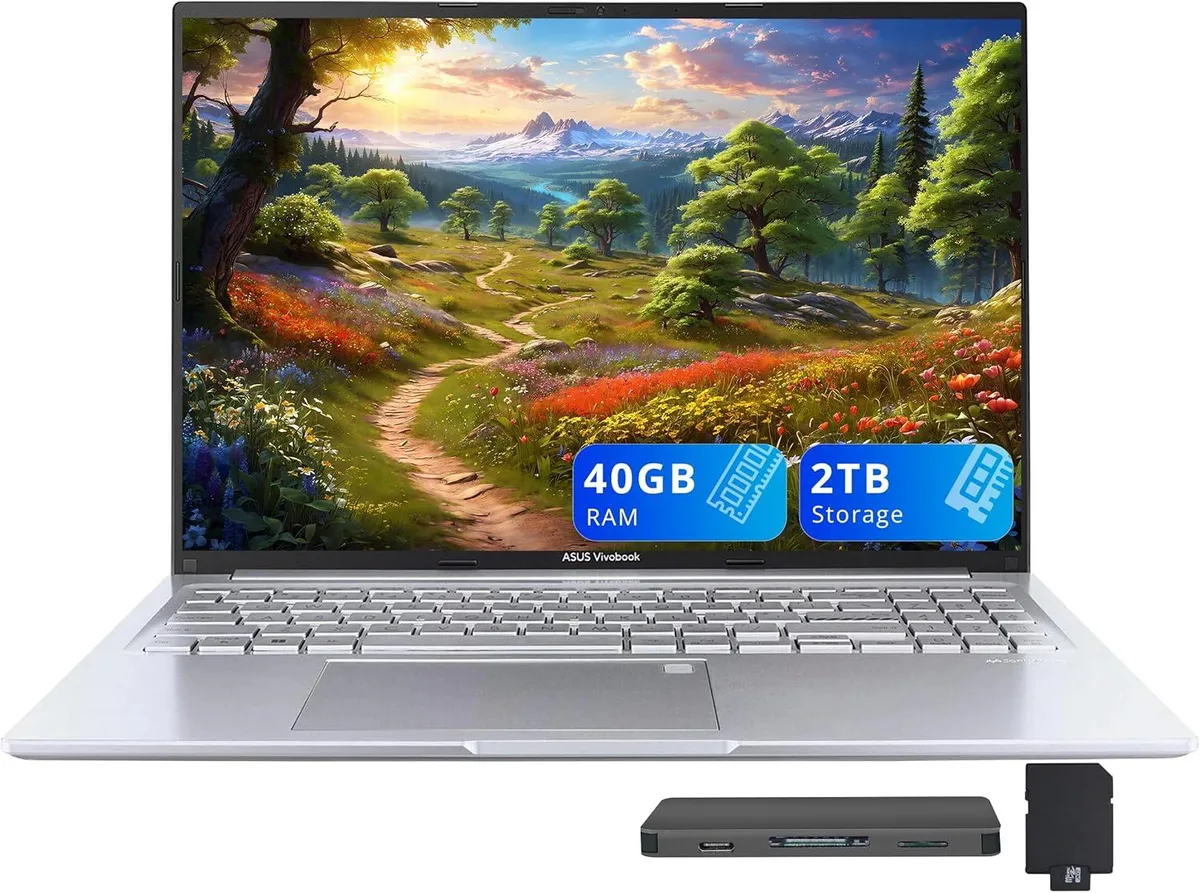
A 16-inch WUXGA business laptop with a 14-core Intel Core i9-13900H, 40GB DDR4, 1TB internal SSD and a 1TB docking station bundle
Capacity 40GB / 2TB Storage
The ASUS Vivobook 16 combines a 16.0-inch 1920 x 1200 display with an Intel Core i9-13900H processor. Fourteen cores and 40GB DDR4 memory handle demanding workloads and heavy multitasking. Integrated Intel Iris Xe Graphics supports casual gaming and creative tasks. Windows 11 Pro ships pre-installed for professional environments.
Ports include one USB-A 2.0, two USB-A 3.2, one USB-C 3.2, HDMI 1.4 and a combo audio jack. The bundle adds a 7-in-1 docking station with 1TB storage, a 32GB MicroSD card, cables and a cleaning cloth. Wireless 802.11ax and Bluetooth provide cable-free networking. The extra storage and ports free the laptop from dongle clutter on a desk setup.
The 14-core i9-13900H maintains high clocks during extended renders, compiles or data analysis. Integrated graphics share system memory, so long GPU tasks draw from the 40GB DDR4 pool. Thermal design in the 0.78-inch chassis manages heat without throttling under continuous load. Fingerprint reader and backlit keyboard stay responsive during marathon sessions.
| Brand | ASUS |
|---|---|
| Series | ASUS Vivobook |
| Model | ASUS Vivobook |
| Color | Silver |
| Other Features | Fingerprint reader |
| Operating System | Windows 11 Pro |
| CPU Type | Intel Core i9 13th Gen |
| Processor Name | Intel Core i9-13900H |
| Number of Cores | 14-cores Processor |
| Screen Size | 16.0" |
| Touchscreen | Non-Touch Screen |
| Display Type | WUXGA |
| Resolution | 1920 x 1200 |
| GPU/VPU | Intel Iris Xe Graphics |
| Graphic Type | Integrated Card |
| SSD | 1TB |
| Storage Spec | 1TB |
| Memory | 40GB DDR4 |
| WLAN | 802.11ax Wireless LAN |
| Bluetooth | Yes |
| USB | 1x USB-C, 3x USB-A |
| HDMI | 1 x HDMI 1.4 |
| Audio Ports | 1 x Headphone/Microphone Combo Jack |
| Backlit Keyboard | Backlit |
| Webcam | 720p HD |
| Style | Standard |
| Type | Work / Business |
| Usage | Business |
| Package Content | Laptop; Power Adapter; Documentation; 1TB Docking Station Set |
Other versions of this model
Same family, different memory, cooler or clock — compare before you commit.
The 14-core i9-13900H in this 16.0" chassis will throttle once its thermal limits are reached under continuous full-load tasks such as video rendering or large compiles.
Under all-day load the dual-fan cooling keeps surface temperatures manageable, though fan noise becomes audible in a quiet room; the 0.78" profile limits airflow compared to thicker workstations.
The included 7-in-1 docking station provides the 1TB expansion drive and connects via the single USB-C 3.2 port; no extra dock or cable is required.
Also in this aisle
Same shelf, same checkout — eight coins and a 30-minute rate lock.
What you pay in, and what you read prices in.
Sent from your wallet at checkout
Display only — the catalogue is priced in USD
No currency matches that.
Pick the language the site speaks to you in.
No language matches that.
New here?
Already have one?
There is no automatic reset: this shop sends no mail, so there is no one-time link to ask for. Leave the address on the account and it gets picked up by hand.
Request noted
Nothing is on its way to your inbox — this shop sends no mail at all. Someone picks these up by hand.
Remembered it?