ASUS
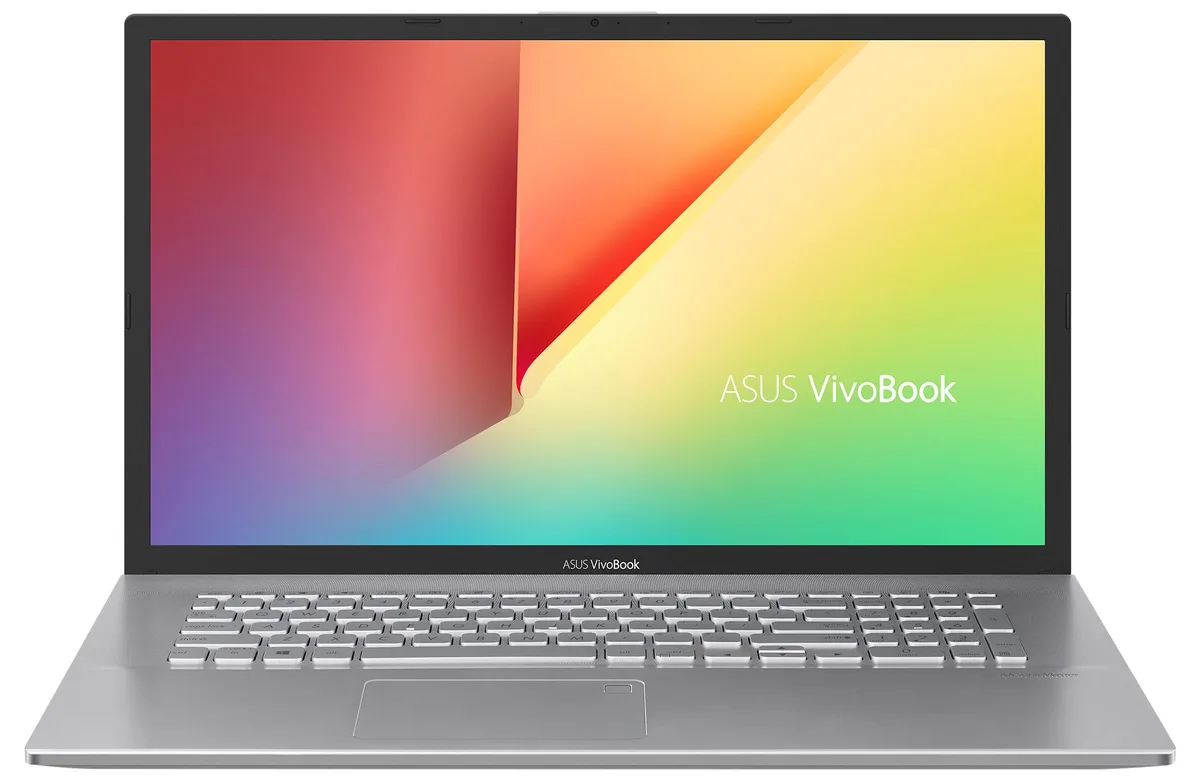
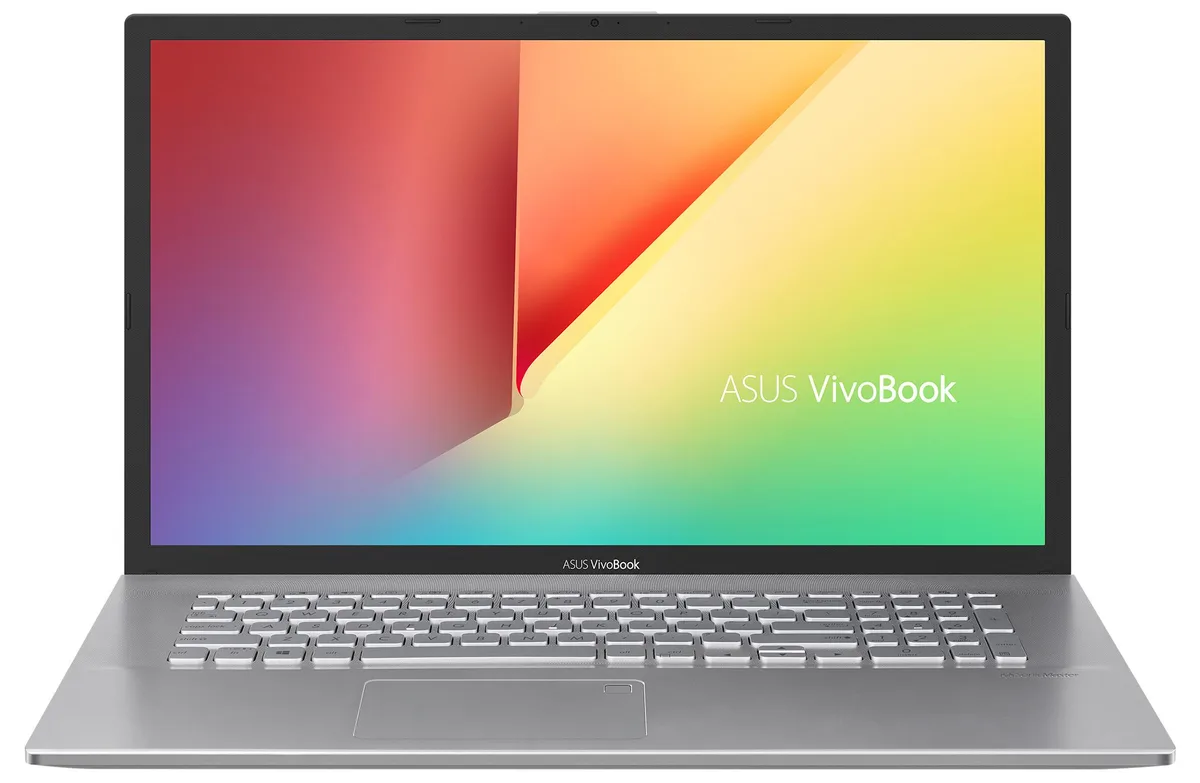
ASUS VivoBook S712JA-WH54 laptop 17.3" i5-1035G1 8GB 128GB+2TB
- Silver
- Windows 10 Home 🙋♀…
$508.99
0.00644846BTC
In stockWe take cryptocurrency — so the coins you hold can buy real hardware.Pay in crypto, spend it on real hardware. Free insured shipping worldwide over $399. Plain, unbranded boxes, sent from Germany.Free insured shipping over $399. Your rate is locked for 30 minutes once checkout opens.Rate locked 30 minutes. Every item sealed, serial-checked and covered by a 24-month warranty.Sealed, 24-month warranty.


ASUS
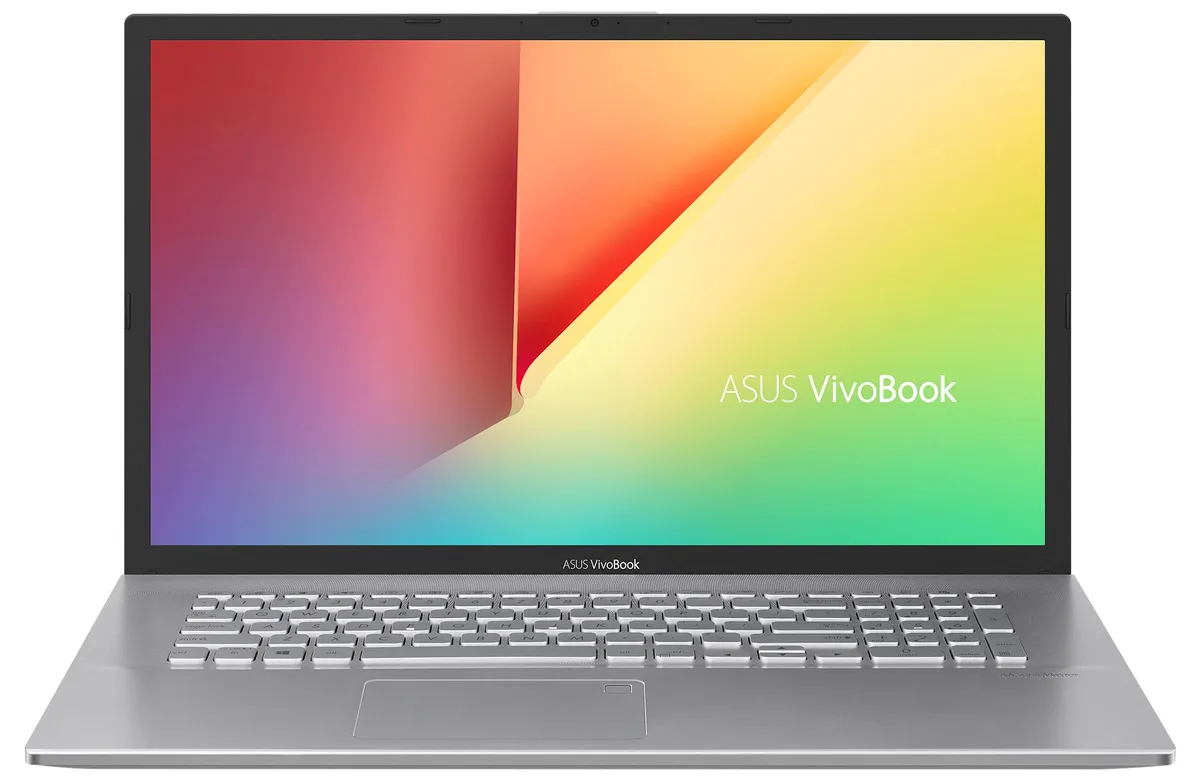
A 17.3-inch FHD IPS laptop with a 10th Gen Intel Core i5-1035G1 processor, 12GB DDR4 RAM, 256GB PCIe NVMe SSD plus 1TB HDD, Wi-Fi 6 and Bluetooth 5.1
Options 12GB/256GB+1TB W10H
The ASUS VivoBook S712JA-WH54 is a 17.3-inch Full HD IPS laptop powered by a 10th Gen Intel Core i5-1035G1 processor with four cores and a turbo frequency up to 3.6 GHz. It ships with 12GB of DDR4 memory split between onboard and a SO-DIMM module, plus a 256GB PCIe NVMe SSD paired with a 1TB hard drive for combined speed and capacity. Windows 10 Home 64-bit comes pre-installed.
This machine suits users who want a spacious 1920 x 1080 display for documents, streaming or light multitasking, backed by Wi-Fi 6 and Bluetooth 5.1 connectivity. The fingerprint reader and backlit keyboard add convenience for daily sign-in and low-light typing. Buyers who need discrete graphics for gaming, video editing or 3D rendering should look at a different system, as the Intel UHD integrated graphics are limited to basic visual tasks.
Verify that your external monitors or projectors accept HDMI input, as this is the only video output provided. The laptop offers one USB 3.2 Gen1 Type-A, one USB 3.2 Gen1 Type-C and two USB 2.0 ports, so confirm your accessories match those interfaces. A micro SD card reader is included for media transfer. The 45W power adapter and 47 WHr battery are sized for this chassis; ensure your workspace can accommodate the 16.00 x 10.06 x 0.6 inch footprint and 5.06 lb weight.
| Brand | ASUS |
|---|---|
| Series | VivoBook |
| Color | Silver |
| Operating System | Windows 10 Home 🙋♀️Microsoft Windows 11 Pro Upgrade 👉Check ABS/Helix computers with Windows 11 |
| CPU Type | Intel Core i5 10th Gen |
| Processor Name | 1.00GHz |
| Turbo Frequency | 3.6 GHz |
| CPU L3 Cache | 6MB Cache |
| Screen Size | 17.3" |
| Touchscreen | Non-Touch Screen |
| Resolution | 1920 x 1080 |
| GPU/VPU | Intel UHD Graphics |
| Graphic Type | Integrated Card |
| SSD | 256GB |
| HDD | 1TB |
| Storage Spec | 256GB PCIe SSD + 1TB HDD |
| Memory | 12GB |
| Memory Speed | DDR4 |
| Optical Drive Type | No |
| WLAN | Wi-Fi 6 AX201 |
| Bluetooth | Bluetooth 5.1 |
| HDMI | 1 x HDMI |
| Audio Ports | 1 x Headphone/Microphone Combo Jack |
| Backlit Keyboard | Backlit |
| Other Input Devices | No |
| Webcam | Yes |
| Card Reader | Yes |
| Style | Standard |
| Type | Home / Personal |
Other versions of this model
Same family, different memory, cooler or clock — compare before you commit.
The 12 GB DDR4 configuration uses 4 GB soldered on the motherboard plus an 8 GB SO-DIMM module, so the single SO-DIMM slot is already occupied.
Yes, both the USB 3.2 Gen1 Type-A and the USB 3.2 Type-C Gen1 ports are backward compatible with USB 2.0 devices, and two dedicated USB 2.0 ports are also provided.
Open Settings > System > Storage and verify the 256 GB drive appears as the C: partition with Windows installed, while the 1 TB HDD shows as a secondary data volume.
Also in this aisle
Same shelf, same checkout — eight coins and a 30-minute rate lock.
What you pay in, and what you read prices in.
Sent from your wallet at checkout
Display only — the catalogue is priced in USD
No currency matches that.
Pick the language the site speaks to you in.
New here?
Already have one?
There is no automatic reset: this shop sends no mail, so there is no one-time link to ask for. Leave the address on the account and it gets picked up by hand.
Request noted
Nothing is on its way to your inbox — this shop sends no mail at all. Someone picks these up by hand.
Remembered it?