ASUS
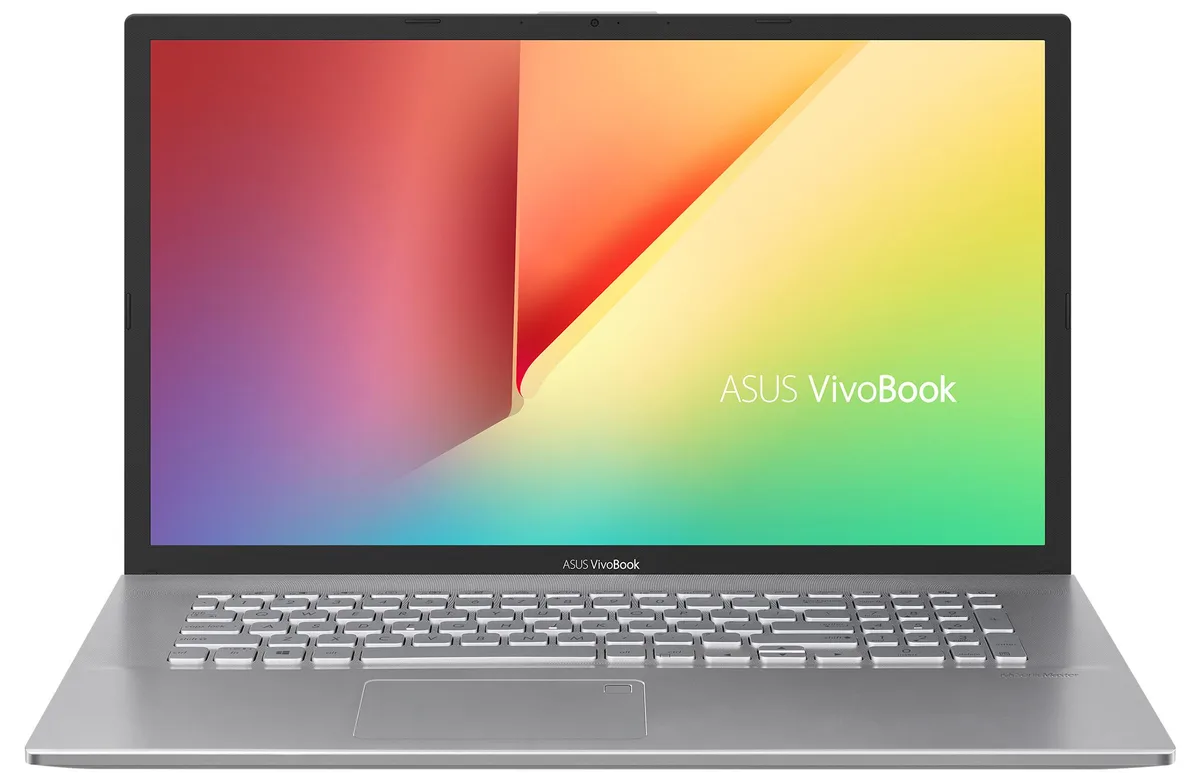
ASUS VivoBook S712JA-WH54 laptop 17.3" i5-1035G1 8GB 2TB
- Silver
- Windows 11 Home
$851.99
0.01086168BTC
In stockWe take cryptocurrency — so the coins you hold can buy real hardware.Pay in crypto, spend it on real hardware. Free insured shipping worldwide over $399. Plain, unbranded boxes, sent from Germany.Free insured shipping over $399. Your rate is locked for 30 minutes once checkout opens.Rate locked 30 minutes. Every item sealed, serial-checked and covered by a 24-month warranty.Sealed, 24-month warranty.


ASUS
17.3-inch FHD IPS laptop with 20GB DDR4 RAM, 1TB PCIe SSD and 2TB HDD, Core i5-1035G1, WiFi 6 and Windows 11 Home
Options 20GB/1TB+2TB W11H
This ASUS VivoBook S712JA-WH54 pairs a 10th Gen Intel Core i5-1035G1 processor with 20 GB of DDR4 memory, split between 4 GB onboard and a 16 GB SO-DIMM. A 1 TB PCIe NVMe SSD and a 2 TB hard drive provide fast boot and ample bulk storage. The 17.3 inch Full HD IPS panel runs at 60 Hz and 1920 x 1080 resolution. Windows 11 Home 64-bit comes pre-installed.
The large 17.3 inch display suits spreadsheet work, video calls and media consumption, while the fingerprint reader and backlit keyboard support secure, comfortable typing. Integrated Intel UHD graphics limit the machine to light creative tasks and casual gaming, so buyers who need discrete GPU performance for rendering or modern titles should consider a different class of system. The single USB 3.2 Gen 1 Type-A and one Type-C port may restrict users with many peripherals.
The laptop arrives fully assembled and configured, so initial setup is limited to Windows personalisation. Memory expansion is constrained because 4 GB is soldered to the board; only the SO-DIMM slot can be swapped. Storage upgrades require opening the chassis to reach the M.2 and 2.5 inch bays, which is straightforward but voids the Velztorm upgrade seal if tampered. Battery life will vary with the 47 Whr pack and 45 W adapter.
| Brand | ASUS |
|---|---|
| Series | VivoBook |
| Color | Silver |
| Operating System | Windows 11 Home |
| CPU Type | Intel Core i5 10th Gen |
| Processor Name | 1.00GHz |
| Turbo Frequency | 3.6 GHz |
| CPU L3 Cache | 6MB Cache |
| Screen Size | 17.3" |
| Touchscreen | Non-Touch Screen |
| Resolution | 1920 x 1080 |
| GPU/VPU | Intel UHD Graphics |
| Graphic Type | Integrated Card |
| SSD | 1TB |
| HDD | 2TB |
| Storage Spec | 1TB PCIe SSD + 2TB HDD |
| Memory | 20GB |
| Memory Speed | DDR4 |
| Optical Drive Type | No |
| WLAN | Wi-Fi 6 AX201 |
| Bluetooth | Bluetooth 5.1 |
| HDMI | 1 x HDMI |
| Audio Ports | 1 x Headphone/Microphone Combo Jack |
| Backlit Keyboard | Backlit |
| Other Input Devices | No |
| Webcam | Yes |
| Card Reader | Yes |
| Style | Standard |
| Type | Home / Personal |
Other versions of this model
Same family, different memory, cooler or clock — compare before you commit.
No. The 20 GB DDR4 is already installed as 4 GB soldered plus a 16 GB SO-DIMM, so the system is ready to use without adding RAM.
Yes. The two USB 2.0 ports run at native USB 2.0 speed, and the USB 3.2 Gen1 Type-A and Type-C ports are backward compatible with USB 2.0 devices.
Open File Explorer and check that two drive letters appear with the expected capacities, then run the Windows 11 Storage settings page to see both volumes listed.
Also in this aisle
Same shelf, same checkout — eight coins and a 30-minute rate lock.
What you pay in, and what you read prices in.
Sent from your wallet at checkout
Display only — the catalogue is priced in USD
No currency matches that.
Pick the language the site speaks to you in.
New here?
Already have one?
There is no automatic reset: this shop sends no mail, so there is no one-time link to ask for. Leave the address on the account and it gets picked up by hand.
Request noted
Nothing is on its way to your inbox — this shop sends no mail at all. Someone picks these up by hand.
Remembered it?