

Attack Shark
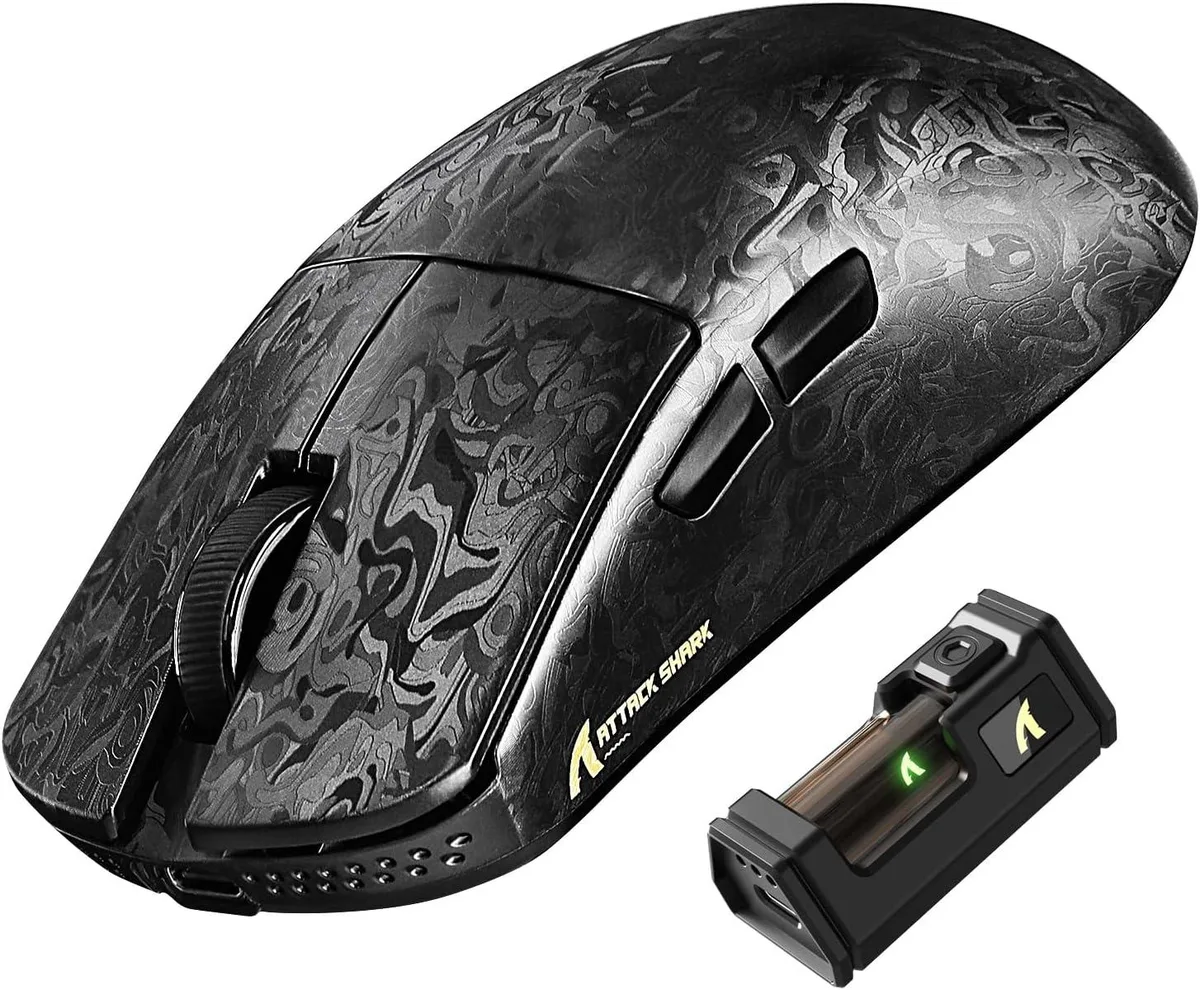
Attack Shark R11 Ultra 8K Wireless Gaming Mouse 42K DPI 49g Carbon Fiber
- Bluetooth / 2.4GHz…
- Optical
$69.99
0.00089044BTC
In stockWe take cryptocurrency — so the coins you hold can buy real hardware.Pay in crypto, spend it on real hardware. Free insured shipping worldwide over $399. Plain, unbranded boxes, sent from Germany.Free insured shipping over $399. Your rate is locked for 30 minutes once checkout opens.Rate locked 30 minutes. Every item sealed, serial-checked and covered by a 24-month warranty.Sealed, 24-month warranty.


Attack Shark
Ultralight carbon fibre gaming mouse with 42000 DPI sensor, 8000 Hz wireless polling and tri‑mode connectivity
Color Ink Blade
The Attack Shark R11 Ultra weighs 49g and uses a carbon fibre composite shell with a nano metallic coating. A PixArt PAW3950MAX sensor delivers up to 42000 DPI, 750 IPS tracking speed and 50G acceleration. The Nordic 52840 MCU enables an 8000 Hz polling rate in 2.4 GHz wireless mode for low-latency input.
Switching is worthwhile when your current mouse exceeds 60g, caps polling at 1000 Hz, or uses mechanical switches rated below 70 million clicks. The 49g build reduces fatigue during long sessions, while 8000 Hz wireless polling cuts input delay versus standard 2.4 GHz implementations. Optical switches rated for 100M clicks remove double-click issues common on older switches.
You need a free USB-C port for wired use or the included 2.4 GHz receiver, plus a USB-A port if you prefer the receiver directly. The web driver at bit.ly/R11WEBSOFT and offline software at bit.ly/R11SOFT require internet access for initial setup. Bluetooth 250 Hz polling suits office work but not competitive gaming. Five programmable buttons may limit users who rely on extensive macro layouts.
| Brand | ATTACK SHARK |
|---|---|
| Series | R11 ULTRA |
| Model | R11 ULTRA |
| Type | Bluetooth / 2.4GHz / Wired |
| Color | Ink |
| Tracking Method | Optical |
| Hand Orientation | Right Hand |
| Buttons | 5 |
| Dimension | 12.40 × 6.55 × 3.80 cm/4.88 × 2.58 × 1.50 in |
| Operating System Supported | Windows XP |
| Features | Carbon Fiber Shell,8000Hz Polling Rate,42K High DPI,Tri-Mode Connection,Web Driver,Programmable Buttons,49g Lightweight Ergonomic Design |
Other versions of this model
Same family, different memory, cooler or clock — compare before you commit.
The mouse measures 12.40 × 6.55 × 3.80 cm (4.88 × 2.58 × 1.50 in), making it a compact right-handed design.
Use the bottom switch to select wired USB-C, 2.4 GHz, or Bluetooth; the frequent error is forgetting to pair the 2.4 GHz dongle before first use.
Optical switches are rated for 70 million clicks and the encoder for 200 million rotations; glide feet wear depends on pad surface and usage intensity.
Also in this aisle
Same shelf, same checkout — eight coins and a 30-minute rate lock.
What you pay in, and what you read prices in.
Sent from your wallet at checkout
Display only — the catalogue is priced in USD
No currency matches that.
Pick the language the site speaks to you in.
New here?
Already have one?
There is no automatic reset: this shop sends no mail, so there is no one-time link to ask for. Leave the address on the account and it gets picked up by hand.
Request noted
Nothing is on its way to your inbox — this shop sends no mail at all. Someone picks these up by hand.
Remembered it?




