BRE NUC
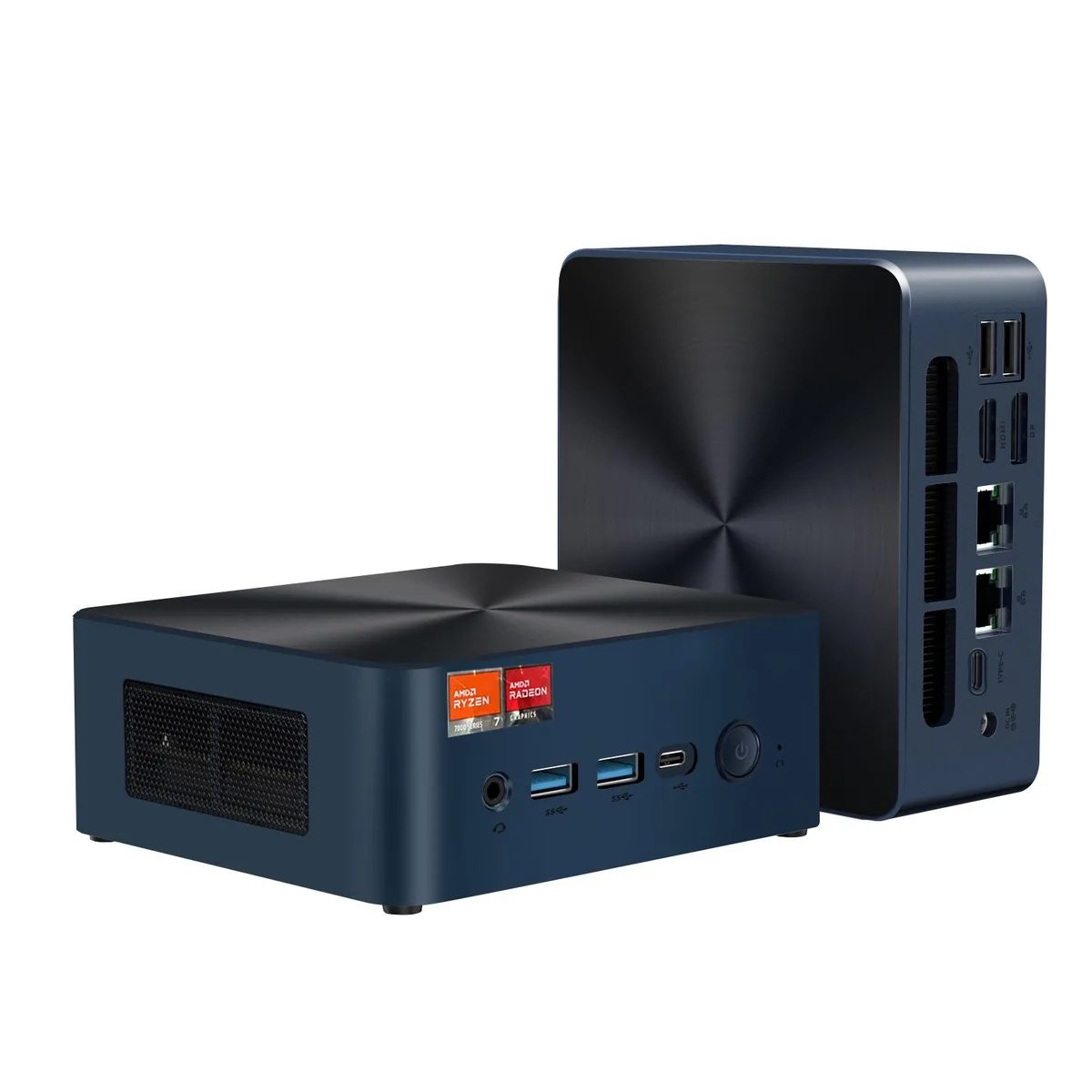
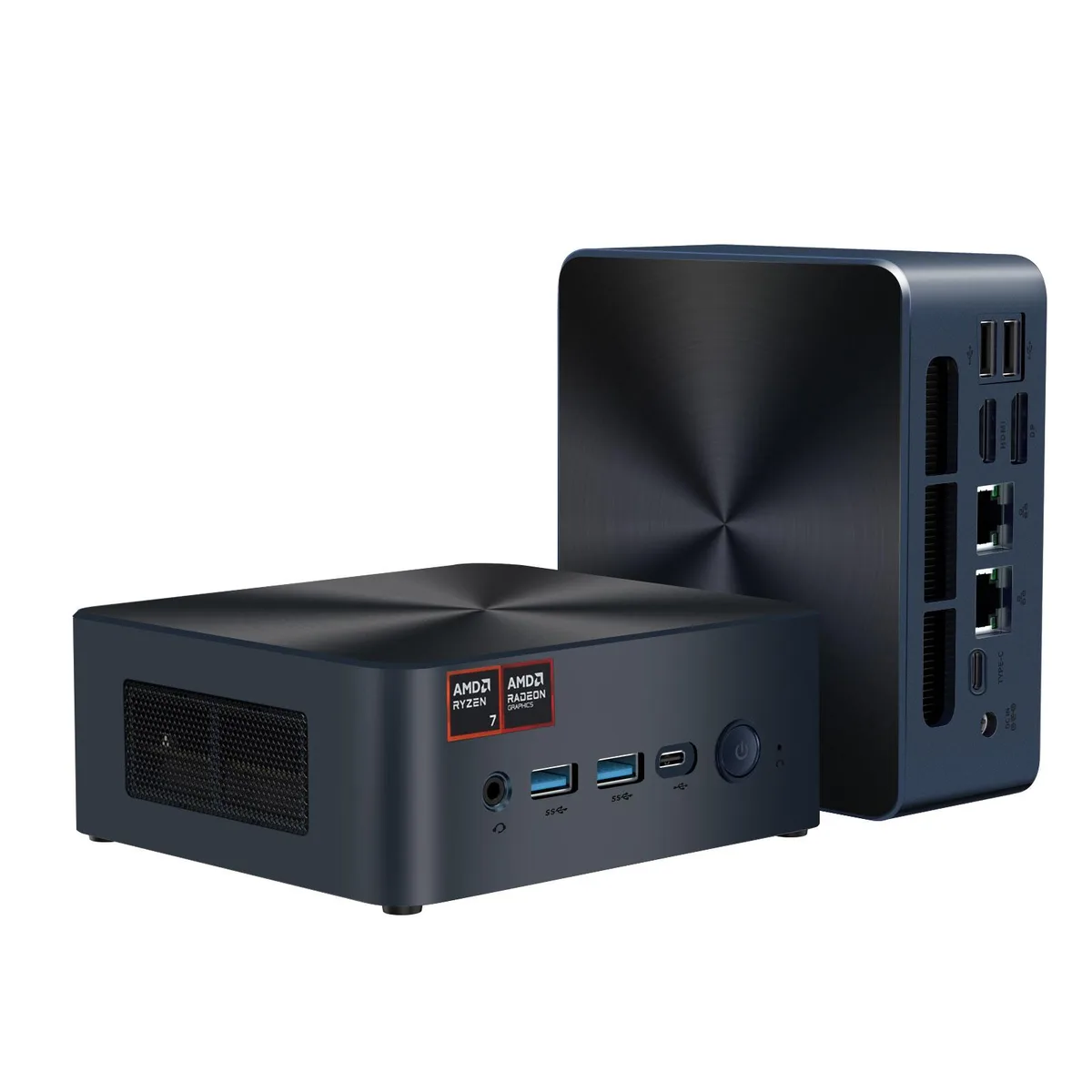
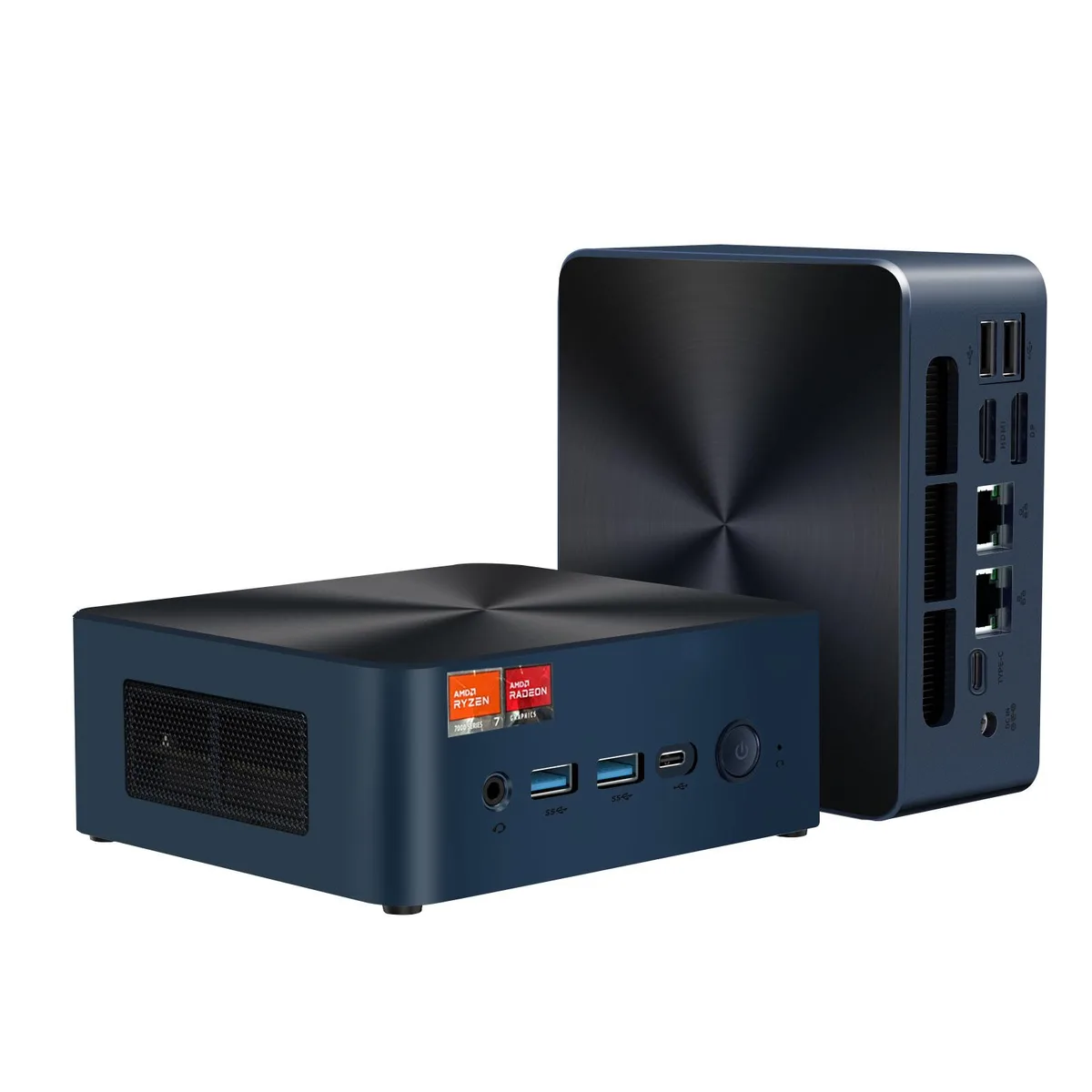
BRE NUC N7P AMD Ryzen 7 8845HS 64GB DDR5 512GB barebone mini PC
- AMD Ryzen 7 8845HS
- No Memory
$962.99
0.01226692BTC
In stockWe take cryptocurrency — so the coins you hold can buy real hardware.Pay in crypto, spend it on real hardware. Free insured shipping worldwide over $399. Plain, unbranded boxes, sent from Germany.Free insured shipping over $399. Your rate is locked for 30 minutes once checkout opens.Rate locked 30 minutes. Every item sealed, serial-checked and covered by a 24-month warranty.Sealed, 24-month warranty.


BRE NUC
Compact barebone with Ryzen 7 7840HS, 64 GB DDR5, 1 TB PCIe 4.0 SSD, triple 4K output and dual 2.5 GbE LAN
Group 64GB RAM / 1TB SSD
The BRE NUC N7P is a 136 x 123 x 51 mm barebone system built around an 8-core, 16-thread AMD Ryzen 7 7840HS processor with integrated Radeon 780M graphics. It ships with 64 GB of dual-channel DDR5 5600 memory and a 1 TB PCIe 4.0 SSD already installed. The platform targets creators, developers and gamers who need desktop-class compute in a VESA-mountable chassis that runs Windows 11 Pro out of the box.
A 19 V 5.26 A external adapter supplies up to 120 W to the unit, which is rated for continuous operation between -10 °C and 45 °C at 30–85 % humidity. The Zen 4 mobile processor scales up to 5.1 GHz while the Radeon 780M reaches 2.7 GHz, both cooled by an internal solution designed for the compact enclosure. Dual 2.5 GbE Intel i226V controllers, Wi-Fi 6 and Bluetooth 5.2 maintain connectivity without adding significant thermal load during typical workloads.
The front panel provides two USB 3.2 Gen 2 Type-A ports, one USB 3.2 Gen 2 Type-C port and a 3.5 mm headset jack for quick peripheral access. Rear I/O adds a USB4 40 Gbps port, two USB 2.0 Type-A ports, HDMI 2.0, DisplayPort 1.4a and the second DisplayPort 1.4a channel routed through the USB-C interface, enabling triple 4K 60 Hz displays. Two M.2 2280 key-M slots accept PCIe 4.0 x4 NVMe drives for storage expansion, while the included VESA bracket allows the unit to be mounted behind a monitor or under a desk.
| Brand | BRENUC |
|---|---|
| Series | N7P |
| Model | N7P 7840HS |
| CPU Type | AMD Ryzen 7 7840HS |
| Memory slot | 2 x 288Pin DIMM |
| Memory Type Supported | DDR5 5600 |
| Max Memory Supported | 64GB |
| Dual Channel Memory Supported | Yes |
| Storage Installed | No Hard Drive |
| M.2 Slot | 2 x M.2 |
| Discrete Graphic Card | AMD Radeon™ 780M |
| Onboard Audio | Integrated |
| Channel | 7.1 Channel |
| LAN | Intel i226V |
| Max LAN Speed | 2.5Gbps |
| Wireless LAN | 802.11ax |
| WiFi Generation | Wi-Fi 6 |
| Bluetooth | Bluetooth 5.2 |
| Front USB | 2 x USB 3.2Gen2 (10Gbps ) Type-A 1 x USB 3.2 Gen2 (10Gbps ) Type-C |
| Front Audio Ports | 3.5mm Audio Jack |
| HDMI | 1 x HDMI 2.0 |
| DisplayPort | 1 x DP1.4 |
| Rear USB | 2 x USB 2.0 Type-A 1 x USB 4 |
| RJ45 | 2 x 2.5Gb RJ45 |
| Input | 19V/5.26A |
| Power Supply | 120W |
| Dimensions | 136mm*123mm*51mm |
| Packaging | Individual retail box packaging |
Other versions of this model
Same family, different memory, cooler or clock — compare before you commit.
Power off, unplug the 19V 5.26A adapter, remove the bottom cover, insert each module at 45° until the clips click, then reattach the cover before powering on; the missed step is forgetting to seat both clips fully.
The internal fan and heatsink should be cleared of dust every 6–12 months using compressed air through the ventilation grilles; no liquid-metal repaste or pad replacement is required by design.
The 120 W power adapter and the 45 °C maximum operating temperature constrain the Ryzen 7 7840HS before the Radeon 780M hits its 2.7 GHz ceiling.
Also in this aisle
Same shelf, same checkout — eight coins and a 30-minute rate lock.
What you pay in, and what you read prices in.
Sent from your wallet at checkout
Display only — the catalogue is priced in USD
No currency matches that.
Pick the language the site speaks to you in.
New here?
Already have one?
There is no automatic reset: this shop sends no mail, so there is no one-time link to ask for. Leave the address on the account and it gets picked up by hand.
Request noted
Nothing is on its way to your inbox — this shop sends no mail at all. Someone picks these up by hand.
Remembered it?