
HighPoint Technologies, Inc.
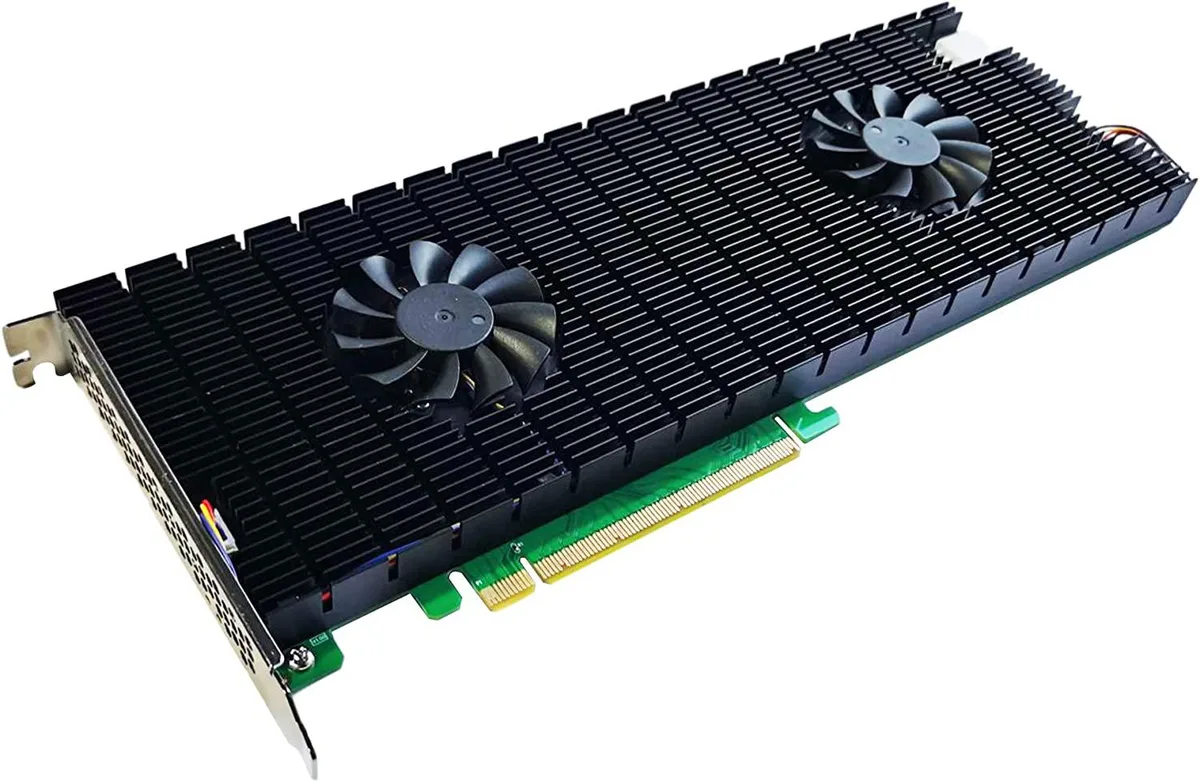
HighPoint Technologies, Inc. SSD7540 8-Port NVMe RAID AIC
$1,749.99
0.02224667BTC
In stockWe take cryptocurrency — so the coins you hold can buy real hardware.Pay in crypto, spend it on real hardware. Free insured shipping worldwide over $399. Plain, unbranded boxes, sent from Germany.Free insured shipping over $399. Your rate is locked for 30 minutes once checkout opens.Rate locked 30 minutes. Every item sealed, serial-checked and covered by a 24-month warranty.Sealed, 24-month warranty.


DELL
Compact desktop with Intel Core i5-9500T, 16 GB DDR3, 1 TB SSD, Windows 11 Pro, 24″ monitor, Wi-Fi, Bluetooth and RGB speaker
This compact desktop combines an Intel Core i5-9500T processor with 16 GB of DDR3 memory and a 1 TB SSD. It ships with Windows 11 Pro, a 24-inch monitor, RGB speakers, keyboard and mouse. The small form factor suits home offices or classrooms where desk space is limited. Everything arrives tested and ready to use.
Buyers wanting a tidy, all-in-one workstation for browsing, email and video calls will find the bundle convenient. It is not for users who need DDR4 memory, discrete graphics performance or internal expansion beyond the two memory slots. The LGA 1151 platform also limits future CPU upgrades to ninth-generation parts.
The system uses DDR3 memory with a 32 GB maximum across two slots. If your workflow demands DDR4 speeds or more than 32 GB of RAM, this platform cannot meet that requirement.
| Brand | DELL |
|---|---|
| Series | OptiPlex |
| Release Year | 2021 |
| Form Factor | Mini PC |
| Color | Black |
| Processor | Intel 9th Generation Core i5 |
| Memory | 16 GB |
| Operating System | Windows 11 Pro |
| CPU Type | Intel Core i5 9th Gen |
| CPU Name | Intel Core i5-9500T |
| CPU Socket Type | LGA 1151 |
| Memory Capacity | 16GB DDR3 |
| Memory Spec | 16 GB x 1 |
| Memory Slot (Total) | 2 |
| Maximum Memory Supported | 32 GB |
| SSD | 1TB |
| HDD | 1TB |
| HDD Interface | SATA |
| Keyboard Type | Standard |
| Mouse Type | USB Mouse |
| Weight | 5.91 |
| Package Contents | 5G wifi/bluetooth adapter,wired gaming keyboard and mouse,RGB speakers,24" monitor |
Remove the chassis cover, align the notch on the 16GB DDR3 stick with the slot key, press firmly until the side clips click, then replace the cover; the step often missed is seating the module fully so both clips engage automatically.
The 1TB SATA drive may need replacement after several years of write cycles; the 16GB DDR3 module can be upgraded to the 32GB maximum using the second slot, and the CMOS battery on the motherboard will eventually require a swap.
The compact Mini PC chassis restricts airflow, so the Intel Core i5-9500T processor reaches its thermal threshold first, causing the system to reduce clock speeds to stay within safe temperatures.
Also in this aisle
Same shelf, same checkout — eight coins and a 30-minute rate lock.
What you pay in, and what you read prices in.
Sent from your wallet at checkout
Display only — the catalogue is priced in USD
No currency matches that.
Pick the language the site speaks to you in.
New here?
Already have one?
There is no automatic reset: this shop sends no mail, so there is no one-time link to ask for. Leave the address on the account and it gets picked up by hand.
Request noted
Nothing is on its way to your inbox — this shop sends no mail at all. Someone picks these up by hand.
Remembered it?


