
WRIARICH
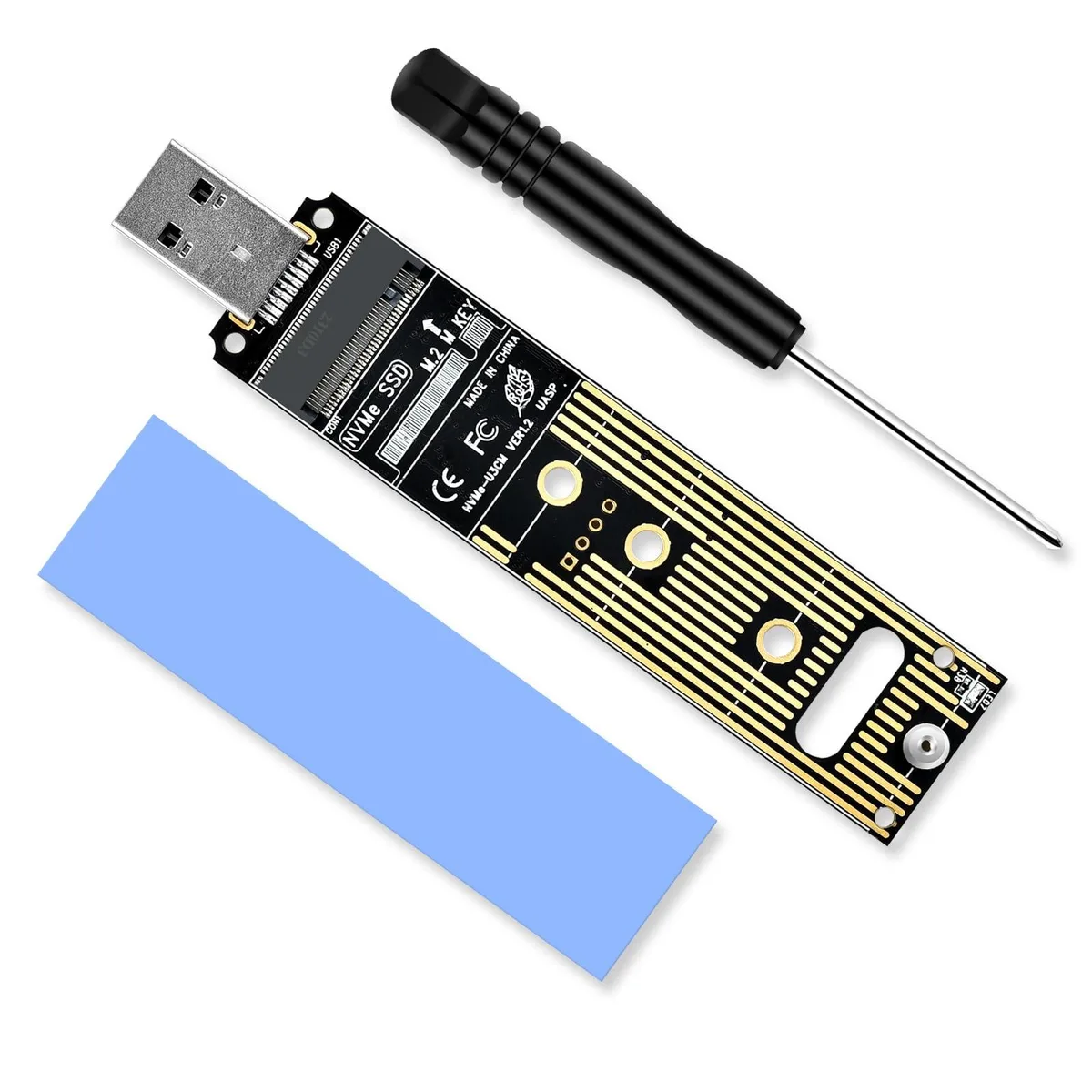
WRIARICH NVME to USB Adapter 10Gbps USB 3.1 Gen 2 M.2 NVME 2230 2242 2260 2280 Hard Drive Adapter
- Black
- SATA
$15.99
0.00020389BTC
In stockWe take cryptocurrency — so the coins you hold can buy real hardware.Pay in crypto, spend it on real hardware. Free insured shipping worldwide over $399. Plain, unbranded boxes, sent from Germany.Free insured shipping over $399. Your rate is locked for 30 minutes once checkout opens.Rate locked 30 minutes. Every item sealed, serial-checked and covered by a 24-month warranty.Sealed, 24-month warranty.


DELL
Hard drive adapter for DELL Precision T7820 workstation tower supporting 2.5 and 3.5 inch SATA and SAS drives
The Dell Precision T7820 is a tower workstation built for CAD, engineering, 3D modeling and visualization workloads. Two Intel Xeon Silver 4214 processors at 2.20GHz deliver high core-count performance for rendering, simulation and virtualization. The system ships with 256GB DDR4 memory across 12 slots, a 512GB M.2 SSD and a 16TB HDD for fast access and deep project storage.
Engineers, architects and technical designers working with large assemblies, complex scenes or multi-application workflows will benefit from the dual-CPU architecture and large memory capacity. ISV certification and a 950W power supply provide stability and headroom for professional GPUs or add-in cards. Buyers who need only single-threaded performance, have smaller datasets or prefer a compact form factor should look at something else.
The installed memory capacity and slot count are the key figures for deciding whether this workstation fits the project. Large simulations, heavy virtualization and massive model files can run directly in RAM, reducing swap and wait times. If the workload fits comfortably in less memory, a system with fewer slots and lower capacity may be more cost-effective.
| Brand | DELL |
|---|---|
| Series | Precision |
| Model | T7820 |
| Type | Business Desktops & Workstations |
| Form Factor | Tower |
| Usage | Workstation |
| Processor | 2x Intel Xeon Silver 4214 |
| Memory | 256GB |
| Storage | 1x 16TB HDD, 1x 512GB SSD M.2 |
| Graphics | K2200 |
| Power Supply | 950W |
| Operating System | Windows 11 Pro |
| Windows 11 | Ready |
| CPU Type | Intel Xeon |
| CPU Name | 2x Intel Xeon Silver 4214 |
| CPU Base Frequency | 2.20GHz |
| CPU Socket Type | LGA 3647 |
| Graphics Card | K2200 |
| Memory Capacity | 256GB |
| Memory Slot (Total) | 12 |
| Maximum Memory Supported | 768GB |
| SSD | 512GB |
| HDD | 16TB |
| HDD RPM | 7200rpm |
| Front USB | 4 |
| Front Audio Ports | 1 |
| Video Ports | 2x DisplayPort, 1x DVI |
| Rear USB | 6 |
| RJ45 | 1 port |
| Rear Audio Ports | 2 ports |
The tower provides four internal bays that accept 3.5 inch and 2.5 inch drives using SATA or SAS interfaces; actual throughput is limited by the drive and controller rather than the bay itself.
The tower chassis accepts full-length, full-height graphics cards; the K2200 fits directly into a PCIe slot without extra brackets or adapters.
Seat the card firmly in a full-height PCIe slot, secure the retention bracket screw, then connect any required auxiliary power cable from the 950W supply — skipping the power cable is the common oversight.
Also in this aisle
Same shelf, same checkout — eight coins and a 30-minute rate lock.
What you pay in, and what you read prices in.
Sent from your wallet at checkout
Display only — the catalogue is priced in USD
No currency matches that.
Pick the language the site speaks to you in.
New here?
Already have one?
There is no automatic reset: this shop sends no mail, so there is no one-time link to ask for. Leave the address on the account and it gets picked up by hand.
Request noted
Nothing is on its way to your inbox — this shop sends no mail at all. Someone picks these up by hand.
Remembered it?


