GIGABYTE
GIGABYTE GB-BTIP-N250 AI edge system Intel N250 4C 3.8 GHz DDR5 4800
$220.99
0.00285568BTC
In stockWe take cryptocurrency — so the coins you hold can buy real hardware.Pay in crypto, spend it on real hardware. Free insured shipping worldwide over $399. Plain, unbranded boxes, sent from Germany.Free insured shipping over $399. Your rate is locked for 30 minutes once checkout opens.Rate locked 30 minutes. Every item sealed, serial-checked and covered by a 24-month warranty.Sealed, 24-month warranty.
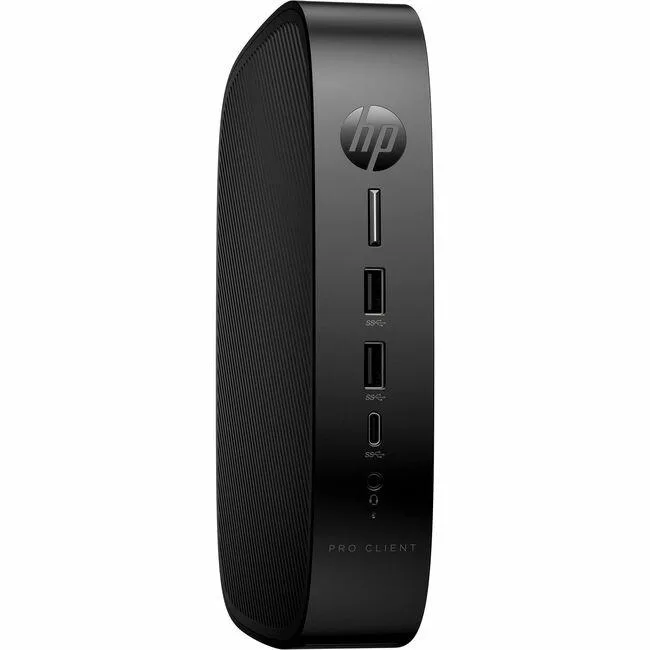


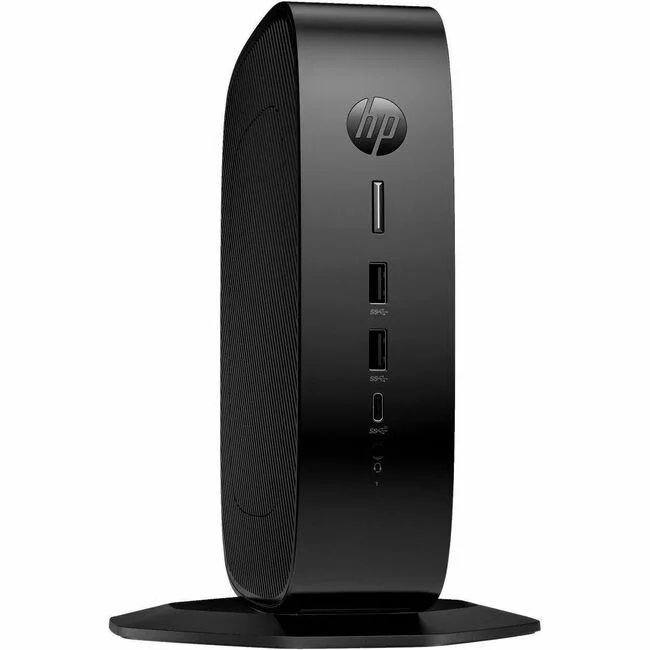
HP
A compact thin client with a quad-core Intel Celeron J6412, 4 GB DDR4 memory, 32 GB flash storage, Gigabit Ethernet, Wi-Fi 802.11ax and Bluetooth 5.3 for virtual desktop deployments
The HP Pro t550 is a compact thin client built for virtual desktop infrastructure. It runs on an Intel Celeron J6412 quad-core processor at 2 GHz with 4 GB of DDR4-3200 memory and 32 GB of flash storage. Intel UHD Graphics and Gigabit Ethernet provide baseline connectivity for remote sessions.
This unit suits organisations deploying HP ThinPro clients for centralised management and basic office tasks. Buyers who need local application performance, discrete graphics, or expandable memory and storage should look at a different class of device.
The onboard 32 GB flash drive determines how much local data and OS image the device can hold. If your deployment requires a larger local footprint, this capacity will be the limiting factor.
| Brand | HP |
|---|---|
| Shipping weight | 2.47 kg |
| Package size | 508 × 254 × 127 mm |
The unit ships with a VESA bracket and screws so it can be attached to the back of a compatible monitor or to a wall mount.
Connect the power adapter, attach a DisplayPort cable, plug in the RJ-45 network lead, then press the front power button to launch the HP ThinPro setup wizard.
Open the tool-less chassis, remove the existing DDR4-3200 SO-DIMM, insert a compatible DDR4 module up to the board limit, then close the cover and power on.
Also in this aisle
Same shelf, same checkout — eight coins and a 30-minute rate lock.
What you pay in, and what you read prices in.
Sent from your wallet at checkout
Display only — the catalogue is priced in USD
No currency matches that.
Pick the language the site speaks to you in.
New here?
Already have one?
There is no automatic reset: this shop sends no mail, so there is no one-time link to ask for. Leave the address on the account and it gets picked up by hand.
Request noted
Nothing is on its way to your inbox — this shop sends no mail at all. Someone picks these up by hand.
Remembered it?