

HP
HP ProLiant DL160 Gen9 1U Rack Server 2x E5-2623 v3 64GB 2x 500GB SATA
- Rack
- 1U
$741.99
0.00918714BTC
In stockWe take cryptocurrency — so the coins you hold can buy real hardware.Pay in crypto, spend it on real hardware. Free insured shipping worldwide over $399. Plain, unbranded boxes, sent from Germany.Free insured shipping over $399. Your rate is locked for 30 minutes once checkout opens.Rate locked 30 minutes. Every item sealed, serial-checked and covered by a 24-month warranty.Sealed, 24-month warranty.


HP
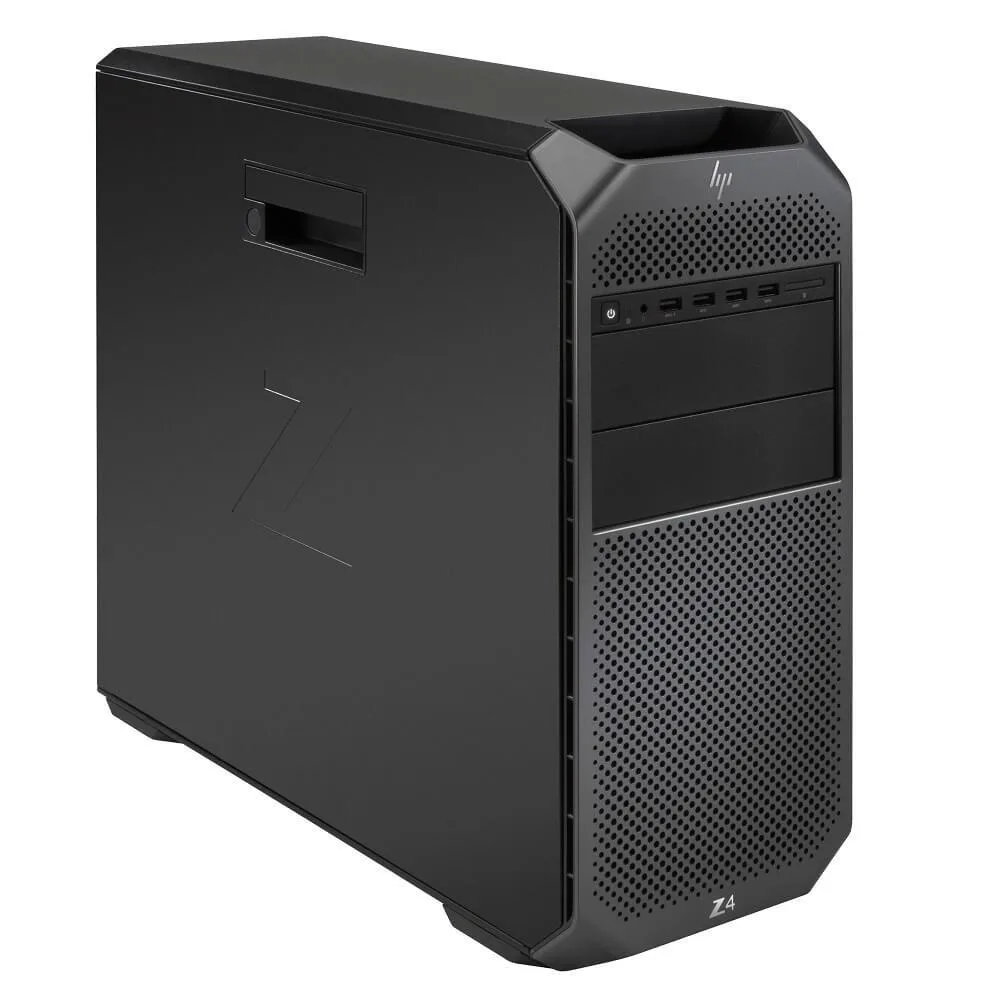
Tower workstation with a six-core 3.7GHz Xeon, 128GB DDR4 ECC memory, 500GB NVMe plus 2TB storage, and a Quadro P1000 4GB GPU for professional CAD and rendering
SSD (Installed) 500GB
Struck-through versions exist but are not stocked here.
HDD 2TB
The HP Z4 G4 is a new tower workstation built for professional design, engineering and rendering tasks. It runs Windows 11 and uses a single Intel Xeon W-2135 processor with six cores at 3.7GHz. The system includes 128GB of DDR4 ECC memory across eight slots and a 500GB NVMe drive paired with a 2TB SATA drive. An NVIDIA Quadro P1000 with 4GB GDDR5 provides certified graphics for CAD and multi-display work.
This configuration suits buyers who need ECC memory stability and a certified Quadro GPU for CAD, content creation or multi-monitor setups. The four-channel 2666MHz memory architecture supports smooth multitasking with large project files. Builders who require dual-processor scaling, hot-swap power redundancy or more than two internal 3.5-inch drive bays should look at a different platform.
The installed memory reaches the 128GB maximum for this specific CPU and operates in four-channel mode at 2666MHz with ECC. All eight DIMM slots are populated, so no further memory can be added without removing existing modules. Buyers planning larger datasets must verify that this capacity ceiling matches their workload before purchase.
| Brand | HP |
|---|---|
| Series | Z Series |
| Model | Z4 G4 |
| Type | Tower |
| Redundant Hot-swap Power | No |
| CPU Type | Intel Xeon |
| MAX Processors | 1 |
| Chipset | 750W |
| Installed Memory Size | 128GB |
| Memory Type | DDR4 |
| Max Memory Capacity | 128GB |
| Memory Features | Four channel memory up to 2666MHz DDR4 ECC memory, 2 DIMMs per Channel, 8 DIMM Slots. |
| Number of Memory Slots | 8 |
| SSD (Installed) | 500GB |
| Raid Level | RAID 0/1/5/10 |
| Max HDD Capacity | 1 |
| Media Drives | DVD +/- RW |
| GPU Type | NVIDIA Quadro P1000 |
| Video Memory | 4GB |
| LAN Ports | 2 x Ports |
| Expansion Slots | Slot 1: PCI Express Gen3 x16 (from CPU), Slot 2: PCI Express Gen3 x4 (from PCH) with open-ended connector*, Slot 3: PCI Express Gen3 x16 (from CPU), Slot 4: PCI Express Gen3 x4 (from PCH) with open-ended connector*, Slot 5: PCI Express Gen3 x8 (from CPU) with open-ended connector*, , and M.2 Slot 1: M.2 PCIe Gen 3 x4 (from CPU) up to 80mm storage devices |
| Operating System | Windows 11 Pro |
| Weight | 45.0000LBS |
Other versions of this model
Same family, different memory, cooler or clock — compare before you commit.
Yes, the board provides eight DDR4 ECC slots running in four-channel mode up to 2666 MHz, so compatible modules you already own can be installed alongside the factory 128 GB.
Open Device Manager in Windows 11, confirm the NVIDIA Quadro P1000 appears under Display adapters, then run the NVIDIA Control Panel System Information to see the bus reported as PCI Express x16 Gen 3.
The workstation ships with the NVMe drive installed in the M.2 slot and the 2 TB SATA drive mounted with data and power cables connected; no extra cables are needed unless you add more drives.
Also in this aisle
Same shelf, same checkout — eight coins and a 30-minute rate lock.
What you pay in, and what you read prices in.
Sent from your wallet at checkout
Display only — the catalogue is priced in USD
No currency matches that.
Pick the language the site speaks to you in.
New here?
Already have one?
There is no automatic reset: this shop sends no mail, so there is no one-time link to ask for. Leave the address on the account and it gets picked up by hand.
Request noted
Nothing is on its way to your inbox — this shop sends no mail at all. Someone picks these up by hand.
Remembered it?


