Lenovo
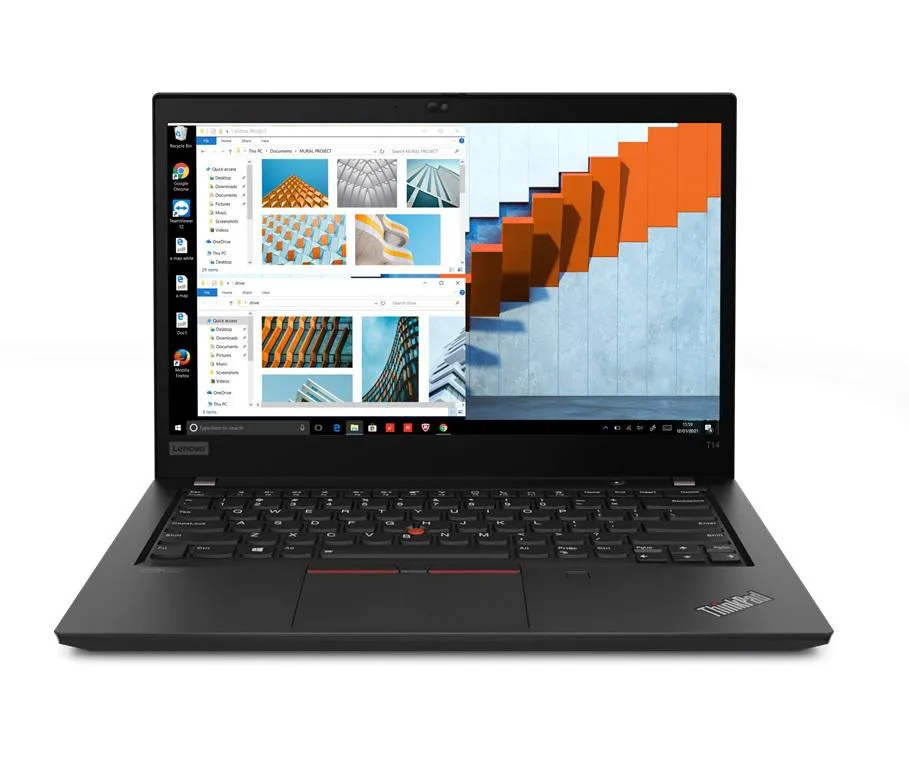
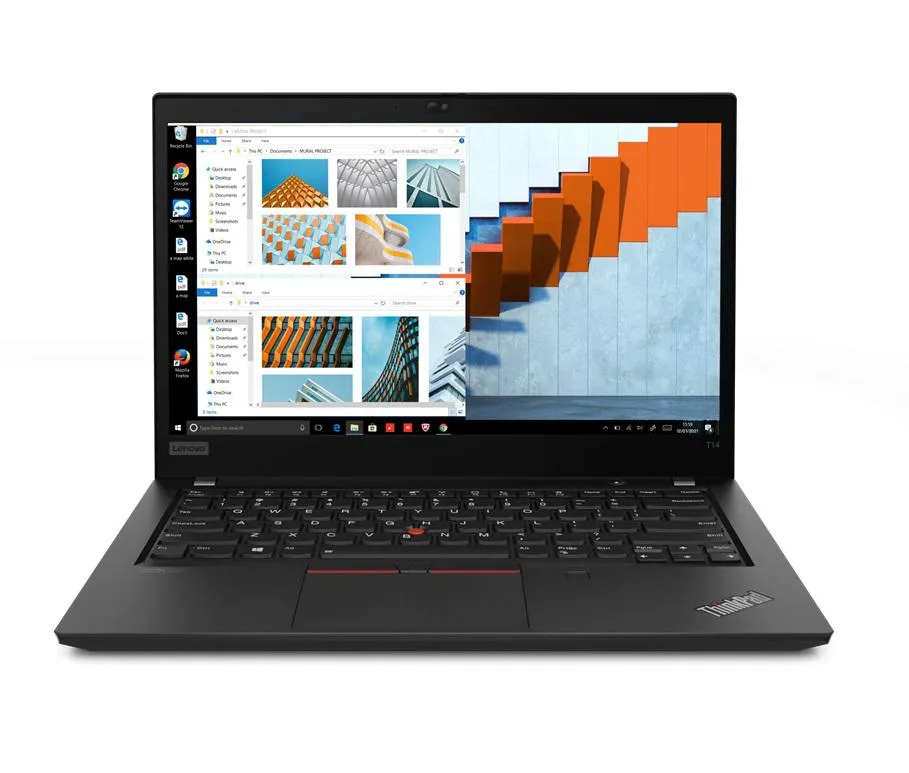
Lenovo Thinkpad T14 Gen 2 laptop i5-1135G7 8GB 256GB 14.0" FHD
- 8GB
- DDR4
$599.99
0.00771969BTC
In stockWe take cryptocurrency — so the coins you hold can buy real hardware.Pay in crypto, spend it on real hardware. Free insured shipping worldwide over $399. Plain, unbranded boxes, sent from Germany.Free insured shipping over $399. Your rate is locked for 30 minutes once checkout opens.Rate locked 30 minutes. Every item sealed, serial-checked and covered by a 24-month warranty.Sealed, 24-month warranty.


Lenovo
14.0" Full HD business laptop with 11th Gen Intel Core i5, 8GB DDR4 memory, 2TB PCIe SSD and Windows 11 Pro
Options 8GB/2TB
The Lenovo Thinkpad T14 Gen 2 is a 14.0 inch Full HD business laptop built for professionals who need reliable performance on the move. It runs Windows 11 Pro on an 11th Gen Intel Core i5-1135G7 processor with 4 cores and a maximum turbo frequency of 4.2 GHz. Integrated Intel Iris Xe graphics handle everyday visual tasks. The 1920 x 1080 IPS display provides clear viewing angles for documents and video calls.
The black chassis weighs 3.23 lb and measures 12.9 IN by 8.9 IN by 0.70 IN, fitting easily into a briefcase. Two Thunderbolt 4 USB-C ports support power delivery, high-speed data and external displays. Two USB-A 3.2 Gen 1 ports include one always-on port for charging peripherals. A full-size HDMI port, RJ-45 Ethernet jack, microSD reader and combo audio jack cover legacy and modern accessories. Wi-Fi 6 and Bluetooth 5.2 provide current wireless standards.
The 2 TB PCIe SSD replaces the smaller drives common in earlier thin-and-light models, removing the need for external storage during travel. 8 GB of DDR4 memory is soldered and not expandable, so buyers who need more RAM for virtual machines or large datasets should consider a different configuration. The 50 WHr battery and 65 W power supply support typical office workloads between charges.
| Memory | 8GB |
|---|---|
| Memory Speed | DDR4 |
| Type | Work / Business |
| Resolution | 1920 x 1080 |
| Screen Size | 14.0" |
| Display Type | Full HD |
| Touchscreen | No |
| SSD | 2 TB |
| HDD | No |
| Storage Spec | 2TB PCIe SSD |
| Brand | Lenovo |
| Series | Thinkpad T14 Gen 2 |
| Part Number | T14 |
| Model | Thinkpad |
| Color | Black |
| GPU/VPU | Intel Iris Xe Graphics |
| Operating System | Windows 11 Pro |
| WiFi Generation | Wi-Fi 6 |
| LAN | 10/100/1000Mbps |
| WLAN | Wi-Fi 6 |
| Bluetooth | Bluetooth 5.2 |
| CPU Type | Intel Core i5 11th Gen |
| Optical Drive Type | No |
| Webcam | Yes |
| Touchpad | ThinkPad UltraNav |
| Keyboard | Standard |
| Card Reader | Micro SD |
| Battery | Lithium Polymer |
| USB | 2 x USB 3.2 Gen 1 |
| Thunderbolt | 2 x Thunderbolt 4 |
| Video Port | 1 x HDMI |
| Ethernet | 1 x RJ-45 |
| Audio Ports | 1 x Headphone/Microphone Combo Jack |
| Audio | Integrated Sound card |
| Speaker | Integrated Stereo Speakers |
Other versions of this model
Same family, different memory, cooler or clock — compare before you commit.
The Thunderbolt 4 Type-C ports support up to 40 Gbps bandwidth for data, video and charging through a single cable.
The chassis measures 12.9 in x 8.9 in x 0.70 in and weighs 3.23 lb, so verify sleeve or dock internal clearance against those figures.
Boot from USB, choose Custom install, then enter BIOS and disable Secure Boot before saving — skipping that step blocks the installer on this model.
Also in this aisle
Same shelf, same checkout — eight coins and a 30-minute rate lock.
What you pay in, and what you read prices in.
Sent from your wallet at checkout
Display only — the catalogue is priced in USD
No currency matches that.
Pick the language the site speaks to you in.
New here?
Already have one?
There is no automatic reset: this shop sends no mail, so there is no one-time link to ask for. Leave the address on the account and it gets picked up by hand.
Request noted
Nothing is on its way to your inbox — this shop sends no mail at all. Someone picks these up by hand.
Remembered it?