

LG Electronics
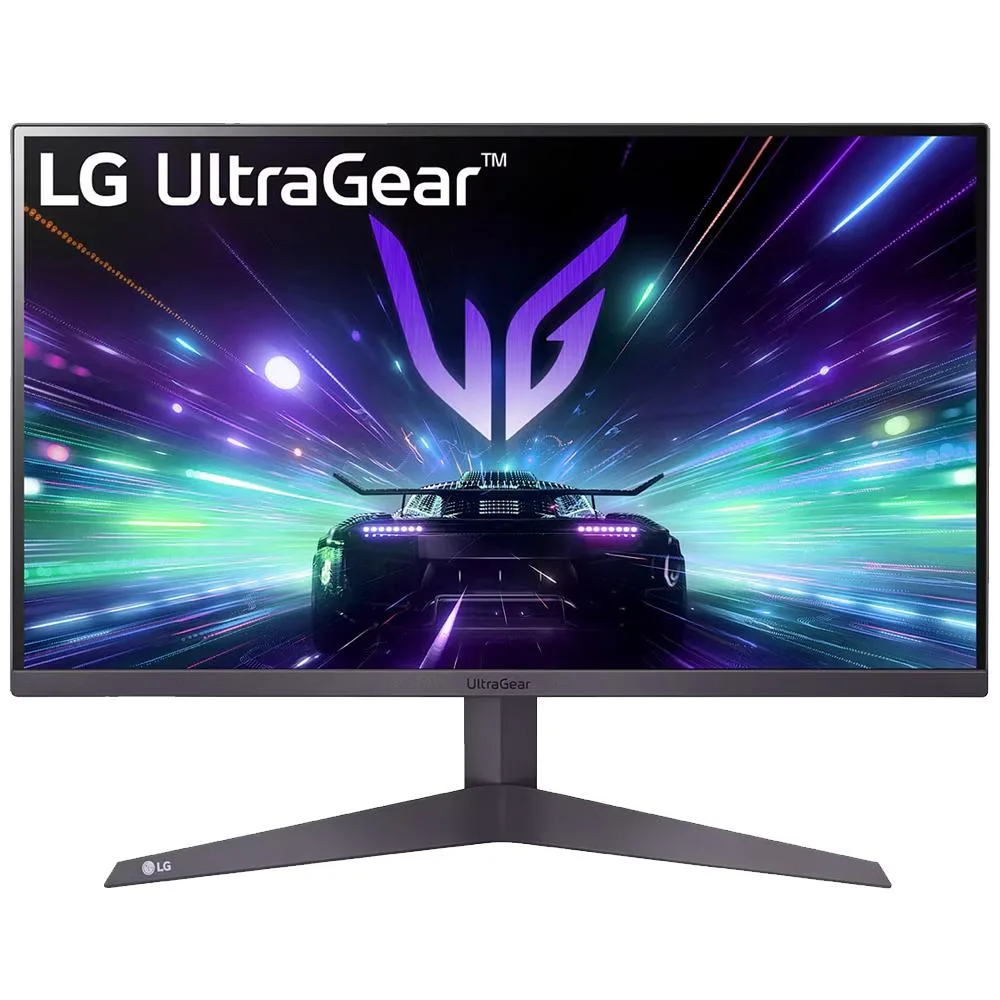
LG Electronics 24" UltraGear FHD 180Hz Gaming Monitor
A 24-inch gaming monitor with a 180Hz refresh rate, HDR10 compatibility and AMD FreeSync for smooth, tear-free play
- Screen Size24"
- 180 Hz refresh rate for smoother motion in fast games
- HDR10 support reveals detail in bright and dark scenes
- AMD FreeSync compatibility reduces tearing and stutter
- 3-sided narrow bezel design expands the immersive view
- Dynamic Action Sync cuts input lag for real-time reaction
24-inch 180Hz gaming monitor
The LG UltraGear gaming monitor delivers a 24-inch Full HD panel with a 180Hz refresh rate for fast-paced play. AMD FreeSync compatibility reduces tearing and stutter during high-speed scenes. Dynamic Action Sync minimises input lag so actions appear on screen with less delay. HDR10 support adds highlight and shadow detail in compatible content.
Competitive gamers and space-constrained setups
This monitor suits players who want high refresh rates in a compact 24-inch form factor for desktop or LAN use. The three-sided narrow bezel helps multi-monitor alignment while the tilt-adjustable stand aids ergonomic positioning. Buyers who need larger screen real estate for productivity or immersive single-player titles should look at bigger sizes. Users requiring factory colour calibration or wide-gamut coverage for professional editing will need a different class of display.
180Hz refresh rate decides fit
The 180Hz panel is the single specification that determines whether this monitor matches the target use case. It provides the motion clarity needed for competitive shooters and esports titles at Full HD resolution. If the intended gaming workload demands higher resolution or lower refresh rates for visual fidelity over speed, this panel will not be the right choice.
Highlights
- 180 Hz refresh rate for smoother motion in fast games
- HDR10 support reveals detail in bright and dark scenes
- AMD FreeSync compatibility reduces tearing and stutter
- 3-sided narrow bezel design expands the immersive view
- Dynamic Action Sync cuts input lag for real-time reaction
Specifications
| Screen Size | 24" |
|---|
Questions about this item
How do I attach the tilt-adjustable base to the 24" UltraGear monitor, and which step do people often skip?
Align the base neck with the rear mounting point, press until it clicks, then tighten the captive thumb screw by hand; the step most people skip is fully tightening that screw, which leaves the stand wobbly.
What maintenance will the 180Hz panel need over time, and when should I replace it?
No scheduled maintenance is required; clean the screen with a dry microfibre cloth only, and replace the unit if backlight uniformity degrades or dead pixels exceed your tolerance.
At what point does the 24" FHD panel hit its thermal or performance limit during long sessions?
The first limit under sustained use is the fixed 180Hz refresh ceiling; the panel has no user-accessible cooling, so extended maximum-load gaming cannot push the refresh rate higher.
Also in this aisle
People compared these
Same shelf, same checkout — eight coins and a 30-minute rate lock.