

JacobsParts Inc.
JacobsParts Inc. FP5139 100W DC Boost Step-up Converter
- 100 W
$7.99
0.00010149BTC
In stockWe take cryptocurrency — so the coins you hold can buy real hardware.Pay in crypto, spend it on real hardware. Free insured shipping worldwide over $399. Plain, unbranded boxes, sent from Germany.Free insured shipping over $399. Your rate is locked for 30 minutes once checkout opens.Rate locked 30 minutes. Every item sealed, serial-checked and covered by a 24-month warranty.Sealed, 24-month warranty.
SAMSUNG
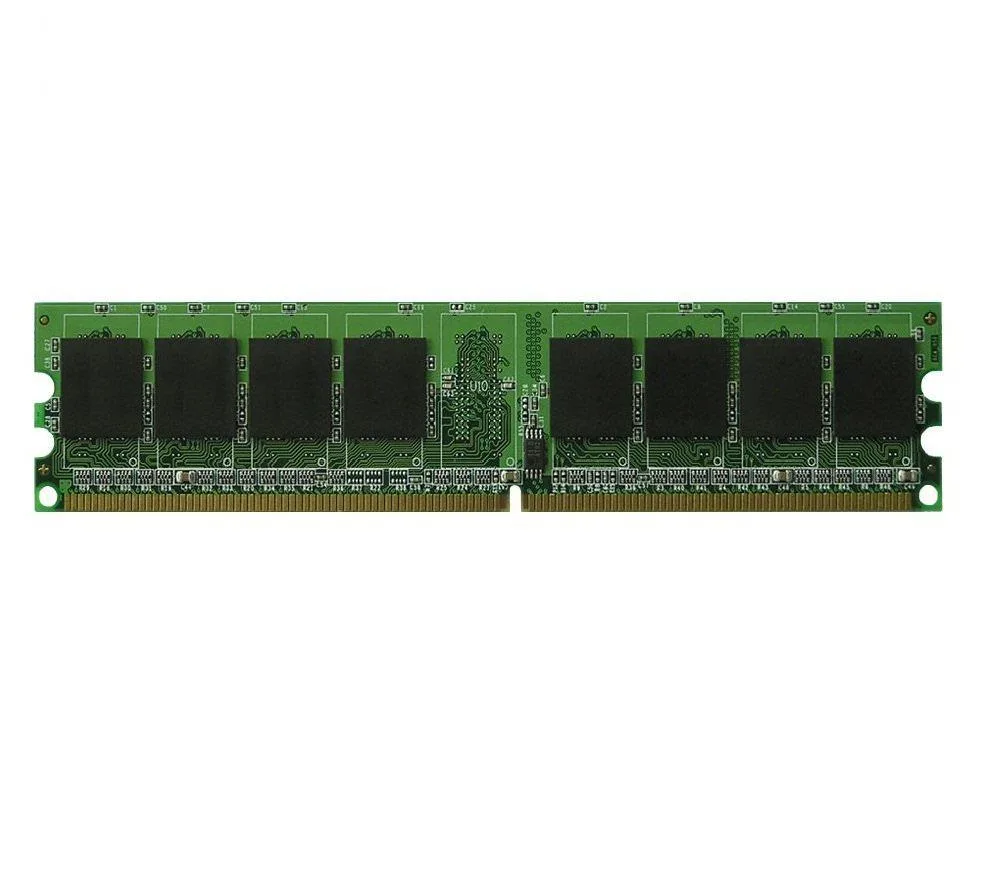
2GB DDR2 desktop module running at 667MHz with low-density 240-pin layout
This is a 2GB desktop memory module built to the DDR2 PC5300 standard at 667MHz. It uses a 240-pin DIMM form factor and is specified as low density. The unit is supplied new and carries the Samsung brand.
It suits owners of older desktop systems that accept DDR2 PC5300 memory in a low-density configuration and have a free 240-pin slot. Buyers who need more than 2GB per module, require a different DDR2 speed grade, or need high-density sticks should look elsewhere.
The low-density designation is the critical detail; many chipsets from this era will only boot with low-density DDR2, so confirming that requirement matches the motherboard specification determines whether this module will work.
| Capacity | 2GB |
|---|
The module uses a 240 pin DDR2 form factor; it fits desktop motherboards that have DDR2 slots keyed for PC5300 memory.
Align the notch on the module with the slot key, press down firmly until both side clips snap closed — partial insertion is the common mistake.
Replace it if diagnostic software reports persistent errors or the system fails to boot with the module installed.
Also in this aisle
Same shelf, same checkout — eight coins and a 30-minute rate lock.
What you pay in, and what you read prices in.
Sent from your wallet at checkout
Display only — the catalogue is priced in USD
No currency matches that.
Pick the language the site speaks to you in.
New here?
Already have one?
There is no automatic reset: this shop sends no mail, so there is no one-time link to ask for. Leave the address on the account and it gets picked up by hand.
Request noted
Nothing is on its way to your inbox — this shop sends no mail at all. Someone picks these up by hand.
Remembered it?


