

Sceptre Inc
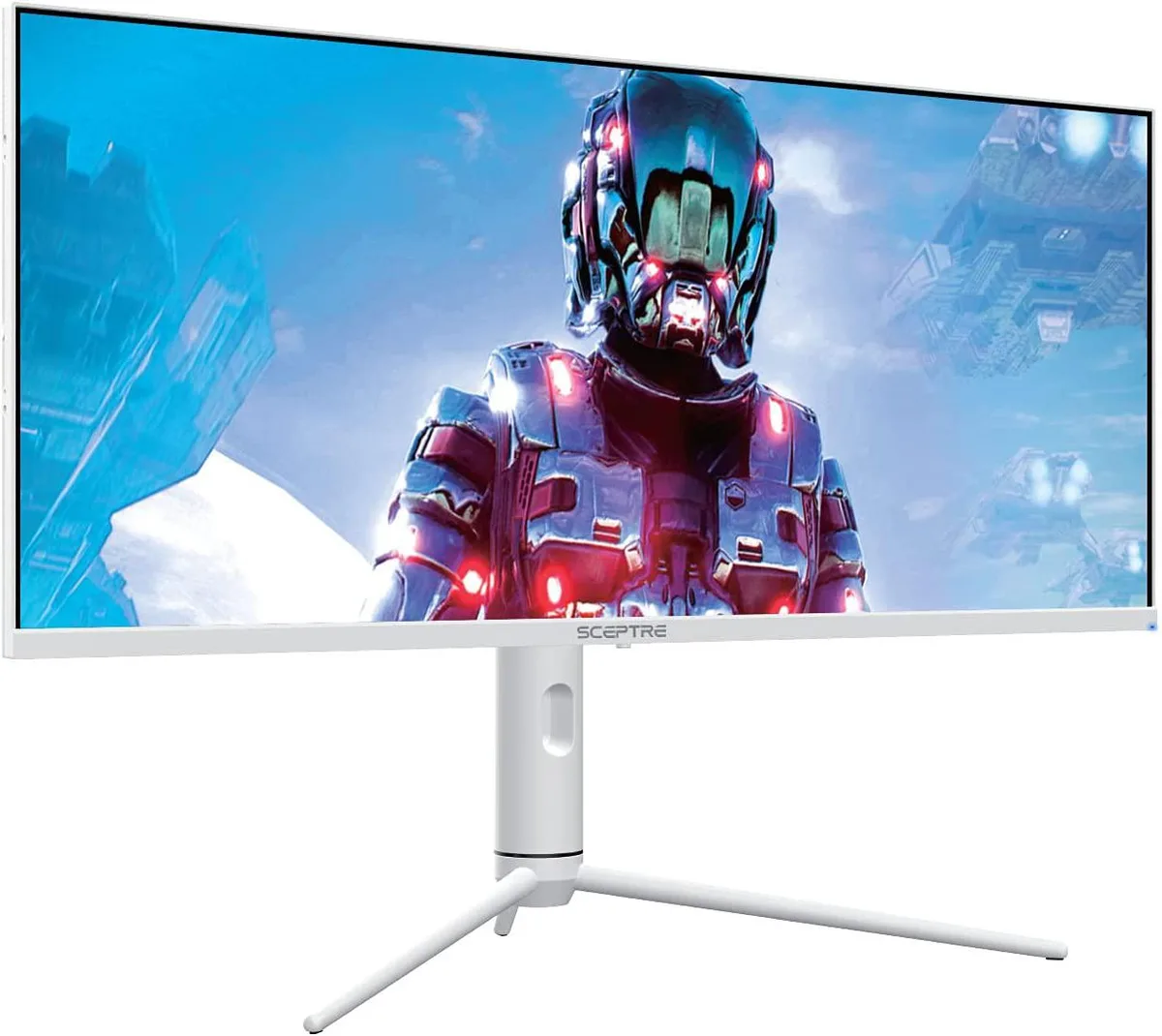
Sceptre Inc 34" White Ultrawide Gaming Monitor 3440 x 1440 144Hz HDR400 95% DCI-P3
A 34-inch ultrawide IPS gaming monitor with 3440 x 1440 resolution, 144 Hz refresh rate, 1 ms MPRT, HDR400 and 95% DCI-P3 colour
- Screen Size1.6"
- Wider field of view with 34 inch ultrawide display
- Richer colours from 95 percent DCI-P3 gamut
- Consistent colour and sharpness at any angle via IPS panel
- Smoother motion up to 144 Hz refresh rate
- Brighter highlights and deeper shadows with HDR400
Ultrawide Gaming Monitor 34 Inch
The 34 inch ultrawide gaming monitor delivers a 3440 x 1440 resolution on an IPS panel with 95 percent DCI-P3 colour coverage. It targets gamers and multitaskers who want expanded horizontal space for immersive play or side-by-side workflows. The white chassis includes a height-adjustable stand with swivel and tilt for ergonomic positioning.
144Hz Refresh Rate Headroom
DisplayPort inputs drive the panel up to 144Hz with a 1ms moving picture response time for fast-paced gaming. HDMI and USB-C ports are limited to 100Hz, so high-refresh competitive play requires a DisplayPort connection. HDR400 support lifts peak brightness 50 percent above SDR but does not reach the sustained luminance of higher-tier HDR certifications.
Adjustable Stand And Connectivity
The bundled stand provides raise, lower, swivel and tilt adjustments without needing a separate VESA mount. Three HDMI ports, DisplayPort and USB-C allow multiple devices to stay connected simultaneously. Picture-in-picture and picture-by-picture modes let users view two sources at once, though USB-C does not carry the full 144Hz refresh rate.
Highlights
- Wider field of view with 34 inch ultrawide display
- Richer colours from 95 percent DCI-P3 gamut
- Consistent colour and sharpness at any angle via IPS panel
- Smoother motion up to 144 Hz refresh rate
- Brighter highlights and deeper shadows with HDR400
Specifications
| Screen Size | 1.6" |
|---|
Questions about this item
Can I run the 3440 x 1440 panel at 144 Hz over DisplayPort from an older graphics card?
The DisplayPort inputs support up to 144 Hz at the native 3440 x 1440 resolution. If your graphics card has a DisplayPort output that can drive that resolution at 144 Hz, the monitor will run at the full refresh rate.
How do I confirm the monitor is actually running at 144 Hz after I connect it?
Open the on-screen display and check the information menu; it shows the current input, resolution and refresh rate. You can also verify 144 Hz in your operating system display settings or GPU control panel.
Which cables are included and what must I buy separately?
The box contains the monitor, stand, power cable and at least one video cable (typically DisplayPort or HDMI). USB-C cables and additional DisplayPort or HDMI cables for multi-device setups are sold separately.
Also in this aisle
People compared these
Same shelf, same checkout — eight coins and a 30-minute rate lock.