BGears
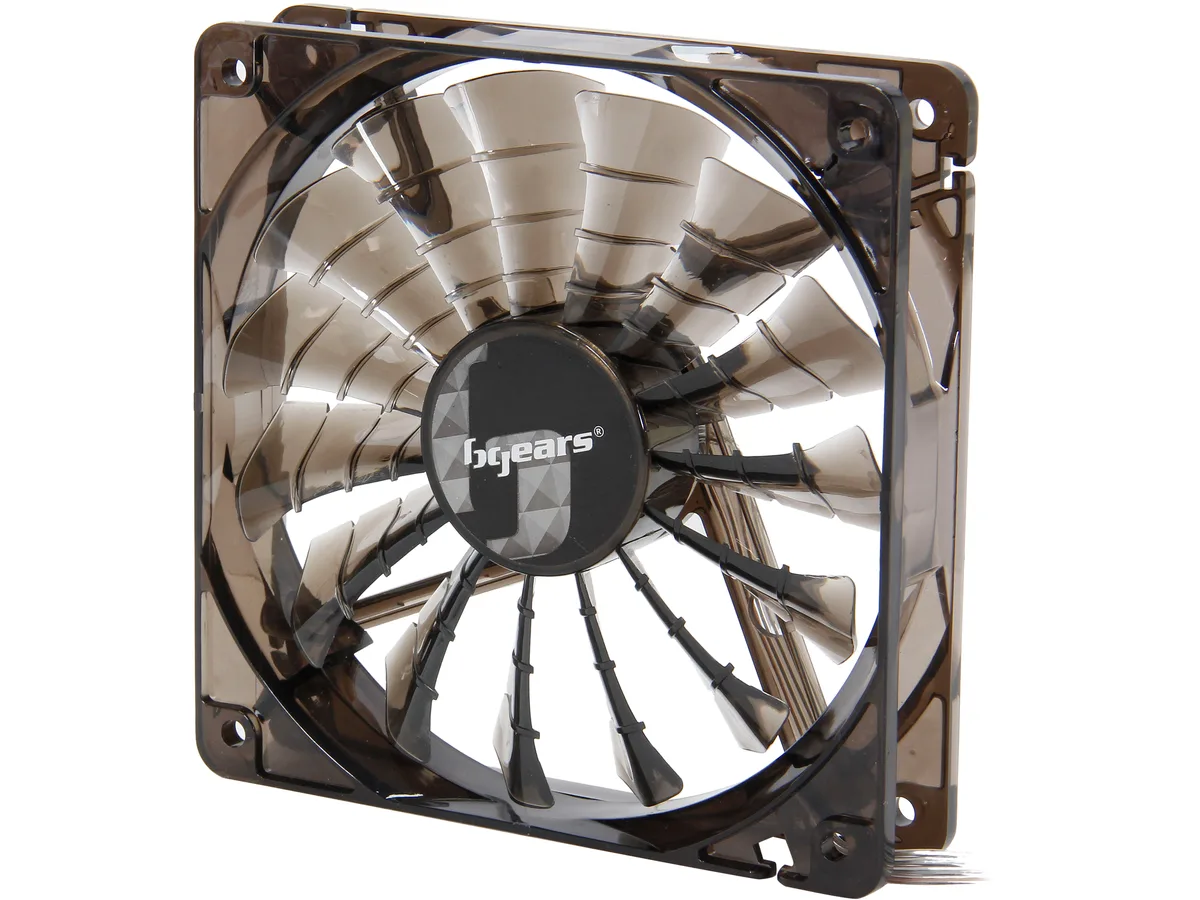
BGears b-PWM 120 Black case fan 120mm 2000 RPM 110 CFM 2 Ball bearing
- 1 Fan
- No Controller
$11.99$13.24−9%
0.00015283BTC
In stockWe take cryptocurrency — so the coins you hold can buy real hardware.Pay in crypto, spend it on real hardware. Free insured shipping worldwide over $399. Plain, unbranded boxes, sent from Germany.Free insured shipping over $399. Your rate is locked for 30 minutes once checkout opens.Rate locked 30 minutes. Every item sealed, serial-checked and covered by a 24-month warranty.Sealed, 24-month warranty.


STARTECH
Mounts two 2.5 inch SATA drives in one 3.5 inch bay with tool-free installation
Model 2 x 2.5in (Tool-less)
Struck-through versions exist but are not stocked here.
Option 1 x 3.5in
Struck-through versions exist but are not stocked here.
The StarTech BRACKET225PT adapter fits two 2.5″ SATA solid-state drives or hard drives into a single 3.5″ bay. It accepts drives from 5 mm to 12.5 mm thick and uses a tool-free design for quick installation. The bracket is intended for desktop builders who need extra storage without sacrificing an additional bay.
Data transfer speed is bound by the SATA revision supported by the drive and the host controller. The bracket itself adds no protocol overhead but cannot exceed the bandwidth of the slowest link in the chain. Builders using older SATA I ports will see reduced throughput compared with SATA III connections.
Verify that the chassis has a free 3.5″ bay with enough depth for the bracket and both drives. Confirm each 2.5″ drive measures between 5 mm and 12.5 mm in height; thicker drives will not fit. Ensure the motherboard or controller provides two SATA data ports and the power supply has two SATA power connectors.
| Brand | StarTech.com |
|---|---|
| Model | BRACKET225PT |
| Color | Black |
| Conversion Tray | 2 x 2.5" Drive to 3.5" Bay |
| Mobile Rack Drives Support | Multi 2.5" Drives to 3.5" Bay |
| Mobile Rack Interface | SATA I/II/III |
| Protection Case | Multiple Drives |
| Compatible Products | 2.5" |
| Specifications | Compatible Drive Types (Type and Rate): SATA & IDE Drive Installation: Fixed Drive Size: 2.5in Number of 2.5 inch bays 2 Supported Drive Height(s): 5mm 7mm 9.5mm 12.5mm |
| Features | Install two 2.5” solid-state drives or hard drives into a single 3.5” bay in a desktop computer Tool-free 2-drive adapter bracket 2-bay 2.5" to 3.5" SATA SSD/HDD Converter Adapter Supports 2.5in drives 5mm to 12.5 mm in height SATA I/II/III |
| Shipping weight | 0.09 kg |
| Package size | 142 × 107 × 36 mm |
The BRACKET225PT is the dual version and holds two 2.5in drives in one 3.5in bay.
You can slide each 2.5in drive into the bracket and secure it without screws, then mount the bracket in the 3.5in bay.
The bracket passes through the native SATA link so each drive runs at its own rated SATA I, II or III speed.
Also in this aisle
Same shelf, same checkout — eight coins and a 30-minute rate lock.
What you pay in, and what you read prices in.
Sent from your wallet at checkout
Display only — the catalogue is priced in USD
No currency matches that.
Pick the language the site speaks to you in.
New here?
Already have one?
There is no automatic reset: this shop sends no mail, so there is no one-time link to ask for. Leave the address on the account and it gets picked up by hand.
Request noted
Nothing is on its way to your inbox — this shop sends no mail at all. Someone picks these up by hand.
Remembered it?