

Seagate
Seagate Cheetah NS ST3400755SSProduct 400 GB 3.5" SAS internal hard drive
- SLC
$23.99
0.00030521BTC
In stockWe take cryptocurrency — so the coins you hold can buy real hardware.Pay in crypto, spend it on real hardware. Free insured shipping worldwide over $399. Plain, unbranded boxes, sent from Germany.Free insured shipping over $399. Your rate is locked for 30 minutes once checkout opens.Rate locked 30 minutes. Every item sealed, serial-checked and covered by a 24-month warranty.Sealed, 24-month warranty.


Synology Inc.
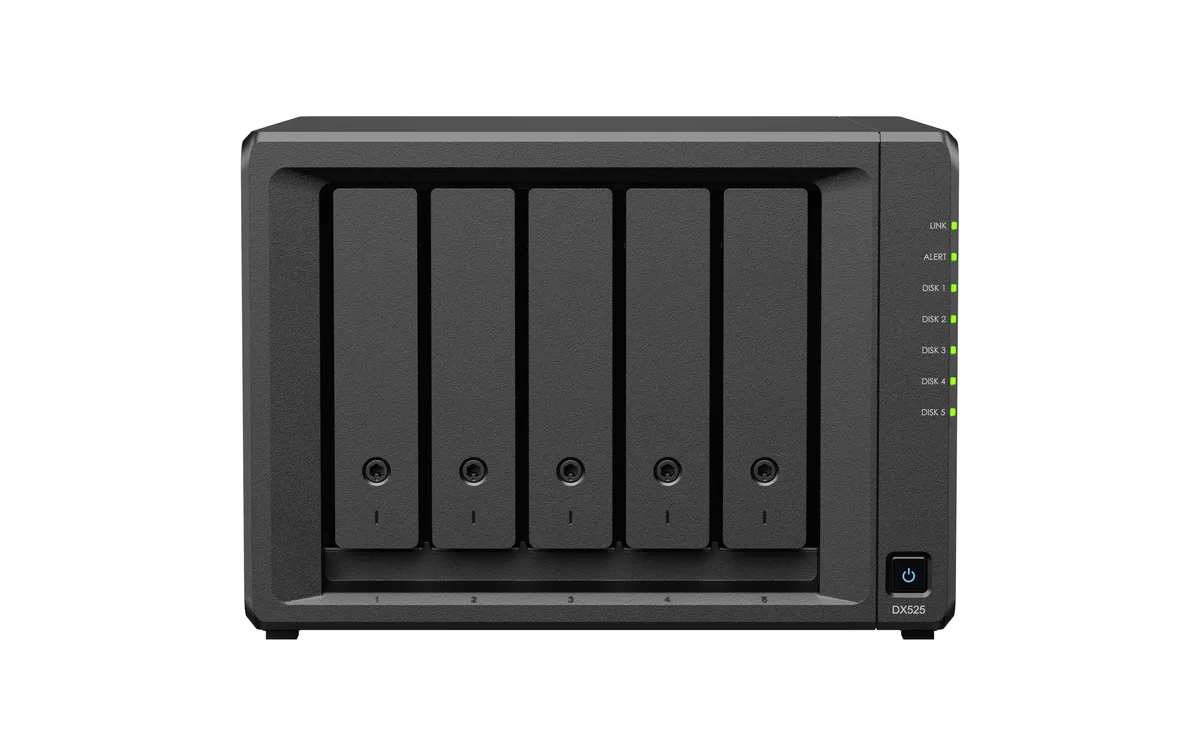
A five-bay desktop expansion unit that adds up to 72 TB of SATA storage to a compatible DiskStation with RAID 0, 1, 5, 6, 10 or JBOD
The Synology DX525 is a 5-bay desktop expansion unit that adds up to 72TB of raw capacity to a compatible DiskStation. It ships without drives and accepts 3.5" SATA HDDs or 2.5" SATA SSDs. The enclosure connects via a supplied USB Type-C expansion cable and runs on a 100V to 240V AC adapter.
This unit is designed for users who already own a supported Synology DiskStation and need additional bays without replacing their main system. It supports RAID 0, 1, 5, 6, 10 and JBOD configurations managed through DSM. Buyers who do not have a compatible host NAS cannot use this product as independent network storage.
The single defining specification is the five drive bays connected to the host through a USB Type-C expansion cable. This interface determines which DiskStation models can attach the unit and governs the maximum throughput for the installed SATA drives. Confirm host compatibility before purchase.
| Brand | Synology |
|---|---|
| Series | DiskStation |
| Model | DX525 |
| Type | Desktop NAS |
| Form Factor | 5-Bay |
| Included HDD Capacity | Diskless System |
| Max Capacity | 72TB |
| RAID | RAID 0, 1, 5, 6, 10, and JBOD |
| Drive Compatibility | 3.5" SATA HDD 2.5" SATA SSD |
| Power | 100V to 240V AC |
| Power Consumption | 35.37 W (Access) 7.0 W (HDD Hibernation) |
| Temperature | Operating Temperature : 0°C to 40°C (32°F to 104°F) Storage Temperature : -20°C to 60°C (-5°F to 140°F) |
| Humidity | 5% to 95% RH |
| Usage | Backup & stream media through personal cloud |
| Dimensions | 166 mm x 230 mm x 223 mm |
| Weight | 2.46 kg |
| Package Contents | Main Unit X 1 Expansion Cable: USB Type-C X 1 Accessory Pack X 1 AC Power Adapter X 1 AC Power Cord X 1 |
| Shipping weight | 4.26 kg |
| Package size | 305 × 305 × 279 mm |
Allow extra depth behind the 223 mm chassis so the USB Type-C expansion cable can connect without sharp bends.
Connect the supplied USB Type-C expansion cable, power on the DX525, then use DSM Storage Manager to initialise the new volume before storing data.
Replace any 3.5" SATA drive that DSM reports as degraded or that exceeds the 0 °C to 40 °C operating temperature range during normal use.
Also in this aisle
Same shelf, same checkout — eight coins and a 30-minute rate lock.
What you pay in, and what you read prices in.
Sent from your wallet at checkout
Display only — the catalogue is priced in USD
No currency matches that.
Pick the language the site speaks to you in.
New here?
Already have one?
There is no automatic reset: this shop sends no mail, so there is no one-time link to ask for. Leave the address on the account and it gets picked up by hand.
Request noted
Nothing is on its way to your inbox — this shop sends no mail at all. Someone picks these up by hand.
Remembered it?


